The AI Prompt Library
The Workplace AI Prompt Library is a learning companion to the 30-Day AI at Work Challenge. It helps learners practice, compare, adapt, and review prompts from every course lesson while building responsible AI judgment.
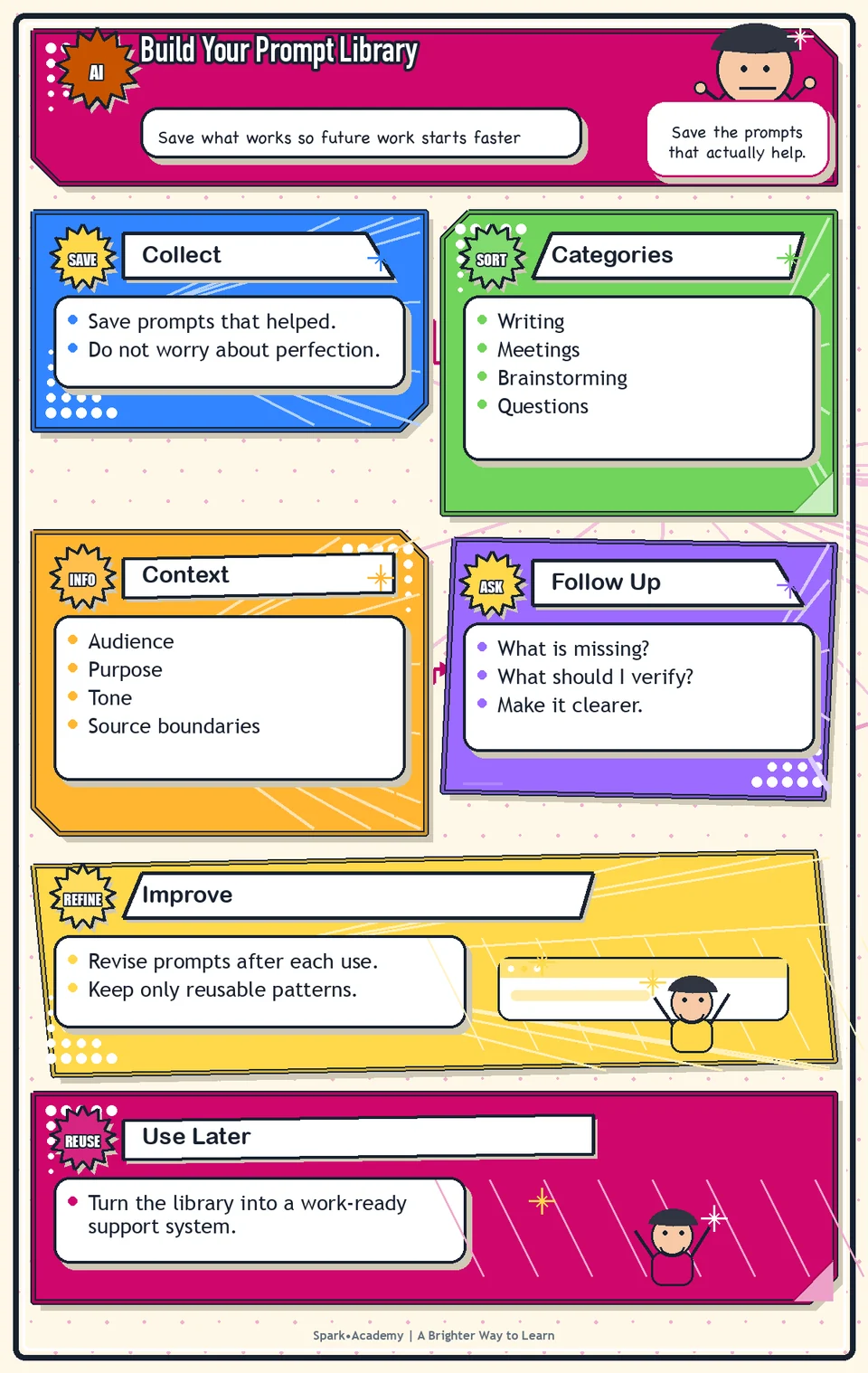
Use this library to practice the workplace AI skills taught across the 30-day challenge. The prompts cover writing, meetings, research, planning, search-friendly content, technical questions, and careful review. Each entry comes from a course lesson and includes simple and expanded versions you can compare, adapt, test, and save.
For the best learning experience, start with the related lesson, try its simple prompt on safe practice material, compare the expanded version, and review the result before adding it to your own library. The goal is to build judgment and a reusable method, not just collect prompts.
This living appendix is generated from the same Prompt blocks used in the guide, so prompt updates are mirrored here during export.
Download the Workplace AI Prompt Library PDF for a copy-friendly offline reference.
Day 1: Understand Why This Challenge Exists - Primary Prompt
Simple Prompt
Help me think through how AI could support my work. Use simple language. Suggest practical use cases, risks to watch, and one sentence I can save about using AI responsibly.Expanded Prompt
Role:
Act as a practical workplace AI coach.

Task:
Help me think through how AI could support my work. Use simple language. Suggest practical use cases, risks to watch, and one sentence I can save about using AI responsibly.

Context:
- Keep in mind: Use AI as a support layer for thinking, drafting, organizing, questioning, and reviewing while keeping human judgment responsible for accuracy, privacy, and final use.
- Work context: Responsible AI use and personal work habits.
- Save as: How AI Can Help Me at Work note.

Use these details if I provide them:
- My role or recurring work if I provide it.
- Safe or mock work examples.
- Any workplace boundaries I mention.

Ask first only if needed:
- Ask up to three clarifying questions only when missing details would materially change the answer. Otherwise, proceed with clearly labeled assumptions or placeholders.

Keep it safe:
- Use only mock, public, sanitized, or workplace-approved information. Do not include sensitive, confidential, personal, customer, legal, financial, unreleased, private-code, credential, or regulated material unless that use is explicitly approved.
- Do not invent names, dates, metrics, source content, evidence, approvals, or promises. If details are missing, use labeled placeholders or a brief mock example.

How to work:
- Create five to seven realistic AI support ideas.
- For each idea, explain the benefit, the risk, and the human review step.
- Write one responsible-use sentence in plain language.

Give me:
1. Goal of the note
2. AI can help with: realistic uses
3. Risks and review boundaries
4. Responsible-use sentence
5. Reusable prompt pattern

Style:
- Practical, clear, friendly, plain-English, specific, and non-hype.
- Use headings, bullets, or a compact table when that makes the output easier to scan.

Before you finish:
- The result should make AI feel useful and bounded, not magical, risky, or vague.
- Make sure the answer is usable, grounded in provided or clearly labeled mock information, and clear about what needs human review before real use.
Day 1: Understand Why This Challenge Exists - Improve Prompt
Simple Prompt
Review my AI-at-work use cases. Separate low-risk drafting, organizing, and learning uses from uses that need human, privacy, legal, compliance, or subject-matter review. Suggest missing cautions and improve my responsible-use sentence.Expanded Prompt
Role:
Act as a responsible-AI reviewer who checks usefulness, risk, and human judgment boundaries.

Task:
Review my AI-at-work use cases. Separate low-risk drafting, organizing, and learning uses from uses that need human, privacy, legal, compliance, or subject-matter review. Suggest missing cautions and improve my responsible-use sentence.

Context:
- Keep in mind: Use AI as a support layer for thinking, drafting, organizing, questioning, and reviewing while keeping human judgment responsible for accuracy, privacy, and final use.
- Work context: Responsible AI use and personal work habits.
- Save as: How AI Can Help Me at Work note.

Use these details if I provide them:
- My role or recurring work if I provide it.
- Safe or mock work examples.
- Any workplace boundaries I mention.

Ask first only if needed:
- Ask up to three clarifying questions only when missing details would materially change the answer. Otherwise, proceed with clearly labeled assumptions or placeholders.

Keep it safe:
- Use only mock, public, sanitized, or workplace-approved information. Do not include sensitive, confidential, personal, customer, legal, financial, unreleased, private-code, credential, or regulated material unless that use is explicitly approved.
- Do not invent names, dates, metrics, source content, evidence, approvals, or promises. If details are missing, use labeled placeholders or a brief mock example.

How to work:
- Check whether each use case is realistic, safe, and review-ready.
- Separate low-risk uses from uses that need human, legal, privacy, compliance, or subject-matter review.
- Improve the responsible-use sentence so it sounds practical and memorable.

Give me:
1. Quick verdict
2. Issue table with priority, evidence, and recommended fix
3. Revised draft or targeted rewrite
4. Questions or approvals still needed
5. Before-use review checklist
6. Reusable review prompt pattern

Style:
- Practical, clear, friendly, plain-English, specific, and non-hype.
- Use headings, bullets, or a compact table when that makes the output easier to scan.

Before you finish:
- The result should make AI feel useful and bounded, not magical, risky, or vague.
- Make sure the answer is usable, grounded in provided or clearly labeled mock information, and clear about what needs human review before real use.
Day 1: Understand Why This Challenge Exists - Apply Prompt
Simple Prompt
Ask me up to five questions about my role, recurring tasks, and workplace boundaries. Then suggest practical ways AI could help me start faster, think more clearly, and review more carefully, using only safe or approved examples.Expanded Prompt
Role:
Act as a practical responsible-AI coach who adapts this exercise to my role, recurring tasks, and workplace boundaries.

Task:
Ask me up to five questions about my role, recurring tasks, and workplace boundaries. Then suggest practical ways AI could help me start faster, think more clearly, and review more carefully, using only safe or approved examples.

Context:
- Keep in mind: Use AI as a support layer for thinking, drafting, organizing, questioning, and reviewing while keeping human judgment responsible for accuracy, privacy, and final use.
- Work context: Responsible AI use and personal work habits.
- Save as: How AI Can Help Me at Work note.

Use these details if I provide them:
- My role or recurring work if I provide it.
- Safe or mock work examples.
- Any workplace boundaries I mention.

Ask first only if needed:
- Ask up to three clarifying questions only when missing details would materially change the answer. Otherwise, proceed with clearly labeled assumptions or placeholders.

Keep it safe:
- Use only mock, public, sanitized, or workplace-approved information. Do not include sensitive, confidential, personal, customer, legal, financial, unreleased, private-code, credential, or regulated material unless that use is explicitly approved.
- Do not invent names, dates, metrics, source content, evidence, approvals, or promises. If details are missing, use labeled placeholders or a brief mock example.

How to work:
- Ask about my role, common tasks, and boundaries before tailoring the ideas.
- Use my answers to suggest safe, realistic AI use cases.
- Show one clearly labeled mock example if I do not provide enough detail.

Give me:
1. Questions to ask me first
2. Safe assumptions if I do not answer yet
3. Adapted How AI Can Help Me at Work note
4. Review before real use
5. Reusable prompt pattern

Style:
- Practical, clear, friendly, plain-English, specific, and non-hype.
- Use headings, bullets, or a compact table when that makes the output easier to scan.

Before you finish:
- The result should make AI feel useful and bounded, not magical, risky, or vague.
- Make sure the answer is usable, grounded in provided or clearly labeled mock information, and clear about what needs human review before real use.
Day 2: Create Your AI Tool Map - Primary Prompt
Simple Prompt
Help me create my AI Tool Map. Compare ChatGPT, Gemini Notebook, Gemini, and ChatGPT Work by best use case, what to be careful about, one practical workplace use case, and one prompt I might try.Expanded Prompt
Role:
Act as a practical tool-selection coach.

Task:
Help me create my AI Tool Map. Compare ChatGPT, Gemini Notebook, Gemini, and ChatGPT Work by best use case, what to be careful about, one practical workplace use case, and one prompt I might try.

Context:
- Keep in mind: Different AI tools fit different jobs; choose based on task, source needs, technical depth, workflow location, and review risk.
- Work context: AI tool selection across ChatGPT, Gemini Notebook, Gemini, and ChatGPT Work.
- Save as: AI Tool Map.

Use these details if I provide them:
- The tools I can access if known.
- The kind of work I do.
- Any workplace guidance or data boundaries that affect tool choice.

Ask first only if needed:
- Ask up to three clarifying questions only when missing details would materially change the answer. Otherwise, proceed with clearly labeled assumptions or placeholders.

Keep it safe:
- Use only mock, public, sanitized, or workplace-approved information. Do not include sensitive, confidential, personal, customer, legal, financial, unreleased, private-code, credential, or regulated material unless that use is explicitly approved.
- Do not invent names, dates, metrics, source content, evidence, approvals, or promises. If details are missing, use labeled placeholders or a brief mock example.

How to work:
- Compare each tool by best use, weak use, caution, and safe practice prompt.
- Make the differences concrete instead of saying every tool can do everything.
- Include a simple decision rule for choosing where to start when more than one tool could fit.

Give me:
1. Task and safe assumptions
2. AI Tool Map comparison table
3. Best-fit workplace use cases
4. Cautions and review boundaries
5. First prompts to try
6. Personal tool-choice rule

Style:
- Practical, clear, friendly, plain-English, specific, and non-hype.
- Use headings, bullets, or a compact table when that makes the output easier to scan.

Before you finish:
- The map should be scannable in under a minute and help me choose a next step.
- Make sure the answer is usable, grounded in provided or clearly labeled mock information, and clear about what needs human review before real use.
Day 2: Create Your AI Tool Map - Improve Prompt
Simple Prompt
Review my AI Tool Map for overlap, vague tool choices, missing cautions, and unclear data boundaries. Help me add one strong use case, one weak use case, and one decision question for each tool.Expanded Prompt
Role:
Act as a tool-selection reviewer who checks whether each AI tool fits the task, source needs, and review risk.

Task:
Review my AI Tool Map for overlap, vague tool choices, missing cautions, and unclear data boundaries. Help me add one strong use case, one weak use case, and one decision question for each tool.

Context:
- Keep in mind: Different AI tools fit different jobs; choose based on task, source needs, technical depth, workflow location, and review risk.
- Work context: AI tool selection across ChatGPT, Gemini Notebook, Gemini, and ChatGPT Work.
- Save as: AI Tool Map.

Use these details if I provide them:
- The tools I can access if known.
- The kind of work I do.
- Any workplace guidance or data boundaries that affect tool choice.

Ask first only if needed:
- Ask up to three clarifying questions only when missing details would materially change the answer. Otherwise, proceed with clearly labeled assumptions or placeholders.

Keep it safe:
- Use only mock, public, sanitized, or workplace-approved information. Do not include sensitive, confidential, personal, customer, legal, financial, unreleased, private-code, credential, or regulated material unless that use is explicitly approved.
- Do not invent names, dates, metrics, source content, evidence, approvals, or promises. If details are missing, use labeled placeholders or a brief mock example.

How to work:
- Find overlap, vague choices, missing data boundaries, and weak decision rules.
- Sharpen the map so it helps me decide quickly.
- Add one strong use case and one weak use case for each tool.

Give me:
1. Quick verdict
2. Issue table with priority, evidence, and recommended fix
3. Revised draft or targeted rewrite
4. Questions or approvals still needed
5. Before-use review checklist
6. Reusable review prompt pattern

Style:
- Practical, clear, friendly, plain-English, specific, and non-hype.
- Use headings, bullets, or a compact table when that makes the output easier to scan.

Before you finish:
- The map should be scannable in under a minute and help me choose a next step.
- Make sure the answer is usable, grounded in provided or clearly labeled mock information, and clear about what needs human review before real use.
Day 2: Create Your AI Tool Map - Apply Prompt
Simple Prompt
Create a simple tool-choice rule for my work. Ask what kind of task I am doing, whether I have approved source material, whether the output is technical or nontechnical, and what review is needed before sharing.Expanded Prompt
Role:
Act as a practical tool-choice coach who helps me choose the right AI tool for approved or sanitized work.

Task:
Create a simple tool-choice rule for my work. Ask what kind of task I am doing, whether I have approved source material, whether the output is technical or nontechnical, and what review is needed before sharing.

Context:
- Keep in mind: Different AI tools fit different jobs; choose based on task, source needs, technical depth, workflow location, and review risk.
- Work context: AI tool selection across ChatGPT, Gemini Notebook, Gemini, and ChatGPT Work.
- Save as: AI Tool Map.

Use these details if I provide them:
- The tools I can access if known.
- The kind of work I do.
- Any workplace guidance or data boundaries that affect tool choice.

Ask first only if needed:
- Ask up to three clarifying questions only when missing details would materially change the answer. Otherwise, proceed with clearly labeled assumptions or placeholders.

Keep it safe:
- Use only mock, public, sanitized, or workplace-approved information. Do not include sensitive, confidential, personal, customer, legal, financial, unreleased, private-code, credential, or regulated material unless that use is explicitly approved.
- Do not invent names, dates, metrics, source content, evidence, approvals, or promises. If details are missing, use labeled placeholders or a brief mock example.

How to work:
- Ask what task I am trying to do and what material I have.
- Recommend a starting tool and explain why.
- Include when to switch tools or ask for guidance.

Give me:
1. Questions to ask me first
2. Safe assumptions if I do not answer yet
3. Tool-choice decision tree
4. Recommended tool by task type
5. Safety, source, and review rules
6. Fallback workflow
7. Reusable tool-choice prompt pattern

Style:
- Practical, clear, friendly, plain-English, specific, and non-hype.
- Use headings, bullets, or a compact table when that makes the output easier to scan.

Before you finish:
- The map should be scannable in under a minute and help me choose a next step.
- Make sure the answer is usable, grounded in provided or clearly labeled mock information, and clear about what needs human review before real use.
Day 3: Set Up and Walk Through ChatGPT - Primary Prompt
Simple Prompt
Help me make a checklist of ChatGPT features to look for in my account, including new chat, file upload, chat history, projects, tools, settings, and the desktop app. Separate what I should use often from what I should only use after checking workplace guidance.Expanded Prompt
Role:
Act as a beginner-friendly ChatGPT setup guide.

Task:
Help me make a checklist of ChatGPT features to look for in my account, including new chat, file upload, chat history, projects, tools, settings, and the desktop app. Separate what I should use often from what I should only use after checking workplace guidance.

Context:
- Keep in mind: Feature awareness is only useful when paired with safe exploration, account-limit awareness, and clear boundaries for real work material.
- Work context: ChatGPT setup and safe feature exploration.
- Save as: ChatGPT feature checklist.

Use these details if I provide them:
- Features available in my account.
- Account or workspace limits if known.
- Safe practice material.

Ask first only if needed:
- Ask up to three clarifying questions only when missing details would materially change the answer. Otherwise, proceed with clearly labeled assumptions or placeholders.

Keep it safe:
- Use only mock, public, sanitized, or workplace-approved information. Do not include sensitive, confidential, personal, customer, legal, financial, unreleased, private-code, credential, or regulated material unless that use is explicitly approved.
- Do not invent names, dates, metrics, source content, evidence, approvals, or promises. If details are missing, use labeled placeholders or a brief mock example.

How to work:
- List features to look for and what each one helps with.
- Separate everyday features from features that need workplace guidance.
- Include one safe practice test for each feature category.

Give me:
1. Feature checklist
2. What each feature is useful for
3. Use often vs check guidance first
4. Safe practice plan
5. Notes to save

Style:
- Practical, clear, friendly, plain-English, specific, and non-hype.
- Use headings, bullets, or a compact table when that makes the output easier to scan.

Before you finish:
- The checklist should help me explore confidently without uploading risky material.
- Make sure the answer is usable, grounded in provided or clearly labeled mock information, and clear about what needs human review before real use.
Day 3: Set Up and Walk Through ChatGPT - Improve Prompt
Simple Prompt
Review my ChatGPT setup checklist. Add columns for available to me, useful for, use with caution, needs workplace guidance, and safe practice example. Flag anything that depends on account, region, device, plan, or workspace settings.Expanded Prompt
Role:
Act as a ChatGPT setup reviewer who checks access, safe-use boundaries, and account-dependent assumptions.

Task:
Review my ChatGPT setup checklist. Add columns for available to me, useful for, use with caution, needs workplace guidance, and safe practice example. Flag anything that depends on account, region, device, plan, or workspace settings.

Context:
- Keep in mind: Feature awareness is only useful when paired with safe exploration, account-limit awareness, and clear boundaries for real work material.
- Work context: ChatGPT setup and safe feature exploration.
- Save as: ChatGPT feature checklist.

Use these details if I provide them:
- Features available in my account.
- Account or workspace limits if known.
- Safe practice material.

Ask first only if needed:
- Ask up to three clarifying questions only when missing details would materially change the answer. Otherwise, proceed with clearly labeled assumptions or placeholders.

Keep it safe:
- Use only mock, public, sanitized, or workplace-approved information. Do not include sensitive, confidential, personal, customer, legal, financial, unreleased, private-code, credential, or regulated material unless that use is explicitly approved.
- Do not invent names, dates, metrics, source content, evidence, approvals, or promises. If details are missing, use labeled placeholders or a brief mock example.

How to work:
- Add access, safety, and account-variation notes.
- Flag anything that depends on plan, account, region, device, or workspace settings.
- Make the checklist easier to update later.

Give me:
1. Quick verdict
2. Issue table with priority, evidence, and recommended fix
3. Revised draft or targeted rewrite
4. Questions or approvals still needed
5. Before-use review checklist
6. Reusable review prompt pattern

Style:
- Practical, clear, friendly, plain-English, specific, and non-hype.
- Use headings, bullets, or a compact table when that makes the output easier to scan.

Before you finish:
- The checklist should help me explore confidently without uploading risky material.
- Make sure the answer is usable, grounded in provided or clearly labeled mock information, and clear about what needs human review before real use.
Day 3: Set Up and Walk Through ChatGPT - Apply Prompt
Simple Prompt
Help me design a 20-minute safe ChatGPT practice session using only mock, public, sanitized, or approved material. Include what to try first, what to avoid, what settings or features to notice, and what notes to save afterward.Expanded Prompt
Role:
Act as a practical ChatGPT practice coach who helps me explore features safely with mock, public, or approved material.

Task:
Help me design a 20-minute safe ChatGPT practice session using only mock, public, sanitized, or approved material. Include what to try first, what to avoid, what settings or features to notice, and what notes to save afterward.

Context:
- Keep in mind: Feature awareness is only useful when paired with safe exploration, account-limit awareness, and clear boundaries for real work material.
- Work context: ChatGPT setup and safe feature exploration.
- Save as: ChatGPT feature checklist.

Use these details if I provide them:
- Features available in my account.
- Account or workspace limits if known.
- Safe practice material.

Ask first only if needed:
- Ask up to three clarifying questions only when missing details would materially change the answer. Otherwise, proceed with clearly labeled assumptions or placeholders.

Keep it safe:
- Use only mock, public, sanitized, or workplace-approved information. Do not include sensitive, confidential, personal, customer, legal, financial, unreleased, private-code, credential, or regulated material unless that use is explicitly approved.
- Do not invent names, dates, metrics, source content, evidence, approvals, or promises. If details are missing, use labeled placeholders or a brief mock example.

How to work:
- Design a short safe practice session.
- Use only mock, public, sanitized, or approved material.
- Include what to try, what to avoid, and what notes to save.

Give me:
1. Feature checklist
2. What each feature is useful for
3. Use often vs check guidance first
4. Safe practice plan
5. Notes to save

Style:
- Practical, clear, friendly, plain-English, specific, and non-hype.
- Use headings, bullets, or a compact table when that makes the output easier to scan.

Before you finish:
- The checklist should help me explore confidently without uploading risky material.
- Make sure the answer is usable, grounded in provided or clearly labeled mock information, and clear about what needs human review before real use.
Day 4: Use ChatGPT for Writing Support - Primary Prompt
Simple Prompt
Rewrite this team update in three versions: concise, direct, and warm. Keep the meaning clear and professional.

Sample: We are preparing for a workflow update and want the team to understand why it matters, what is changing, and what happens next.

Recommend the strongest version for a team audience, then combine the best parts into one final draft.
Expanded Prompt
Role:
Act as a workplace writing coach.

Task:
Rewrite this team update in three versions: concise, direct, and warm. Keep the meaning clear and professional.

Sample: We are preparing for a workflow update and want the team to understand why it matters, what is changing, and what happens next.

Recommend the strongest version for a team audience, then combine the best parts into one final draft.

Context:
- Keep in mind: AI can help you reach a stronger draft faster, but the final writing still needs audience awareness, accuracy, tone, structure, and human taste.
- Work context: ChatGPT writing support.
- Save as: revised team update.

Use these details if I provide them:
- Draft or sample update.
- Audience.
- Tone choices.
- Facts that must not change.

Ask first only if needed:
- Ask up to three clarifying questions only when missing details would materially change the answer. Otherwise, proceed with clearly labeled assumptions or placeholders.

Keep it safe:
- Use only mock, public, sanitized, or workplace-approved information. Do not include sensitive, confidential, personal, customer, legal, financial, unreleased, private-code, credential, or regulated material unless that use is explicitly approved.
- Do not invent names, dates, metrics, source content, evidence, approvals, or promises. If details are missing, use labeled placeholders or a brief mock example.

How to work:
- Rewrite the message in concise, direct, and warm versions.
- Preserve meaning and required facts.
- Recommend a final version using the strongest parts.

Give me:
1. Three versions
2. Comparison of strengths
3. Final recommended version
4. Edits explained
5. Review before sending

Style:
- Practical, clear, friendly, plain-English, specific, and non-hype.
- Use headings, bullets, or a compact table when that makes the output easier to scan.

Before you finish:
- The result should improve clarity without making the message sound fake or over-polished.
- Make sure the answer is usable, grounded in provided or clearly labeled mock information, and clear about what needs human review before real use.
Day 4: Use ChatGPT for Writing Support - Improve Prompt
Simple Prompt
Compare the concise, direct, warm, and final versions. Explain what changed in clarity, tone, specificity, and reader usefulness. Flag any wording that changed the meaning, added unsupported details, or made the message too vague.Expanded Prompt
Role:
Act as a workplace writing reviewer who checks clarity, tone, meaning, and unsupported changes.

Task:
Compare the concise, direct, warm, and final versions. Explain what changed in clarity, tone, specificity, and reader usefulness. Flag any wording that changed the meaning, added unsupported details, or made the message too vague.

Context:
- Keep in mind: AI can help you reach a stronger draft faster, but the final writing still needs audience awareness, accuracy, tone, structure, and human taste.
- Work context: ChatGPT writing support.
- Save as: revised team update.

Use these details if I provide them:
- Draft or sample update.
- Audience.
- Tone choices.
- Facts that must not change.

Ask first only if needed:
- Ask up to three clarifying questions only when missing details would materially change the answer. Otherwise, proceed with clearly labeled assumptions or placeholders.

Keep it safe:
- Use only mock, public, sanitized, or workplace-approved information. Do not include sensitive, confidential, personal, customer, legal, financial, unreleased, private-code, credential, or regulated material unless that use is explicitly approved.
- Do not invent names, dates, metrics, source content, evidence, approvals, or promises. If details are missing, use labeled placeholders or a brief mock example.

How to work:
- Compare versions by clarity, tone, specificity, and reader usefulness.
- Flag wording that changes meaning or adds unsupported detail.
- Explain which edits improved the message.

Give me:
1. Quick verdict
2. Issue table with priority, evidence, and recommended fix
3. Revised draft or targeted rewrite
4. Questions or approvals still needed
5. Before-use review checklist
6. Reusable review prompt pattern

Style:
- Practical, clear, friendly, plain-English, specific, and non-hype.
- Use headings, bullets, or a compact table when that makes the output easier to scan.

Before you finish:
- The result should improve clarity without making the message sound fake or over-polished.
- Make sure the answer is usable, grounded in provided or clearly labeled mock information, and clear about what needs human review before real use.
Day 4: Use ChatGPT for Writing Support - Apply Prompt
Simple Prompt
Help me revise a safe workplace draft. First ask for the audience, purpose, desired tone, length limit, and any facts that must not change. Then produce three versions and a final version with a short explanation of the edits.Expanded Prompt
Role:
Act as a practical writing coach who helps me adapt this revision workflow to a safe workplace draft.

Task:
Help me revise a safe workplace draft. First ask for the audience, purpose, desired tone, length limit, and any facts that must not change. Then produce three versions and a final version with a short explanation of the edits.

Context:
- Keep in mind: AI can help you reach a stronger draft faster, but the final writing still needs audience awareness, accuracy, tone, structure, and human taste.
- Work context: ChatGPT writing support.
- Save as: revised team update.

Use these details if I provide them:
- Draft or sample update.
- Audience.
- Tone choices.
- Facts that must not change.

Ask first only if needed:
- Ask up to three clarifying questions only when missing details would materially change the answer. Otherwise, proceed with clearly labeled assumptions or placeholders.

Keep it safe:
- Use only mock, public, sanitized, or workplace-approved information. Do not include sensitive, confidential, personal, customer, legal, financial, unreleased, private-code, credential, or regulated material unless that use is explicitly approved.
- Do not invent names, dates, metrics, source content, evidence, approvals, or promises. If details are missing, use labeled placeholders or a brief mock example.

How to work:
- Ask for audience, purpose, tone, length, and facts that must not change.
- Revise the safe draft in multiple versions.
- Create a final version and explain the editing choices.

Give me:
1. Three versions
2. Comparison of strengths
3. Final recommended version
4. Edits explained
5. Review before sending

Style:
- Practical, clear, friendly, plain-English, specific, and non-hype.
- Use headings, bullets, or a compact table when that makes the output easier to scan.

Before you finish:
- The result should improve clarity without making the message sound fake or over-polished.
- Make sure the answer is usable, grounded in provided or clearly labeled mock information, and clear about what needs human review before real use.
Day 5: Produce a Clear Written Message - Primary Prompt
Simple Prompt
Draft a short team update under 150 words for this safe or mock scenario: a workplace is preparing to roll out an improvement to the customer experience. The update is intended to make support easier to access and easier to understand. Then create a sharper concise version and help me compare the two.Expanded Prompt
Role:
Act as a concise workplace communicator.

Task:
Draft a short team update under 150 words for this safe or mock scenario: a workplace is preparing to roll out an improvement to the customer experience. The update is intended to make support easier to access and easier to understand. Then create a sharper concise version and help me compare the two.

Context:
- Keep in mind: A clear workplace message should explain what is happening, why it matters, who is affected, and what happens next without adding unsupported claims.
- Work context: clear workplace message drafting.
- Save as: short team update.

Use these details if I provide them:
- Scenario.
- Audience.
- Length limit.
- Must-include facts and things not to promise.

Ask first only if needed:
- Ask up to three clarifying questions only when missing details would materially change the answer. Otherwise, proceed with clearly labeled assumptions or placeholders.

Keep it safe:
- Use only mock, public, sanitized, or workplace-approved information. Do not include sensitive, confidential, personal, customer, legal, financial, unreleased, private-code, credential, or regulated material unless that use is explicitly approved.
- Do not invent names, dates, metrics, source content, evidence, approvals, or promises. If details are missing, use labeled placeholders or a brief mock example.

How to work:
- Draft a short update within the requested word limit.
- Make the change, reason, and next step obvious.
- Create a sharper version and explain the difference.

Give me:
1. Safe assumptions for the mock scenario
2. Team update under 150 words
3. What changed, why it matters, and who is affected
4. Review flags before sending
5. Optional tighter version
6. Reusable team-update prompt pattern

Style:
- Practical, clear, friendly, plain-English, specific, and non-hype.
- Use headings, bullets, or a compact table when that makes the output easier to scan.

Before you finish:
- The update should be short, specific, useful, and ready for human review.
- Make sure the answer is usable, grounded in provided or clearly labeled mock information, and clear about what needs human review before real use.
Day 5: Produce a Clear Written Message - Improve Prompt
Simple Prompt
Review the team update for audience fit, clarity, missing context, unsupported claims, vague wording, and next-step usefulness. Then suggest a tighter version under 120 words that keeps the meaning grounded.Expanded Prompt
Role:
Act as a workplace message reviewer who checks audience fit, missing context, and next-step clarity.

Task:
Review the team update for audience fit, clarity, missing context, unsupported claims, vague wording, and next-step usefulness. Then suggest a tighter version under 120 words that keeps the meaning grounded.

Context:
- Keep in mind: A clear workplace message should explain what is happening, why it matters, who is affected, and what happens next without adding unsupported claims.
- Work context: clear workplace message drafting.
- Save as: short team update.

Use these details if I provide them:
- Scenario.
- Audience.
- Length limit.
- Must-include facts and things not to promise.

Ask first only if needed:
- Ask up to three clarifying questions only when missing details would materially change the answer. Otherwise, proceed with clearly labeled assumptions or placeholders.

Keep it safe:
- Use only mock, public, sanitized, or workplace-approved information. Do not include sensitive, confidential, personal, customer, legal, financial, unreleased, private-code, credential, or regulated material unless that use is explicitly approved.
- Do not invent names, dates, metrics, source content, evidence, approvals, or promises. If details are missing, use labeled placeholders or a brief mock example.

How to work:
- Review the message for audience fit, missing context, vague wording, and unsupported claims.
- Suggest a tighter version that stays grounded.
- Identify what should be verified before sending.

Give me:
1. Quick verdict
2. Issue table with priority, evidence, and recommended fix
3. Revised draft or targeted rewrite
4. Questions or approvals still needed
5. Before-use review checklist
6. Reusable review prompt pattern

Style:
- Practical, clear, friendly, plain-English, specific, and non-hype.
- Use headings, bullets, or a compact table when that makes the output easier to scan.

Before you finish:
- The update should be short, specific, useful, and ready for human review.
- Make sure the answer is usable, grounded in provided or clearly labeled mock information, and clear about what needs human review before real use.
Day 5: Produce a Clear Written Message - Apply Prompt
Simple Prompt
Help me create a reusable team-update template for a safe, approved, or mock workplace change. Include purpose, what is changing, why it matters, who is affected, what happens next, and review notes before sending.Expanded Prompt
Role:
Act as a practical communication coach who helps me turn a safe workplace change into a clear team-update template.

Task:
Help me create a reusable team-update template for a safe, approved, or mock workplace change. Include purpose, what is changing, why it matters, who is affected, what happens next, and review notes before sending.

Context:
- Keep in mind: A clear workplace message should explain what is happening, why it matters, who is affected, and what happens next without adding unsupported claims.
- Work context: clear workplace message drafting.
- Save as: short team update.

Use these details if I provide them:
- Scenario.
- Audience.
- Length limit.
- Must-include facts and things not to promise.

Ask first only if needed:
- Ask up to three clarifying questions only when missing details would materially change the answer. Otherwise, proceed with clearly labeled assumptions or placeholders.

Keep it safe:
- Use only mock, public, sanitized, or workplace-approved information. Do not include sensitive, confidential, personal, customer, legal, financial, unreleased, private-code, credential, or regulated material unless that use is explicitly approved.
- Do not invent names, dates, metrics, source content, evidence, approvals, or promises. If details are missing, use labeled placeholders or a brief mock example.

How to work:
- Build a reusable team-update template.
- Include purpose, change, reason, impact, next step, and review notes.
- Show how to adapt the template to a safe example.

Give me:
1. Questions to ask me first
2. Safe assumptions if I do not answer yet
3. Reusable team-update template
4. Filled mock example
5. Review notes before sending
6. Optional shorter version
7. Reusable team-update prompt pattern

Style:
- Practical, clear, friendly, plain-English, specific, and non-hype.
- Use headings, bullets, or a compact table when that makes the output easier to scan.

Before you finish:
- The update should be short, specific, useful, and ready for human review.
- Make sure the answer is usable, grounded in provided or clearly labeled mock information, and clear about what needs human review before real use.
Day 6: Use ChatGPT for Meeting Support - Primary Prompt
Simple Prompt
Help me prepare for a project planning meeting about how your workplace should explain its AI capabilities to broader audiences. Create a short meeting purpose, agenda, five smart questions, a briefing note, and possible risks or sensitive points.Expanded Prompt
Role:
Act as a meeting strategist.

Task:
Help me prepare for a project planning meeting about how your workplace should explain its AI capabilities to broader audiences. Create a short meeting purpose, agenda, five smart questions, a briefing note, and possible risks or sensitive points.

Context:
- Keep in mind: Meeting support should improve preparation and follow-through by clarifying purpose, agenda, questions, decisions, risks, owners, and next steps.
- Work context: meeting preparation with ChatGPT.
- Save as: meeting prep note.

Use these details if I provide them:
- Meeting topic.
- Audience or attendee roles.
- Purpose.
- Decision needed.
- Risks or sensitive points.

Ask first only if needed:
- Ask up to three clarifying questions only when missing details would materially change the answer. Otherwise, proceed with clearly labeled assumptions or placeholders.

Keep it safe:
- Use only mock, public, sanitized, or workplace-approved information. Do not include sensitive, confidential, personal, customer, legal, financial, unreleased, private-code, credential, or regulated material unless that use is explicitly approved.
- Do not invent names, dates, metrics, source content, evidence, approvals, or promises. If details are missing, use labeled placeholders or a brief mock example.

How to work:
- Create a practical meeting purpose and agenda.
- Write smart questions that uncover facts, risks, and decisions.
- Include possible sensitive points before the meeting.

Give me:
1. Meeting purpose
2. Agenda
3. Briefing note
4. Questions by type
5. Risks or sensitive points
6. Decisions needed

Style:
- Practical, clear, friendly, plain-English, specific, and non-hype.
- Use headings, bullets, or a compact table when that makes the output easier to scan.

Before you finish:
- The prep note should make the meeting easier to run and easier to follow up.
- Make sure the answer is usable, grounded in provided or clearly labeled mock information, and clear about what needs human review before real use.
Day 6: Use ChatGPT for Meeting Support - Improve Prompt
Simple Prompt
Review this meeting prep for missing stakeholders, unclear decisions, weak agenda items, sensitive points, and questions that should be answered before the meeting. Turn the questions into fact questions, judgment questions, and approval questions.Expanded Prompt
Role:
Act as a meeting-prep reviewer who checks agenda quality, decision clarity, risks, and stakeholder needs.

Task:
Review this meeting prep for missing stakeholders, unclear decisions, weak agenda items, sensitive points, and questions that should be answered before the meeting. Turn the questions into fact questions, judgment questions, and approval questions.

Context:
- Keep in mind: Meeting support should improve preparation and follow-through by clarifying purpose, agenda, questions, decisions, risks, owners, and next steps.
- Work context: meeting preparation with ChatGPT.
- Save as: meeting prep note.

Use these details if I provide them:
- Meeting topic.
- Audience or attendee roles.
- Purpose.
- Decision needed.
- Risks or sensitive points.

Ask first only if needed:
- Ask up to three clarifying questions only when missing details would materially change the answer. Otherwise, proceed with clearly labeled assumptions or placeholders.

Keep it safe:
- Use only mock, public, sanitized, or workplace-approved information. Do not include sensitive, confidential, personal, customer, legal, financial, unreleased, private-code, credential, or regulated material unless that use is explicitly approved.
- Do not invent names, dates, metrics, source content, evidence, approvals, or promises. If details are missing, use labeled placeholders or a brief mock example.

How to work:
- Identify missing stakeholders, weak agenda items, unclear decisions, and sensitive points.
- Sort questions into fact, judgment, and approval questions.
- Strengthen the prep note for an actual meeting.

Give me:
1. Quick verdict
2. Issue table with priority, evidence, and recommended fix
3. Revised draft or targeted rewrite
4. Questions or approvals still needed
5. Before-use review checklist
6. Reusable review prompt pattern

Style:
- Practical, clear, friendly, plain-English, specific, and non-hype.
- Use headings, bullets, or a compact table when that makes the output easier to scan.

Before you finish:
- The prep note should make the meeting easier to run and easier to follow up.
- Make sure the answer is usable, grounded in provided or clearly labeled mock information, and clear about what needs human review before real use.
Day 6: Use ChatGPT for Meeting Support - Apply Prompt
Simple Prompt
Ask me for a safe, approved, or mock meeting topic, audience, goal, and decision needed. Then create a meeting prep note with agenda, context, questions, risks, decisions needed, and follow-up items.Expanded Prompt
Role:
Act as a practical meeting coach who helps me turn a safe meeting topic into a useful prep note.

Task:
Ask me for a safe, approved, or mock meeting topic, audience, goal, and decision needed. Then create a meeting prep note with agenda, context, questions, risks, decisions needed, and follow-up items.

Context:
- Keep in mind: Meeting support should improve preparation and follow-through by clarifying purpose, agenda, questions, decisions, risks, owners, and next steps.
- Work context: meeting preparation with ChatGPT.
- Save as: meeting prep note.

Use these details if I provide them:
- Meeting topic.
- Audience or attendee roles.
- Purpose.
- Decision needed.
- Risks or sensitive points.

Ask first only if needed:
- Ask up to three clarifying questions only when missing details would materially change the answer. Otherwise, proceed with clearly labeled assumptions or placeholders.

Keep it safe:
- Use only mock, public, sanitized, or workplace-approved information. Do not include sensitive, confidential, personal, customer, legal, financial, unreleased, private-code, credential, or regulated material unless that use is explicitly approved.
- Do not invent names, dates, metrics, source content, evidence, approvals, or promises. If details are missing, use labeled placeholders or a brief mock example.

How to work:
- Ask for meeting goal, attendees by role, decision needed, and known risks.
- Create a copy-ready meeting prep note.
- Include follow-up items that can be used after the meeting.

Give me:
1. Questions to ask me first
2. Safe assumptions if I do not answer yet
3. Adapted meeting prep note
4. Review before real use
5. Reusable prompt pattern

Style:
- Practical, clear, friendly, plain-English, specific, and non-hype.
- Use headings, bullets, or a compact table when that makes the output easier to scan.

Before you finish:
- The prep note should make the meeting easier to run and easier to follow up.
- Make sure the answer is usable, grounded in provided or clearly labeled mock information, and clear about what needs human review before real use.
Day 7: Produce a Meeting Prep and Follow Up Package - Primary Prompt
Simple Prompt
Create a reusable meeting prep and follow-up package for a project planning meeting. Include purpose, agenda, context, questions, decisions needed, risks, follow-up template, and action tracker.Expanded Prompt
Role:
Act as an operations-minded meeting partner.

Task:
Create a reusable meeting prep and follow-up package for a project planning meeting. Include purpose, agenda, context, questions, decisions needed, risks, follow-up template, and action tracker.

Context:
- Keep in mind: A meeting package should provide enough structure to run and follow up on the meeting without making the process heavier than the work itself.
- Work context: meeting prep and follow-up workflow.
- Save as: meeting prep and follow-up package.

Use these details if I provide them:
- Meeting purpose.
- Attendees by role.
- Context.
- Decisions needed.
- Risks.
- Follow-up format.

Ask first only if needed:
- Ask up to three clarifying questions only when missing details would materially change the answer. Otherwise, proceed with clearly labeled assumptions or placeholders.

Keep it safe:
- Use only mock, public, sanitized, or workplace-approved information. Do not include sensitive, confidential, personal, customer, legal, financial, unreleased, private-code, credential, or regulated material unless that use is explicitly approved.
- Do not invent names, dates, metrics, source content, evidence, approvals, or promises. If details are missing, use labeled placeholders or a brief mock example.

How to work:
- Create a package that works before, during, and after the meeting.
- Include context, questions, decisions, risks, follow-up, and action tracking.
- Use placeholders where owners or dates are unknown.

Give me:
1. Prep note
2. Agenda
3. Questions and decisions
4. Follow-up message
5. Action tracker
6. Review notes

Style:
- Practical, clear, friendly, plain-English, specific, and non-hype.
- Use headings, bullets, or a compact table when that makes the output easier to scan.

Before you finish:
- The package should be reusable without becoming generic.
- Make sure the answer is usable, grounded in provided or clearly labeled mock information, and clear about what needs human review before real use.
Day 7: Produce a Meeting Prep and Follow Up Package - Improve Prompt
Simple Prompt
Review this meeting prep and follow-up package. Identify missing owners, unclear decisions, weak risks, vague follow-up language, and action items that need due dates or dependencies. Rewrite it as a reusable template.Expanded Prompt
Role:
Act as a meeting-operations reviewer who checks owners, decisions, follow-up language, and action tracking.

Task:
Review this meeting prep and follow-up package. Identify missing owners, unclear decisions, weak risks, vague follow-up language, and action items that need due dates or dependencies. Rewrite it as a reusable template.

Context:
- Keep in mind: A meeting package should provide enough structure to run and follow up on the meeting without making the process heavier than the work itself.
- Work context: meeting prep and follow-up workflow.
- Save as: meeting prep and follow-up package.

Use these details if I provide them:
- Meeting purpose.
- Attendees by role.
- Context.
- Decisions needed.
- Risks.
- Follow-up format.

Ask first only if needed:
- Ask up to three clarifying questions only when missing details would materially change the answer. Otherwise, proceed with clearly labeled assumptions or placeholders.

Keep it safe:
- Use only mock, public, sanitized, or workplace-approved information. Do not include sensitive, confidential, personal, customer, legal, financial, unreleased, private-code, credential, or regulated material unless that use is explicitly approved.
- Do not invent names, dates, metrics, source content, evidence, approvals, or promises. If details are missing, use labeled placeholders or a brief mock example.

How to work:
- Find missing owners, unclear decisions, weak risks, and vague action items.
- Add due dates, dependencies, and follow-up language.
- Turn the package into a reusable template.

Give me:
1. Quick verdict
2. Issue table with priority, evidence, and recommended fix
3. Revised draft or targeted rewrite
4. Questions or approvals still needed
5. Before-use review checklist
6. Reusable review prompt pattern

Style:
- Practical, clear, friendly, plain-English, specific, and non-hype.
- Use headings, bullets, or a compact table when that makes the output easier to scan.

Before you finish:
- The package should be reusable without becoming generic.
- Make sure the answer is usable, grounded in provided or clearly labeled mock information, and clear about what needs human review before real use.
Day 7: Produce a Meeting Prep and Follow Up Package - Apply Prompt
Simple Prompt
Help me adapt this meeting package to a safe project. Ask for the meeting goal, attendees by role, decision needed, known risks, and follow-up format. Then produce a copy-ready prep note and action tracker.Expanded Prompt
Role:
Act as a practical meeting-operations coach who adapts this package to a real or mock project meeting.

Task:
Help me adapt this meeting package to a safe project. Ask for the meeting goal, attendees by role, decision needed, known risks, and follow-up format. Then produce a copy-ready prep note and action tracker.

Context:
- Keep in mind: A meeting package should provide enough structure to run and follow up on the meeting without making the process heavier than the work itself.
- Work context: meeting prep and follow-up workflow.
- Save as: meeting prep and follow-up package.

Use these details if I provide them:
- Meeting purpose.
- Attendees by role.
- Context.
- Decisions needed.
- Risks.
- Follow-up format.

Ask first only if needed:
- Ask up to three clarifying questions only when missing details would materially change the answer. Otherwise, proceed with clearly labeled assumptions or placeholders.

Keep it safe:
- Use only mock, public, sanitized, or workplace-approved information. Do not include sensitive, confidential, personal, customer, legal, financial, unreleased, private-code, credential, or regulated material unless that use is explicitly approved.
- Do not invent names, dates, metrics, source content, evidence, approvals, or promises. If details are missing, use labeled placeholders or a brief mock example.

How to work:
- Ask for a safe project and meeting details.
- Produce a copy-ready prep note and action tracker.
- Mark sensitive points and review needs.

Give me:
1. Prep note
2. Agenda
3. Questions and decisions
4. Follow-up message
5. Action tracker
6. Review notes

Style:
- Practical, clear, friendly, plain-English, specific, and non-hype.
- Use headings, bullets, or a compact table when that makes the output easier to scan.

Before you finish:
- The package should be reusable without becoming generic.
- Make sure the answer is usable, grounded in provided or clearly labeled mock information, and clear about what needs human review before real use.
Day 8: Use ChatGPT for Brainstorming and Question Development - Primary Prompt
Simple Prompt
Generate ten possible project framings for a team using AI at work preparing to share a workflow update. For each angle, include audience, why it matters, proof needed, one risk, and one reason it may be too generic or hard to support.Expanded Prompt
Role:
Act as a strategic brainstorming partner.

Task:
Generate ten possible project framings for a team using AI at work preparing to share a workflow update. For each angle, include audience, why it matters, proof needed, one risk, and one reason it may be too generic or hard to support.

Context:
- Keep in mind: Brainstorming should expand options and sharpen questions before choosing a direction; it should not pretend early ideas are final decisions.
- Work context: brainstorming project framings.
- Save as: project framing options.

Use these details if I provide them:
- Topic.
- Audience.
- Goal.
- Proof available.
- Risks or constraints.

Ask first only if needed:
- Ask up to three clarifying questions only when missing details would materially change the answer. Otherwise, proceed with clearly labeled assumptions or placeholders.

Keep it safe:
- Use only mock, public, sanitized, or workplace-approved information. Do not include sensitive, confidential, personal, customer, legal, financial, unreleased, private-code, credential, or regulated material unless that use is explicitly approved.
- Do not invent names, dates, metrics, source content, evidence, approvals, or promises. If details are missing, use labeled placeholders or a brief mock example.

How to work:
- Generate varied framing options.
- Include audience, why it matters, proof needed, risk, and weakness for each.
- Help identify which options deserve more work.

Give me:
1. Framing options
2. Audience and importance
3. Proof and risk
4. Weak ideas to reject
5. Strongest options to develop

Style:
- Practical, clear, friendly, plain-English, specific, and non-hype.
- Use headings, bullets, or a compact table when that makes the output easier to scan.

Before you finish:
- The brainstorm should create useful choices, not a pile of polished phrases.
- Make sure the answer is usable, grounded in provided or clearly labeled mock information, and clear about what needs human review before real use.
Day 8: Use ChatGPT for Brainstorming and Question Development - Improve Prompt
Simple Prompt
Review these project framings. Group similar ideas, identify the strongest three, reject the weakest three with reasons, and flag any angle that sounds generic, promotional, unsupported, or risky for the audience.Expanded Prompt
Role:
Act as a brainstorming reviewer who sorts ideas by usefulness, evidence needs, audience fit, and risk.

Task:
Review these project framings. Group similar ideas, identify the strongest three, reject the weakest three with reasons, and flag any angle that sounds generic, promotional, unsupported, or risky for the audience.

Context:
- Keep in mind: Brainstorming should expand options and sharpen questions before choosing a direction; it should not pretend early ideas are final decisions.
- Work context: brainstorming project framings.
- Save as: project framing options.

Use these details if I provide them:
- Topic.
- Audience.
- Goal.
- Proof available.
- Risks or constraints.

Ask first only if needed:
- Ask up to three clarifying questions only when missing details would materially change the answer. Otherwise, proceed with clearly labeled assumptions or placeholders.

Keep it safe:
- Use only mock, public, sanitized, or workplace-approved information. Do not include sensitive, confidential, personal, customer, legal, financial, unreleased, private-code, credential, or regulated material unless that use is explicitly approved.
- Do not invent names, dates, metrics, source content, evidence, approvals, or promises. If details are missing, use labeled placeholders or a brief mock example.

How to work:
- Group similar ideas and reject weak ones.
- Identify generic, promotional, unsupported, or risky angles.
- Select the strongest options with reasons.

Give me:
1. Quick verdict
2. Issue table with priority, evidence, and recommended fix
3. Revised draft or targeted rewrite
4. Questions or approvals still needed
5. Before-use review checklist
6. Reusable review prompt pattern

Style:
- Practical, clear, friendly, plain-English, specific, and non-hype.
- Use headings, bullets, or a compact table when that makes the output easier to scan.

Before you finish:
- The brainstorm should create useful choices, not a pile of polished phrases.
- Make sure the answer is usable, grounded in provided or clearly labeled mock information, and clear about what needs human review before real use.
Day 8: Use ChatGPT for Brainstorming and Question Development - Apply Prompt
Simple Prompt
Ask me for a safe topic, audience, and goal. Then generate project framings in three categories: practical, trust-building, and future-looking. For each, include proof needed, risk, and a question to ask before using it.Expanded Prompt
Role:
Act as a practical brainstorming coach who helps me generate and test project framings for a safe topic.

Task:
Ask me for a safe topic, audience, and goal. Then generate project framings in three categories: practical, trust-building, and future-looking. For each, include proof needed, risk, and a question to ask before using it.

Context:
- Keep in mind: Brainstorming should expand options and sharpen questions before choosing a direction; it should not pretend early ideas are final decisions.
- Work context: brainstorming project framings.
- Save as: project framing options.

Use these details if I provide them:
- Topic.
- Audience.
- Goal.
- Proof available.
- Risks or constraints.

Ask first only if needed:
- Ask up to three clarifying questions only when missing details would materially change the answer. Otherwise, proceed with clearly labeled assumptions or placeholders.

Keep it safe:
- Use only mock, public, sanitized, or workplace-approved information. Do not include sensitive, confidential, personal, customer, legal, financial, unreleased, private-code, credential, or regulated material unless that use is explicitly approved.
- Do not invent names, dates, metrics, source content, evidence, approvals, or promises. If details are missing, use labeled placeholders or a brief mock example.

How to work:
- Ask for topic, audience, and goal.
- Generate practical, trust-building, and future-looking framings.
- Include proof, risk, and a question before use.

Give me:
1. Questions to ask me first
2. Safe assumptions if I do not answer yet
3. Adapted project framing options
4. Review before real use
5. Reusable prompt pattern

Style:
- Practical, clear, friendly, plain-English, specific, and non-hype.
- Use headings, bullets, or a compact table when that makes the output easier to scan.

Before you finish:
- The brainstorm should create useful choices, not a pile of polished phrases.
- Make sure the answer is usable, grounded in provided or clearly labeled mock information, and clear about what needs human review before real use.
Day 9: Produce a Project Framing and Question Set - Primary Prompt
Simple Prompt
Help me create three project framings for a safe or mock product update. For each angle, include audience, importance, proof needed, risks, and questions to ask before using it. Then help me select and refine the strongest one.Expanded Prompt
Role:
Act as a planning partner who thinks about audience and proof.

Task:
Help me create three project framings for a safe or mock product update. For each angle, include audience, importance, proof needed, risks, and questions to ask before using it. Then help me select and refine the strongest one.

Context:
- Keep in mind: A project framing is a working hypothesis that connects audience, message, proof, risk, and stakeholder questions before final messaging.
- Work context: turning brainstorms into project planning.
- Save as: project framing and stakeholder question set.

Use these details if I provide them:
- Safe topic.
- Intended audience.
- Possible claims.
- Available proof.
- Review stakeholders.

Ask first only if needed:
- Ask up to three clarifying questions only when missing details would materially change the answer. Otherwise, proceed with clearly labeled assumptions or placeholders.

Keep it safe:
- Use only mock, public, sanitized, or workplace-approved information. Do not include sensitive, confidential, personal, customer, legal, financial, unreleased, private-code, credential, or regulated material unless that use is explicitly approved.
- Do not invent names, dates, metrics, source content, evidence, approvals, or promises. If details are missing, use labeled placeholders or a brief mock example.

How to work:
- Create three possible framings as hypotheses.
- Connect each angle to audience, proof, and risk.
- Select the strongest angle and refine it.

Give me:
1. Three framings
2. Proof and risks
3. Questions before use
4. Selected angle
5. Planning note

Style:
- Practical, clear, friendly, plain-English, specific, and non-hype.
- Use headings, bullets, or a compact table when that makes the output easier to scan.

Before you finish:
- The framing should be specific enough to discuss and cautious enough to review.
- Make sure the answer is usable, grounded in provided or clearly labeled mock information, and clear about what needs human review before real use.
Day 9: Produce a Project Framing and Question Set - Improve Prompt
Simple Prompt
Pressure test my selected project framing. Identify what evidence it needs, what a skeptical stakeholder might challenge, what wording could overpromise, and which questions should go to subject-matter, legal, privacy, compliance, or technical reviewers.Expanded Prompt
Role:
Act as a project-framing reviewer who tests the angle, proof needs, risks, and stakeholder questions.

Task:
Pressure test my selected project framing. Identify what evidence it needs, what a skeptical stakeholder might challenge, what wording could overpromise, and which questions should go to subject-matter, legal, privacy, compliance, or technical reviewers.

Context:
- Keep in mind: A project framing is a working hypothesis that connects audience, message, proof, risk, and stakeholder questions before final messaging.
- Work context: turning brainstorms into project planning.
- Save as: project framing and stakeholder question set.

Use these details if I provide them:
- Safe topic.
- Intended audience.
- Possible claims.
- Available proof.
- Review stakeholders.

Ask first only if needed:
- Ask up to three clarifying questions only when missing details would materially change the answer. Otherwise, proceed with clearly labeled assumptions or placeholders.

Keep it safe:
- Use only mock, public, sanitized, or workplace-approved information. Do not include sensitive, confidential, personal, customer, legal, financial, unreleased, private-code, credential, or regulated material unless that use is explicitly approved.
- Do not invent names, dates, metrics, source content, evidence, approvals, or promises. If details are missing, use labeled placeholders or a brief mock example.

How to work:
- Pressure test the selected framing.
- Identify evidence needed, skeptical challenges, and overpromising language.
- Sort reviewer questions by role.

Give me:
1. Quick verdict
2. Issue table with priority, evidence, and recommended fix
3. Revised draft or targeted rewrite
4. Questions or approvals still needed
5. Before-use review checklist
6. Reusable review prompt pattern

Style:
- Practical, clear, friendly, plain-English, specific, and non-hype.
- Use headings, bullets, or a compact table when that makes the output easier to scan.

Before you finish:
- The framing should be specific enough to discuss and cautious enough to review.
- Make sure the answer is usable, grounded in provided or clearly labeled mock information, and clear about what needs human review before real use.
Day 9: Produce a Project Framing and Question Set - Apply Prompt
Simple Prompt
Ask me for a safe, approved, or mock project topic and intended audience. Then help me create a one-page planning note with selected angle, rationale, proof needed, risks, rejected alternatives, and stakeholder questions.Expanded Prompt
Role:
Act as a practical project-framing coach who helps me turn a safe topic into a one-page planning note.

Task:
Ask me for a safe, approved, or mock project topic and intended audience. Then help me create a one-page planning note with selected angle, rationale, proof needed, risks, rejected alternatives, and stakeholder questions.

Context:
- Keep in mind: A project framing is a working hypothesis that connects audience, message, proof, risk, and stakeholder questions before final messaging.
- Work context: turning brainstorms into project planning.
- Save as: project framing and stakeholder question set.

Use these details if I provide them:
- Safe topic.
- Intended audience.
- Possible claims.
- Available proof.
- Review stakeholders.

Ask first only if needed:
- Ask up to three clarifying questions only when missing details would materially change the answer. Otherwise, proceed with clearly labeled assumptions or placeholders.

Keep it safe:
- Use only mock, public, sanitized, or workplace-approved information. Do not include sensitive, confidential, personal, customer, legal, financial, unreleased, private-code, credential, or regulated material unless that use is explicitly approved.
- Do not invent names, dates, metrics, source content, evidence, approvals, or promises. If details are missing, use labeled placeholders or a brief mock example.

How to work:
- Ask for a safe or mock topic and audience.
- Create a one-page planning note.
- Include selected angle, rationale, proof, risks, rejected alternatives, and questions.

Give me:
1. Questions to ask me first
2. Safe assumptions if I do not answer yet
3. Adapted project framing and stakeholder question set
4. Review before real use
5. Reusable prompt pattern

Style:
- Practical, clear, friendly, plain-English, specific, and non-hype.
- Use headings, bullets, or a compact table when that makes the output easier to scan.

Before you finish:
- The framing should be specific enough to discuss and cautious enough to review.
- Make sure the answer is usable, grounded in provided or clearly labeled mock information, and clear about what needs human review before real use.
Day 10: Use ChatGPT for Pressure Testing and Claim Discipline - Primary Prompt
Simple Prompt
Critique this draft from the perspective of a customer, subject-matter expert, journalist, investor, regulator, teammate, and skeptic: a safe or mock workplace is redefining customer support with AI-powered tools. Identify what works, what is unclear, what sounds unsupported, what could be misunderstood, and how to make it clearer and more grounded.Expanded Prompt
Role:
Act as a strict but helpful message reviewer.

Task:
Critique this draft from the perspective of a customer, subject-matter expert, journalist, investor, regulator, teammate, and skeptic: a safe or mock workplace is redefining customer support with AI-powered tools. Identify what works, what is unclear, what sounds unsupported, what could be misunderstood, and how to make it clearer and more grounded.

Context:
- Keep in mind: Pressure testing and claim discipline help prevent overstatement by checking claims from multiple reader perspectives before use.
- Work context: pressure testing claims and claim discipline.
- Save as: pressure-tested message and grounded rewrite.

Use these details if I provide them:
- Draft text.
- Audience.
- Available evidence.
- Sensitive claims.
- Reviewers.

Ask first only if needed:
- Ask up to three clarifying questions only when missing details would materially change the answer. Otherwise, proceed with clearly labeled assumptions or placeholders.

Keep it safe:
- Use only mock, public, sanitized, or workplace-approved information. Do not include sensitive, confidential, personal, customer, legal, financial, unreleased, private-code, credential, or regulated material unless that use is explicitly approved.
- Do not invent names, dates, metrics, source content, evidence, approvals, or promises. If details are missing, use labeled placeholders or a brief mock example.

How to work:
- Critique the draft from multiple perspectives.
- Separate what works from what is unclear, unsupported, or easy to misunderstand.
- Create a grounded rewrite.

Give me:
1. Perspective-by-perspective critique
2. Unsupported, vague, or risky claims
3. Evidence and questions needed
4. Safer grounded rewrite
5. Review gates before use
6. Reusable pressure-test prompt pattern

Style:
- Practical, clear, friendly, plain-English, specific, and non-hype.
- Use headings, bullets, or a compact table when that makes the output easier to scan.

Before you finish:
- The critique should make the message safer and clearer without making it lifeless.
- Make sure the answer is usable, grounded in provided or clearly labeled mock information, and clear about what needs human review before real use.
Day 10: Use ChatGPT for Pressure Testing and Claim Discipline - Improve Prompt
Simple Prompt
Mark each claim in this draft as sourced, needs source, opinion, vague, risky, or remove. Then suggest a rewrite that keeps the strongest supportable point while removing unsupported promises and unclear implications.Expanded Prompt
Role:
Act as a claim-discipline reviewer who checks each claim for support, risk, ambiguity, and overstatement.

Task:
Mark each claim in this draft as sourced, needs source, opinion, vague, risky, or remove. Then suggest a rewrite that keeps the strongest supportable point while removing unsupported promises and unclear implications.

Context:
- Keep in mind: Pressure testing and claim discipline help prevent overstatement by checking claims from multiple reader perspectives before use.
- Work context: pressure testing claims and claim discipline.
- Save as: pressure-tested message and grounded rewrite.

Use these details if I provide them:
- Draft text.
- Audience.
- Available evidence.
- Sensitive claims.
- Reviewers.

Ask first only if needed:
- Ask up to three clarifying questions only when missing details would materially change the answer. Otherwise, proceed with clearly labeled assumptions or placeholders.

Keep it safe:
- Use only mock, public, sanitized, or workplace-approved information. Do not include sensitive, confidential, personal, customer, legal, financial, unreleased, private-code, credential, or regulated material unless that use is explicitly approved.
- Do not invent names, dates, metrics, source content, evidence, approvals, or promises. If details are missing, use labeled placeholders or a brief mock example.

How to work:
- Mark each claim as sourced, needs source, opinion, vague, risky, or remove.
- Preserve the strongest supportable point.
- Remove unsupported promises and unclear implications.

Give me:
1. Quick verdict
2. Issue table with priority, evidence, and recommended fix
3. Revised draft or targeted rewrite
4. Questions or approvals still needed
5. Before-use review checklist
6. Reusable review prompt pattern

Style:
- Practical, clear, friendly, plain-English, specific, and non-hype.
- Use headings, bullets, or a compact table when that makes the output easier to scan.

Before you finish:
- The critique should make the message safer and clearer without making it lifeless.
- Make sure the answer is usable, grounded in provided or clearly labeled mock information, and clear about what needs human review before real use.
Day 10: Use ChatGPT for Pressure Testing and Claim Discipline - Apply Prompt
Simple Prompt
Ask me for a safe, approved, or mock draft and the audience. Then pressure test it from three reader perspectives, identify unsupported claims, and create a grounded rewrite with notes about what needs human review.Expanded Prompt
Role:
Act as a practical pressure-testing coach who helps me review a safe draft from realistic reader perspectives.

Task:
Ask me for a safe, approved, or mock draft and the audience. Then pressure test it from three reader perspectives, identify unsupported claims, and create a grounded rewrite with notes about what needs human review.

Context:
- Keep in mind: Pressure testing and claim discipline help prevent overstatement by checking claims from multiple reader perspectives before use.
- Work context: pressure testing claims and claim discipline.
- Save as: pressure-tested message and grounded rewrite.

Use these details if I provide them:
- Draft text.
- Audience.
- Available evidence.
- Sensitive claims.
- Reviewers.

Ask first only if needed:
- Ask up to three clarifying questions only when missing details would materially change the answer. Otherwise, proceed with clearly labeled assumptions or placeholders.

Keep it safe:
- Use only mock, public, sanitized, or workplace-approved information. Do not include sensitive, confidential, personal, customer, legal, financial, unreleased, private-code, credential, or regulated material unless that use is explicitly approved.
- Do not invent names, dates, metrics, source content, evidence, approvals, or promises. If details are missing, use labeled placeholders or a brief mock example.

How to work:
- Ask for a safe draft and audience.
- Pressure test it from reader perspectives.
- Create a grounded rewrite with review notes.

Give me:
1. Questions to ask me first
2. Safe assumptions if I do not answer yet
3. Adapted pressure-tested message and grounded rewrite
4. Review before real use
5. Reusable prompt pattern

Style:
- Practical, clear, friendly, plain-English, specific, and non-hype.
- Use headings, bullets, or a compact table when that makes the output easier to scan.

Before you finish:
- The critique should make the message safer and clearer without making it lifeless.
- Make sure the answer is usable, grounded in provided or clearly labeled mock information, and clear about what needs human review before real use.
Day 11: Produce a Safer, Clearer Message - Primary Prompt
Simple Prompt
Review this safe or mock message for clarity, credibility, unsupported claims, possible misunderstanding, stakeholder concerns, and review needs: a safe or mock workplace helps customers get answers faster with AI-powered technology. Then create a clearer, more grounded rewrite and a review checklist.Expanded Prompt
Role:
Act as a message reviewer focused on clarity and credibility.

Task:
Review this safe or mock message for clarity, credibility, unsupported claims, possible misunderstanding, stakeholder concerns, and review needs: a safe or mock workplace helps customers get answers faster with AI-powered technology. Then create a clearer, more grounded rewrite and a review checklist.

Context:
- Keep in mind: A safer message can still be specific and useful when it separates grounded claims, cautious language, stakeholder concerns, and review needs.
- Work context: safer clearer workplace communication.
- Save as: safer message and review checklist.

Use these details if I provide them:
- Mock message.
- Audience.
- Required facts.
- Words to avoid.
- Review standards.

Ask first only if needed:
- Ask up to three clarifying questions only when missing details would materially change the answer. Otherwise, proceed with clearly labeled assumptions or placeholders.

Keep it safe:
- Use only mock, public, sanitized, or workplace-approved information. Do not include sensitive, confidential, personal, customer, legal, financial, unreleased, private-code, credential, or regulated material unless that use is explicitly approved.
- Do not invent names, dates, metrics, source content, evidence, approvals, or promises. If details are missing, use labeled placeholders or a brief mock example.

How to work:
- Review clarity, credibility, unsupported claims, misunderstanding, stakeholder concerns, and review needs.
- Create a grounded rewrite.
- Build a practical review checklist.

Give me:
1. Message risk scan
2. Claim, clarity, and stakeholder concern table
3. Safer clearer rewrite
4. Review needs and open questions
5. Final message checklist
6. Reusable safe-message prompt pattern

Style:
- Practical, clear, friendly, plain-English, specific, and non-hype.
- Use headings, bullets, or a compact table when that makes the output easier to scan.

Before you finish:
- The answer should show that safer wording can also be stronger wording.
- Make sure the answer is usable, grounded in provided or clearly labeled mock information, and clear about what needs human review before real use.
Day 11: Produce a Safer, Clearer Message - Improve Prompt
Simple Prompt
Turn the critique of this message into a practical review checklist. Include checks for audience, evidence, overstatement, privacy or compliance sensitivity, stakeholder concerns, missing context, and final approval needs.Expanded Prompt
Role:
Act as a safer-message reviewer who checks clarity, credibility, evidence, stakeholder concerns, and approvals.

Task:
Turn the critique of this message into a practical review checklist. Include checks for audience, evidence, overstatement, privacy or compliance sensitivity, stakeholder concerns, missing context, and final approval needs.

Context:
- Keep in mind: A safer message can still be specific and useful when it separates grounded claims, cautious language, stakeholder concerns, and review needs.
- Work context: safer clearer workplace communication.
- Save as: safer message and review checklist.

Use these details if I provide them:
- Mock message.
- Audience.
- Required facts.
- Words to avoid.
- Review standards.

Ask first only if needed:
- Ask up to three clarifying questions only when missing details would materially change the answer. Otherwise, proceed with clearly labeled assumptions or placeholders.

Keep it safe:
- Use only mock, public, sanitized, or workplace-approved information. Do not include sensitive, confidential, personal, customer, legal, financial, unreleased, private-code, credential, or regulated material unless that use is explicitly approved.
- Do not invent names, dates, metrics, source content, evidence, approvals, or promises. If details are missing, use labeled placeholders or a brief mock example.

How to work:
- Turn critique into a reusable checklist.
- Cover audience, evidence, overstatement, privacy or compliance sensitivity, and approvals.
- Make the checklist easy to reuse.

Give me:
1. Quick verdict
2. Issue table with priority, evidence, and recommended fix
3. Revised draft or targeted rewrite
4. Questions or approvals still needed
5. Before-use review checklist
6. Reusable review prompt pattern

Style:
- Practical, clear, friendly, plain-English, specific, and non-hype.
- Use headings, bullets, or a compact table when that makes the output easier to scan.

Before you finish:
- The answer should show that safer wording can also be stronger wording.
- Make sure the answer is usable, grounded in provided or clearly labeled mock information, and clear about what needs human review before real use.
Day 11: Produce a Safer, Clearer Message - Apply Prompt
Simple Prompt
Ask me for a safe, approved, or mock message, target reader, required facts, and words to avoid. Then create a safer rewrite and explain which edits improved clarity, credibility, and review readiness.Expanded Prompt
Role:
Act as a practical message-safety coach who helps me revise a safe message without losing usefulness.

Task:
Ask me for a safe, approved, or mock message, target reader, required facts, and words to avoid. Then create a safer rewrite and explain which edits improved clarity, credibility, and review readiness.

Context:
- Keep in mind: A safer message can still be specific and useful when it separates grounded claims, cautious language, stakeholder concerns, and review needs.
- Work context: safer clearer workplace communication.
- Save as: safer message and review checklist.

Use these details if I provide them:
- Mock message.
- Audience.
- Required facts.
- Words to avoid.
- Review standards.

Ask first only if needed:
- Ask up to three clarifying questions only when missing details would materially change the answer. Otherwise, proceed with clearly labeled assumptions or placeholders.

Keep it safe:
- Use only mock, public, sanitized, or workplace-approved information. Do not include sensitive, confidential, personal, customer, legal, financial, unreleased, private-code, credential, or regulated material unless that use is explicitly approved.
- Do not invent names, dates, metrics, source content, evidence, approvals, or promises. If details are missing, use labeled placeholders or a brief mock example.

How to work:
- Ask for message, reader, required facts, and words to avoid.
- Create a safer rewrite.
- Explain which edits improved clarity and credibility.

Give me:
1. Questions to ask me first
2. Safe assumptions if I do not answer yet
3. Adapted safer message and review checklist
4. Review before real use
5. Reusable prompt pattern

Style:
- Practical, clear, friendly, plain-English, specific, and non-hype.
- Use headings, bullets, or a compact table when that makes the output easier to scan.

Before you finish:
- The answer should show that safer wording can also be stronger wording.
- Make sure the answer is usable, grounded in provided or clearly labeled mock information, and clear about what needs human review before real use.
Day 12: Use ChatGPT for Documents, Data, Visuals, Tools, and Integrations - Primary Prompt
Simple Prompt
Help me turn safe or mock four-week workload data into a simple table, summarize the pattern in plain English, suggest two visuals, explain which visual is easiest for a busy reader, and list what data needs checking.Expanded Prompt
Role:
Act as a data communication coach.

Task:
Help me turn safe or mock four-week workload data into a simple table, summarize the pattern in plain English, suggest two visuals, explain which visual is easiest for a busy reader, and list what data needs checking.

Context:
- Keep in mind: AI outputs improve with context, but files, data, visuals, and integrations still require approved inputs, careful interpretation, and source checks.
- Work context: data, documents, visuals, and synthesis.
- Save as: table summary and visual recommendation.

Use these details if I provide them:
- Mock data or small safe dataset.
- Decision to support.
- Audience.
- Known data limitations.

Ask first only if needed:
- Ask up to three clarifying questions only when missing details would materially change the answer. Otherwise, proceed with clearly labeled assumptions or placeholders.

Keep it safe:
- Use only mock, public, sanitized, or workplace-approved information. Do not include sensitive, confidential, personal, customer, legal, financial, unreleased, private-code, credential, or regulated material unless that use is explicitly approved.
- Do not invent names, dates, metrics, source content, evidence, approvals, or promises. If details are missing, use labeled placeholders or a brief mock example.

How to work:
- Turn data into a simple table before interpreting it.
- Summarize the pattern in plain English.
- Recommend two visuals and choose the easiest one for the reader.

Give me:
1. Clean table
2. Pattern summary
3. Visual options
4. Best visual and why
5. Data checks

Style:
- Practical, clear, friendly, plain-English, specific, and non-hype.
- Use headings, bullets, or a compact table when that makes the output easier to scan.

Before you finish:
- The answer should make the data easier to understand without overstating what it proves.
- Make sure the answer is usable, grounded in provided or clearly labeled mock information, and clear about what needs human review before real use.
Day 12: Use ChatGPT for Documents, Data, Visuals, Tools, and Integrations - Improve Prompt
Simple Prompt
Review this table summary and visual recommendation. Identify possible data quality issues, misleading comparisons, unclear labels, missing context, and what a busy reader could misunderstand. Suggest a clearer table title and chart note.Expanded Prompt
Role:
Act as a data-communication reviewer who checks labels, comparisons, missing context, and possible misreadings.

Task:
Review this table summary and visual recommendation. Identify possible data quality issues, misleading comparisons, unclear labels, missing context, and what a busy reader could misunderstand. Suggest a clearer table title and chart note.

Context:
- Keep in mind: AI outputs improve with context, but files, data, visuals, and integrations still require approved inputs, careful interpretation, and source checks.
- Work context: data, documents, visuals, and synthesis.
- Save as: table summary and visual recommendation.

Use these details if I provide them:
- Mock data or small safe dataset.
- Decision to support.
- Audience.
- Known data limitations.

Ask first only if needed:
- Ask up to three clarifying questions only when missing details would materially change the answer. Otherwise, proceed with clearly labeled assumptions or placeholders.

Keep it safe:
- Use only mock, public, sanitized, or workplace-approved information. Do not include sensitive, confidential, personal, customer, legal, financial, unreleased, private-code, credential, or regulated material unless that use is explicitly approved.
- Do not invent names, dates, metrics, source content, evidence, approvals, or promises. If details are missing, use labeled placeholders or a brief mock example.

How to work:
- Check for misleading comparisons, unclear labels, and missing context.
- Suggest clearer title, chart note, and data checks.
- Explain what not to claim from the data.

Give me:
1. Quick verdict
2. Issue table with priority, evidence, and recommended fix
3. Revised draft or targeted rewrite
4. Questions or approvals still needed
5. Before-use review checklist
6. Reusable review prompt pattern

Style:
- Practical, clear, friendly, plain-English, specific, and non-hype.
- Use headings, bullets, or a compact table when that makes the output easier to scan.

Before you finish:
- The answer should make the data easier to understand without overstating what it proves.
- Make sure the answer is usable, grounded in provided or clearly labeled mock information, and clear about what needs human review before real use.
Day 12: Use ChatGPT for Documents, Data, Visuals, Tools, and Integrations - Apply Prompt
Simple Prompt
Ask me for a small safe, approved, or mock dataset and the decision it should support. Then recommend a table, two possible visuals, a plain-English summary, and the data checks needed before sharing.Expanded Prompt
Role:
Act as a practical data-communication coach who helps me turn a safe dataset into a clear summary and visual plan.

Task:
Ask me for a small safe, approved, or mock dataset and the decision it should support. Then recommend a table, two possible visuals, a plain-English summary, and the data checks needed before sharing.

Context:
- Keep in mind: AI outputs improve with context, but files, data, visuals, and integrations still require approved inputs, careful interpretation, and source checks.
- Work context: data, documents, visuals, and synthesis.
- Save as: table summary and visual recommendation.

Use these details if I provide them:
- Mock data or small safe dataset.
- Decision to support.
- Audience.
- Known data limitations.

Ask first only if needed:
- Ask up to three clarifying questions only when missing details would materially change the answer. Otherwise, proceed with clearly labeled assumptions or placeholders.

Keep it safe:
- Use only mock, public, sanitized, or workplace-approved information. Do not include sensitive, confidential, personal, customer, legal, financial, unreleased, private-code, credential, or regulated material unless that use is explicitly approved.
- Do not invent names, dates, metrics, source content, evidence, approvals, or promises. If details are missing, use labeled placeholders or a brief mock example.

How to work:
- Ask for a small safe dataset and decision need.
- Recommend table, visuals, summary, and data checks.
- Use clear labels and caveats.

Give me:
1. Questions to ask me first
2. Safe assumptions if I do not answer yet
3. Adapted table summary and visual recommendation
4. Review before real use
5. Reusable prompt pattern

Style:
- Practical, clear, friendly, plain-English, specific, and non-hype.
- Use headings, bullets, or a compact table when that makes the output easier to scan.

Before you finish:
- The answer should make the data easier to understand without overstating what it proves.
- Make sure the answer is usable, grounded in provided or clearly labeled mock information, and clear about what needs human review before real use.
Day 13: Produce a Visual Summary and Planning Workflow - Primary Prompt
Simple Prompt
Using the provided safe or mock table and visual recommendation, create a concise summary, three key takeaways, one suggested weekly priority, a practical schedule, and a task list with owners, due dates, dependencies, and reminders.Expanded Prompt
Role:
Act as a practical project planner.

Task:
Using the mock table and visual recommendation, create a short concise summary, three key takeaways, one suggested weekly priority, a practical schedule, and a task list with owners, due dates, dependencies, and reminders.

Context:
- Keep in mind: Good workplace planning turns raw information into a clear summary, realistic schedule, owners, dependencies, and next actions.
- Work context: turning information into action.
- Save as: summary, weekly schedule, and task list.

Use these details if I provide them:
- Table or visual recommendation.
- Timeframe.
- Owners.
- Constraints.
- Deadlines.

Ask first only if needed:
- Ask up to three clarifying questions only when missing details would materially change the answer. Otherwise, proceed with clearly labeled assumptions or placeholders.

Keep it safe:
- Use only mock, public, sanitized, or workplace-approved information. Do not include sensitive, confidential, personal, customer, legal, financial, unreleased, private-code, credential, or regulated material unless that use is explicitly approved.
- Do not invent names, dates, metrics, source content, evidence, approvals, or promises. If details are missing, use labeled placeholders or a brief mock example.

How to work:
- Turn information into a concise summary and practical weekly priority.
- Create a realistic schedule and task list.
- Include owners, dependencies, and reminders.

Give me:
1. Concise summary
2. Three takeaways
3. Weekly priority
4. Schedule
5. Task list
6. Dependencies and reminders

Style:
- Practical, clear, friendly, plain-English, specific, and non-hype.
- Use headings, bullets, or a compact table when that makes the output easier to scan.

Before you finish:
- The plan should feel usable in a real week, not just organized on paper.
- Make sure the answer is usable, grounded in provided or clearly labeled mock information, and clear about what needs human review before real use.
Day 13: Produce a Visual Summary and Planning Workflow - Improve Prompt
Simple Prompt
Review this summary, schedule, and task list for overloaded days, unclear owners, missing dependencies, vague deadlines, and tasks that do not match the data. Suggest a more realistic next-seven-days version.Expanded Prompt
Role:
Act as a planning-workflow reviewer who checks summary accuracy, schedule realism, owners, and dependencies.

Task:
Review this summary, schedule, and task list for overloaded days, unclear owners, missing dependencies, vague deadlines, and tasks that do not match the data. Suggest a more realistic next-seven-days version.

Context:
- Keep in mind: Good workplace planning turns raw information into a clear summary, realistic schedule, owners, dependencies, and next actions.
- Work context: turning information into action.
- Save as: summary, weekly schedule, and task list.

Use these details if I provide them:
- Table or visual recommendation.
- Timeframe.
- Owners.
- Constraints.
- Deadlines.

Ask first only if needed:
- Ask up to three clarifying questions only when missing details would materially change the answer. Otherwise, proceed with clearly labeled assumptions or placeholders.

Keep it safe:
- Use only mock, public, sanitized, or workplace-approved information. Do not include sensitive, confidential, personal, customer, legal, financial, unreleased, private-code, credential, or regulated material unless that use is explicitly approved.
- Do not invent names, dates, metrics, source content, evidence, approvals, or promises. If details are missing, use labeled placeholders or a brief mock example.

How to work:
- Check for overloaded days, unclear owners, missing dependencies, and unrealistic deadlines.
- Revise the plan for the next seven days.
- Keep the plan tied to the data.

Give me:
1. Quick verdict
2. Issue table with priority, evidence, and recommended fix
3. Revised draft or targeted rewrite
4. Questions or approvals still needed
5. Before-use review checklist
6. Reusable review prompt pattern

Style:
- Practical, clear, friendly, plain-English, specific, and non-hype.
- Use headings, bullets, or a compact table when that makes the output easier to scan.

Before you finish:
- The plan should feel usable in a real week, not just organized on paper.
- Make sure the answer is usable, grounded in provided or clearly labeled mock information, and clear about what needs human review before real use.
Day 13: Produce a Visual Summary and Planning Workflow - Apply Prompt
Simple Prompt
Ask me for a safe project summary, known deadlines, constraints, and owner roles. Then create a concise summary, weekly priority, schedule, task list, dependencies, and reminders that are realistic for one week.Expanded Prompt
Role:
Act as a practical planning coach who helps me turn safe project information into a realistic weekly plan.

Task:
Ask me for a safe project summary, known deadlines, constraints, and owner roles. Then create a concise summary, weekly priority, schedule, task list, dependencies, and reminders that are realistic for one week.

Context:
- Keep in mind: Good workplace planning turns raw information into a clear summary, realistic schedule, owners, dependencies, and next actions.
- Work context: turning information into action.
- Save as: summary, weekly schedule, and task list.

Use these details if I provide them:
- Table or visual recommendation.
- Timeframe.
- Owners.
- Constraints.
- Deadlines.

Ask first only if needed:
- Ask up to three clarifying questions only when missing details would materially change the answer. Otherwise, proceed with clearly labeled assumptions or placeholders.

Keep it safe:
- Use only mock, public, sanitized, or workplace-approved information. Do not include sensitive, confidential, personal, customer, legal, financial, unreleased, private-code, credential, or regulated material unless that use is explicitly approved.
- Do not invent names, dates, metrics, source content, evidence, approvals, or promises. If details are missing, use labeled placeholders or a brief mock example.

How to work:
- Ask for project summary, deadlines, constraints, and owner roles.
- Create a practical one-week plan.
- Mark unknowns rather than inventing them.

Give me:
1. Questions to ask me first
2. Safe assumptions if I do not answer yet
3. Adapted summary, weekly schedule, and task list
4. Review before real use
5. Reusable prompt pattern

Style:
- Practical, clear, friendly, plain-English, specific, and non-hype.
- Use headings, bullets, or a compact table when that makes the output easier to scan.

Before you finish:
- The plan should feel usable in a real week, not just organized on paper.
- Make sure the answer is usable, grounded in provided or clearly labeled mock information, and clear about what needs human review before real use.
Day 14: Set Up and Walk Through Gemini Notebook - Primary Prompt
Simple Prompt
Help me create a Gemini Notebook getting oriented plan. Suggest what sources might belong in a Work Reference notebook, what questions I should ask, and what I should be careful about before adding workplace material.Expanded Prompt
Role:
Act as a source-grounded learning coach.

Task:
Help me create a Gemini Notebook getting oriented plan. Suggest what sources might belong in a Work Reference notebook, what questions I should ask, and what I should be careful about before adding workplace material.

Context:
- Keep in mind: Gemini Notebook is strongest when the notebook is built around trusted sources and questions stay inside that source boundary.
- Work context: Gemini Notebook setup and source-grounded learning.
- Save as: Gemini Notebook getting oriented plan.

Use these details if I provide them:
- Safe topic.
- Source types.
- What I need to learn.
- Approval boundaries.

Ask first only if needed:
- Ask up to three clarifying questions only when missing details would materially change the answer. Otherwise, proceed with clearly labeled assumptions or placeholders.

Keep it safe:
- Use only mock, public, sanitized, or workplace-approved information. Do not include sensitive, confidential, personal, customer, legal, financial, unreleased, private-code, credential, or regulated material unless that use is explicitly approved.
- Do not invent names, dates, metrics, source content, evidence, approvals, or promises. If details are missing, use labeled placeholders or a brief mock example.

How to work:
- Plan a small, trustworthy notebook.
- Suggest sources, questions, notes, and cautions.
- Emphasize citation checks.

Give me:
1. Notebook purpose
2. Sources to add or avoid
3. Questions to ask
4. Notes to save
5. Citation checks

Style:
- Practical, clear, friendly, plain-English, specific, and non-hype.
- Use headings, bullets, or a compact table when that makes the output easier to scan.

Before you finish:
- The plan should help me build a small notebook I can trust.
- Make sure the answer is usable, grounded in provided or clearly labeled mock information, and clear about what needs human review before real use.
Day 14: Set Up and Walk Through Gemini Notebook - Improve Prompt
Simple Prompt
Review my Gemini Notebook getting oriented plan. Identify sources that may be too broad, private, stale, duplicate, or unapproved. Suggest better source categories, safer practice sources, and citation checks to perform.Expanded Prompt
Role:
Act as a source-boundary reviewer who checks whether notebook sources are focused, approved, current, and useful.

Task:
Review my Gemini Notebook getting oriented plan. Identify sources that may be too broad, private, stale, duplicate, or unapproved. Suggest better source categories, safer practice sources, and citation checks to perform.

Context:
- Keep in mind: Gemini Notebook is strongest when the notebook is built around trusted sources and questions stay inside that source boundary.
- Work context: Gemini Notebook setup and source-grounded learning.
- Save as: Gemini Notebook getting oriented plan.

Use these details if I provide them:
- Safe topic.
- Source types.
- What I need to learn.
- Approval boundaries.

Ask first only if needed:
- Ask up to three clarifying questions only when missing details would materially change the answer. Otherwise, proceed with clearly labeled assumptions or placeholders.

Keep it safe:
- Use only mock, public, sanitized, or workplace-approved information. Do not include sensitive, confidential, personal, customer, legal, financial, unreleased, private-code, credential, or regulated material unless that use is explicitly approved.
- Do not invent names, dates, metrics, source content, evidence, approvals, or promises. If details are missing, use labeled placeholders or a brief mock example.

How to work:
- Review source choices for breadth, privacy, staleness, duplicates, and approval risk.
- Suggest safer source categories.
- Add citation checks.

Give me:
1. Quick verdict
2. Issue table with priority, evidence, and recommended fix
3. Revised draft or targeted rewrite
4. Questions or approvals still needed
5. Before-use review checklist
6. Reusable review prompt pattern

Style:
- Practical, clear, friendly, plain-English, specific, and non-hype.
- Use headings, bullets, or a compact table when that makes the output easier to scan.

Before you finish:
- The plan should help me build a small notebook I can trust.
- Make sure the answer is usable, grounded in provided or clearly labeled mock information, and clear about what needs human review before real use.
Day 14: Set Up and Walk Through Gemini Notebook - Apply Prompt
Simple Prompt
Ask me for a safe learning topic and what I need to understand. Then design a Gemini Notebook notebook with source types to add, questions to ask, notes to save, and cautions before using workplace material.Expanded Prompt
Role:
Act as a practical Gemini Notebook coach who helps me design a focused notebook around trusted source types.

Task:
Ask me for a safe learning topic and what I need to understand. Then design a Gemini Notebook notebook with source types to add, questions to ask, notes to save, and cautions before using workplace material.

Context:
- Keep in mind: Gemini Notebook is strongest when the notebook is built around trusted sources and questions stay inside that source boundary.
- Work context: Gemini Notebook setup and source-grounded learning.
- Save as: Gemini Notebook getting oriented plan.

Use these details if I provide them:
- Safe topic.
- Source types.
- What I need to learn.
- Approval boundaries.

Ask first only if needed:
- Ask up to three clarifying questions only when missing details would materially change the answer. Otherwise, proceed with clearly labeled assumptions or placeholders.

Keep it safe:
- Use only mock, public, sanitized, or workplace-approved information. Do not include sensitive, confidential, personal, customer, legal, financial, unreleased, private-code, credential, or regulated material unless that use is explicitly approved.
- Do not invent names, dates, metrics, source content, evidence, approvals, or promises. If details are missing, use labeled placeholders or a brief mock example.

How to work:
- Ask for topic and learning need.
- Design a notebook with source types, questions, notes, and cautions.
- Use only safe or approved material.

Give me:
1. Questions to ask me first
2. Safe assumptions if I do not answer yet
3. Adapted Gemini Notebook getting oriented plan
4. Review before real use
5. Reusable prompt pattern

Style:
- Practical, clear, friendly, plain-English, specific, and non-hype.
- Use headings, bullets, or a compact table when that makes the output easier to scan.

Before you finish:
- The plan should help me build a small notebook I can trust.
- Make sure the answer is usable, grounded in provided or clearly labeled mock information, and clear about what needs human review before real use.
Day 15: Use Gemini Notebook for Topic Based Learning - Primary Prompt
Simple Prompt
Help me plan topic-based Gemini Notebook notebooks for Domain AI, Product and Technology, Workplace Narrative, Competitors, Media Strategy, Messaging and Positioning, Customer Experience, and Trust and Risk Questions. For each, explain why it may be useful and what sources belong there.Expanded Prompt
Role:
Act as a learning-system designer.

Task:
Help me plan topic-based Gemini Notebook notebooks for Domain AI, Product and Technology, Workplace Narrative, Competitors, Media Strategy, Messaging and Positioning, Customer Experience, and Trust and Risk Questions. For each, explain why it may be useful and what sources belong there.

Context:
- Keep in mind: Focused notebooks produce better questions, cleaner summaries, and more reusable learning than broad notebooks with unclear purpose.
- Work context: topic-based Gemini Notebook organization.
- Save as: topic-based notebook map.

Use these details if I provide them:
- Topics to learn.
- Source types.
- Update rhythm.
- Audience for learning.

Ask first only if needed:
- Ask up to three clarifying questions only when missing details would materially change the answer. Otherwise, proceed with clearly labeled assumptions or placeholders.

Keep it safe:
- Use only mock, public, sanitized, or workplace-approved information. Do not include sensitive, confidential, personal, customer, legal, financial, unreleased, private-code, credential, or regulated material unless that use is explicitly approved.
- Do not invent names, dates, metrics, source content, evidence, approvals, or promises. If details are missing, use labeled placeholders or a brief mock example.

How to work:
- Plan notebooks by topic and purpose.
- Explain what sources belong in each.
- Include recurring questions.

Give me:
1. Notebook list
2. Purpose of each notebook
3. Sources to include
4. Recurring questions
5. Overlap or merge notes
6. Maintenance rule

Style:
- Practical, clear, friendly, plain-English, specific, and non-hype.
- Use headings, bullets, or a compact table when that makes the output easier to scan.

Before you finish:
- The notebook map should be simple enough to maintain.
- Make sure the answer is usable, grounded in provided or clearly labeled mock information, and clear about what needs human review before real use.
Day 15: Use Gemini Notebook for Topic Based Learning - Improve Prompt
Simple Prompt
Review this topic-based notebook plan. Identify notebooks that overlap, sources that belong in more than one place, topics that are too broad, and questions that should be asked inside each notebook before relying on its answers.Expanded Prompt
Role:
Act as a notebook-organization reviewer who checks topic focus, source overlap, and question quality.

Task:
Review this topic-based notebook plan. Identify notebooks that overlap, sources that belong in more than one place, topics that are too broad, and questions that should be asked inside each notebook before relying on its answers.

Context:
- Keep in mind: Focused notebooks produce better questions, cleaner summaries, and more reusable learning than broad notebooks with unclear purpose.
- Work context: topic-based Gemini Notebook organization.
- Save as: topic-based notebook map.

Use these details if I provide them:
- Topics to learn.
- Source types.
- Update rhythm.
- Audience for learning.

Ask first only if needed:
- Ask up to three clarifying questions only when missing details would materially change the answer. Otherwise, proceed with clearly labeled assumptions or placeholders.

Keep it safe:
- Use only mock, public, sanitized, or workplace-approved information. Do not include sensitive, confidential, personal, customer, legal, financial, unreleased, private-code, credential, or regulated material unless that use is explicitly approved.
- Do not invent names, dates, metrics, source content, evidence, approvals, or promises. If details are missing, use labeled placeholders or a brief mock example.

How to work:
- Find overlap, overly broad topics, and source confusion.
- Recommend merges, splits, or naming changes.
- Add questions to ask inside each notebook.

Give me:
1. Quick verdict
2. Issue table with priority, evidence, and recommended fix
3. Revised draft or targeted rewrite
4. Questions or approvals still needed
5. Before-use review checklist
6. Reusable review prompt pattern

Style:
- Practical, clear, friendly, plain-English, specific, and non-hype.
- Use headings, bullets, or a compact table when that makes the output easier to scan.

Before you finish:
- The notebook map should be simple enough to maintain.
- Make sure the answer is usable, grounded in provided or clearly labeled mock information, and clear about what needs human review before real use.
Day 15: Use Gemini Notebook for Topic Based Learning - Apply Prompt
Simple Prompt
Ask me about the topics I need to learn for work. Then suggest five to eight Gemini Notebook notebooks, the safe source types for each, recurring questions, and rules for when to create a new notebook instead of adding to an old one.Expanded Prompt
Role:
Act as a practical learning-system coach who helps me organize recurring work topics into focused notebooks.

Task:
Ask me about the topics I need to learn for work. Then suggest five to eight Gemini Notebook notebooks, the safe source types for each, recurring questions, and rules for when to create a new notebook instead of adding to an old one.

Context:
- Keep in mind: Focused notebooks produce better questions, cleaner summaries, and more reusable learning than broad notebooks with unclear purpose.
- Work context: topic-based Gemini Notebook organization.
- Save as: topic-based notebook map.

Use these details if I provide them:
- Topics to learn.
- Source types.
- Update rhythm.
- Audience for learning.

Ask first only if needed:
- Ask up to three clarifying questions only when missing details would materially change the answer. Otherwise, proceed with clearly labeled assumptions or placeholders.

Keep it safe:
- Use only mock, public, sanitized, or workplace-approved information. Do not include sensitive, confidential, personal, customer, legal, financial, unreleased, private-code, credential, or regulated material unless that use is explicitly approved.
- Do not invent names, dates, metrics, source content, evidence, approvals, or promises. If details are missing, use labeled placeholders or a brief mock example.

How to work:
- Ask about topics and source needs.
- Suggest five to eight maintainable notebooks.
- Define when to create a new notebook.

Give me:
1. Questions to ask me first
2. Safe assumptions if I do not answer yet
3. Adapted topic-based notebook map
4. Review before real use
5. Reusable prompt pattern

Style:
- Practical, clear, friendly, plain-English, specific, and non-hype.
- Use headings, bullets, or a compact table when that makes the output easier to scan.

Before you finish:
- The notebook map should be simple enough to maintain.
- Make sure the answer is usable, grounded in provided or clearly labeled mock information, and clear about what needs human review before real use.
Day 16: Produce a Source Based Notebook Summary - Primary Prompt
Simple Prompt
Using only the sources in this notebook, summarize one source in five points, identify open questions, explain what matters to the work, flag terms or claims needing verification, and suggest review needs.Expanded Prompt
Role:
Act as a source-faithful summarizer.

Task:
Using only the sources in this notebook, summarize one source in five points, identify open questions, explain what matters to the work, flag terms or claims needing verification, and suggest review needs.

Context:
- Keep in mind: A source-based summary should separate what the source says from what remains unclear, what matters to the work, and what needs review.
- Work context: source-based notebook summary.
- Save as: source-based notebook summary.

Use these details if I provide them:
- One notebook source.
- Work purpose.
- Important terms or claims.

Ask first only if needed:
- Ask up to three clarifying questions only when missing details would materially change the answer. Otherwise, proceed with clearly labeled assumptions or placeholders.

Keep it safe:
- Use only mock, public, sanitized, or workplace-approved information. Do not include sensitive, confidential, personal, customer, legal, financial, unreleased, private-code, credential, or regulated material unless that use is explicitly approved.
- Do not invent names, dates, metrics, source content, evidence, approvals, or promises. If details are missing, use labeled placeholders or a brief mock example.

How to work:
- Summarize one source in five points.
- Explain what matters to the work.
- Identify open questions and claims to verify.

Give me:
1. Five-point source summary
2. Why the source matters for the work
3. Open questions
4. Terms or claims to verify
5. Review needs
6. Reusable source-summary prompt pattern

Style:
- Practical, clear, friendly, plain-English, specific, and non-hype.
- Use headings, bullets, or a compact table when that makes the output easier to scan.

Before you finish:
- The summary should stay close enough to the source that I can check it.
- Make sure the answer is usable, grounded in provided or clearly labeled mock information, and clear about what needs human review before real use.
Day 16: Produce a Source Based Notebook Summary - Improve Prompt
Simple Prompt
Audit this notebook summary against the source. Separate direct source-supported points from interpretation, assumptions, and missing context. List citations or source locations I should verify before using the summary.Expanded Prompt
Role:
Act as a source-summary reviewer who separates source-supported points from interpretation and assumptions.

Task:
Audit this notebook summary against the source. Separate direct source-supported points from interpretation, assumptions, and missing context. List citations or source locations I should verify before using the summary.

Context:
- Keep in mind: A source-based summary should separate what the source says from what remains unclear, what matters to the work, and what needs review.
- Work context: source-based notebook summary.
- Save as: source-based notebook summary.

Use these details if I provide them:
- One notebook source.
- Work purpose.
- Important terms or claims.

Ask first only if needed:
- Ask up to three clarifying questions only when missing details would materially change the answer. Otherwise, proceed with clearly labeled assumptions or placeholders.

Keep it safe:
- Use only mock, public, sanitized, or workplace-approved information. Do not include sensitive, confidential, personal, customer, legal, financial, unreleased, private-code, credential, or regulated material unless that use is explicitly approved.
- Do not invent names, dates, metrics, source content, evidence, approvals, or promises. If details are missing, use labeled placeholders or a brief mock example.

How to work:
- Audit the summary against the source.
- Separate source-supported facts from interpretation and assumptions.
- Name citations or locations to check.

Give me:
1. Quick verdict
2. Issue table with priority, evidence, and recommended fix
3. Revised draft or targeted rewrite
4. Questions or approvals still needed
5. Before-use review checklist
6. Reusable review prompt pattern

Style:
- Practical, clear, friendly, plain-English, specific, and non-hype.
- Use headings, bullets, or a compact table when that makes the output easier to scan.

Before you finish:
- The summary should stay close enough to the source that I can check it.
- Make sure the answer is usable, grounded in provided or clearly labeled mock information, and clear about what needs human review before real use.
Day 16: Produce a Source Based Notebook Summary - Apply Prompt
Simple Prompt
Using only this notebook source, create a work-ready summary with key facts, why they matter, open questions, terms to define, claims to verify, and next actions for a teammate who has not read the source.Expanded Prompt
Role:
Act as a practical source-summary coach who helps me create a work-ready summary from approved source material.

Task:
Using only this notebook source, create a work-ready summary with key facts, why they matter, open questions, terms to define, claims to verify, and next actions for a teammate who has not read the source.

Context:
- Keep in mind: A source-based summary should separate what the source says from what remains unclear, what matters to the work, and what needs review.
- Work context: source-based notebook summary.
- Save as: source-based notebook summary.

Use these details if I provide them:
- One notebook source.
- Work purpose.
- Important terms or claims.

Ask first only if needed:
- Ask up to three clarifying questions only when missing details would materially change the answer. Otherwise, proceed with clearly labeled assumptions or placeholders.

Keep it safe:
- Use only mock, public, sanitized, or workplace-approved information. Do not include sensitive, confidential, personal, customer, legal, financial, unreleased, private-code, credential, or regulated material unless that use is explicitly approved.
- Do not invent names, dates, metrics, source content, evidence, approvals, or promises. If details are missing, use labeled placeholders or a brief mock example.

How to work:
- Create a work-ready summary for a teammate.
- Include key facts, why they matter, open questions, terms, claims to verify, and next actions.
- Stay inside source boundaries.

Give me:
1. Five-point summary
2. Why it matters
3. Open questions
4. Terms or claims to verify
5. Review needs

Style:
- Practical, clear, friendly, plain-English, specific, and non-hype.
- Use headings, bullets, or a compact table when that makes the output easier to scan.

Before you finish:
- The summary should stay close enough to the source that I can check it.
- Make sure the answer is usable, grounded in provided or clearly labeled mock information, and clear about what needs human review before real use.
Day 17: Use Gemini Notebook for Learning Aids - Primary Prompt
Simple Prompt
Using only this notebook source, create a short study guide, FAQ, glossary, timeline if sequence matters, and five-question quiz. Then tell me which learning aid is most useful for remembering and using the material.Expanded Prompt
Role:
Act as a source-grounded learning designer.

Task:
Using only this notebook source, create a short study guide, FAQ, glossary, timeline if sequence matters, and five-question quiz. Then tell me which learning aid is most useful for remembering and using the material.

Context:
- Keep in mind: Learning aids should match the job: glossary for terms, FAQ for questions, timeline for sequence, study guide for retention, and briefing for decisions.
- Work context: learning aids from source material.
- Save as: study guide, FAQ, glossary, timeline, or quiz.

Use these details if I provide them:
- Source or notebook boundary.
- What I need to learn.
- Audience.
- Desired learning aid.

Ask first only if needed:
- Ask up to three clarifying questions only when missing details would materially change the answer. Otherwise, proceed with clearly labeled assumptions or placeholders.

Keep it safe:
- Use only mock, public, sanitized, or workplace-approved information. Do not include sensitive, confidential, personal, customer, legal, financial, unreleased, private-code, credential, or regulated material unless that use is explicitly approved.
- Do not invent names, dates, metrics, source content, evidence, approvals, or promises. If details are missing, use labeled placeholders or a brief mock example.

How to work:
- Create learning aids using only the source.
- Choose formats that match what I need to do next.
- Recommend the most useful learning aid.

Give me:
1. Study guide
2. FAQ
3. Glossary
4. Timeline if useful
5. Quiz
6. Best learning aid recommendation

Style:
- Practical, clear, friendly, plain-English, specific, and non-hype.
- Use headings, bullets, or a compact table when that makes the output easier to scan.

Before you finish:
- The learning aid should help me remember and use the material, not just repackage it.
- Make sure the answer is usable, grounded in provided or clearly labeled mock information, and clear about what needs human review before real use.
Day 17: Use Gemini Notebook for Learning Aids - Improve Prompt
Simple Prompt
Review these learning aids for accuracy, source support, missing terms, confusing questions, and usefulness for remembering the material. Suggest which learning aid to keep, revise, combine, or remove.Expanded Prompt
Role:
Act as a learning-aid reviewer who checks accuracy, source support, usefulness, and format fit.

Task:
Review these learning aids for accuracy, source support, missing terms, confusing questions, and usefulness for remembering the material. Suggest which learning aid to keep, revise, combine, or remove.

Context:
- Keep in mind: Learning aids should match the job: glossary for terms, FAQ for questions, timeline for sequence, study guide for retention, and briefing for decisions.
- Work context: learning aids from source material.
- Save as: study guide, FAQ, glossary, timeline, or quiz.

Use these details if I provide them:
- Source or notebook boundary.
- What I need to learn.
- Audience.
- Desired learning aid.

Ask first only if needed:
- Ask up to three clarifying questions only when missing details would materially change the answer. Otherwise, proceed with clearly labeled assumptions or placeholders.

Keep it safe:
- Use only mock, public, sanitized, or workplace-approved information. Do not include sensitive, confidential, personal, customer, legal, financial, unreleased, private-code, credential, or regulated material unless that use is explicitly approved.
- Do not invent names, dates, metrics, source content, evidence, approvals, or promises. If details are missing, use labeled placeholders or a brief mock example.

How to work:
- Review learning aids for accuracy, missing terms, confusing questions, and usefulness.
- Suggest what to keep, revise, combine, or remove.
- Keep source support visible.

Give me:
1. Quick verdict
2. Issue table with priority, evidence, and recommended fix
3. Revised draft or targeted rewrite
4. Questions or approvals still needed
5. Before-use review checklist
6. Reusable review prompt pattern

Style:
- Practical, clear, friendly, plain-English, specific, and non-hype.
- Use headings, bullets, or a compact table when that makes the output easier to scan.

Before you finish:
- The learning aid should help me remember and use the material, not just repackage it.
- Make sure the answer is usable, grounded in provided or clearly labeled mock information, and clear about what needs human review before real use.
Day 17: Use Gemini Notebook for Learning Aids - Apply Prompt
Simple Prompt
Ask me what I need to do with this source: learn it, brief someone, answer questions, prepare for a meeting, or train a teammate. Then create the best-fit learning aid using only the notebook source.Expanded Prompt
Role:
Act as a practical learning-aid coach who helps me choose the best learning aid for what I need to do with a source.

Task:
Ask me what I need to do with this source: learn it, brief someone, answer questions, prepare for a meeting, or train a teammate. Then create the best-fit learning aid using only the notebook source.

Context:
- Keep in mind: Learning aids should match the job: glossary for terms, FAQ for questions, timeline for sequence, study guide for retention, and briefing for decisions.
- Work context: learning aids from source material.
- Save as: study guide, FAQ, glossary, timeline, or quiz.

Use these details if I provide them:
- Source or notebook boundary.
- What I need to learn.
- Audience.
- Desired learning aid.

Ask first only if needed:
- Ask up to three clarifying questions only when missing details would materially change the answer. Otherwise, proceed with clearly labeled assumptions or placeholders.

Keep it safe:
- Use only mock, public, sanitized, or workplace-approved information. Do not include sensitive, confidential, personal, customer, legal, financial, unreleased, private-code, credential, or regulated material unless that use is explicitly approved.
- Do not invent names, dates, metrics, source content, evidence, approvals, or promises. If details are missing, use labeled placeholders or a brief mock example.

How to work:
- Ask what I need to do with the source.
- Choose the best-fit learning aid.
- Use only notebook material.

Give me:
1. Questions to ask me first
2. Safe assumptions if I do not answer yet
3. Adapted study guide, FAQ, glossary, timeline, or quiz
4. Review before real use
5. Reusable prompt pattern

Style:
- Practical, clear, friendly, plain-English, specific, and non-hype.
- Use headings, bullets, or a compact table when that makes the output easier to scan.

Before you finish:
- The learning aid should help me remember and use the material, not just repackage it.
- Make sure the answer is usable, grounded in provided or clearly labeled mock information, and clear about what needs human review before real use.
Day 18: Produce a Source Based Briefing - Primary Prompt
Simple Prompt
Using only the sources in this notebook, create a short source-based briefing with key points, open questions, risks, source-based facts, possible work implications, and what needs attention.Expanded Prompt
Role:
Act as a briefing writer who respects source limits.

Task:
Using only the sources in this notebook, create a short source-based briefing with key points, open questions, risks, source-based facts, possible work implications, and what needs attention.

Context:
- Keep in mind: A source-based briefing should separate facts, implications, assumptions, risks, unknowns, and next steps so readers do not confuse evidence with recommendations.
- Work context: source-based briefing.
- Save as: source-based briefing with review flags.

Use these details if I provide them:
- Notebook sources.
- Audience.
- Decision or discussion need.
- Risks and open questions.

Ask first only if needed:
- Ask up to three clarifying questions only when missing details would materially change the answer. Otherwise, proceed with clearly labeled assumptions or placeholders.

Keep it safe:
- Use only mock, public, sanitized, or workplace-approved information. Do not include sensitive, confidential, personal, customer, legal, financial, unreleased, private-code, credential, or regulated material unless that use is explicitly approved.
- Do not invent names, dates, metrics, source content, evidence, approvals, or promises. If details are missing, use labeled placeholders or a brief mock example.

How to work:
- Create a briefing with key points, facts, open questions, risks, and implications.
- Separate source facts from interpretation.
- Mark what needs attention.

Give me:
1. Briefing purpose
2. Key points
3. Source-supported facts
4. Risks and open questions
5. Work implications
6. Review needs

Style:
- Practical, clear, friendly, plain-English, specific, and non-hype.
- Use headings, bullets, or a compact table when that makes the output easier to scan.

Before you finish:
- The briefing should help someone act without hiding uncertainty.
- Make sure the answer is usable, grounded in provided or clearly labeled mock information, and clear about what needs human review before real use.
Day 18: Produce a Source Based Briefing - Improve Prompt
Simple Prompt
Review this source-based briefing. Separate facts, implications, risks, assumptions, and open questions. Flag any claim that needs a citation, a stronger source, or subject-matter review before it is shared.Expanded Prompt
Role:
Act as a source-based briefing reviewer who separates facts, implications, assumptions, risks, and open questions.

Task:
Review this source-based briefing. Separate facts, implications, risks, assumptions, and open questions. Flag any claim that needs a citation, a stronger source, or subject-matter review before it is shared.

Context:
- Keep in mind: A source-based briefing should separate facts, implications, assumptions, risks, unknowns, and next steps so readers do not confuse evidence with recommendations.
- Work context: source-based briefing.
- Save as: source-based briefing with review flags.

Use these details if I provide them:
- Notebook sources.
- Audience.
- Decision or discussion need.
- Risks and open questions.

Ask first only if needed:
- Ask up to three clarifying questions only when missing details would materially change the answer. Otherwise, proceed with clearly labeled assumptions or placeholders.

Keep it safe:
- Use only mock, public, sanitized, or workplace-approved information. Do not include sensitive, confidential, personal, customer, legal, financial, unreleased, private-code, credential, or regulated material unless that use is explicitly approved.
- Do not invent names, dates, metrics, source content, evidence, approvals, or promises. If details are missing, use labeled placeholders or a brief mock example.

How to work:
- Review the briefing for unsupported claims and mixed categories.
- Separate facts, implications, assumptions, risks, and open questions.
- Flag source and review needs.

Give me:
1. Quick verdict
2. Issue table with priority, evidence, and recommended fix
3. Revised draft or targeted rewrite
4. Questions or approvals still needed
5. Before-use review checklist
6. Reusable review prompt pattern

Style:
- Practical, clear, friendly, plain-English, specific, and non-hype.
- Use headings, bullets, or a compact table when that makes the output easier to scan.

Before you finish:
- The briefing should help someone act without hiding uncertainty.
- Make sure the answer is usable, grounded in provided or clearly labeled mock information, and clear about what needs human review before real use.
Day 18: Produce a Source Based Briefing - Apply Prompt
Simple Prompt
Ask me who the briefing is for and what decision or discussion it should support. Then create a source-based briefing using only notebook sources, with key points, evidence, risks, open questions, and recommended next step.Expanded Prompt
Role:
Act as a practical briefing coach who helps me adapt a source-based briefing to an audience and decision need.

Task:
Ask me who the briefing is for and what decision or discussion it should support. Then create a source-based briefing using only notebook sources, with key points, evidence, risks, open questions, and recommended next step.

Context:
- Keep in mind: A source-based briefing should separate facts, implications, assumptions, risks, unknowns, and next steps so readers do not confuse evidence with recommendations.
- Work context: source-based briefing.
- Save as: source-based briefing with review flags.

Use these details if I provide them:
- Notebook sources.
- Audience.
- Decision or discussion need.
- Risks and open questions.

Ask first only if needed:
- Ask up to three clarifying questions only when missing details would materially change the answer. Otherwise, proceed with clearly labeled assumptions or placeholders.

Keep it safe:
- Use only mock, public, sanitized, or workplace-approved information. Do not include sensitive, confidential, personal, customer, legal, financial, unreleased, private-code, credential, or regulated material unless that use is explicitly approved.
- Do not invent names, dates, metrics, source content, evidence, approvals, or promises. If details are missing, use labeled placeholders or a brief mock example.

How to work:
- Ask who the briefing is for and what it should support.
- Create a source-based briefing with evidence and next step.
- Stay inside notebook sources.

Give me:
1. Questions to ask me first
2. Safe assumptions if I do not answer yet
3. Adapted source-based briefing with review flags
4. Review before real use
5. Reusable prompt pattern

Style:
- Practical, clear, friendly, plain-English, specific, and non-hype.
- Use headings, bullets, or a compact table when that makes the output easier to scan.

Before you finish:
- The briefing should help someone act without hiding uncertainty.
- Make sure the answer is usable, grounded in provided or clearly labeled mock information, and clear about what needs human review before real use.
Day 19: Produce Your Gemini Notebook System - Primary Prompt
Simple Prompt
Help me design My Gemini Notebook System. Include notebooks to keep, sources to add, recurring questions, useful learning aids, update rhythm, workplace-approved source rules, and a simple maintenance rule.Expanded Prompt
Role:
Act as a knowledge-management coach.

Task:
Help me design My Gemini Notebook System. Include notebooks to keep, sources to add, recurring questions, useful learning aids, update rhythm, workplace-approved source rules, and a simple maintenance rule.

Context:
- Keep in mind: A useful Gemini Notebook system defines notebooks, sources, recurring questions, learning aids, and update habits simply enough to maintain.
- Work context: Gemini Notebook system maintenance.
- Save as: Gemini Notebook system.

Use these details if I provide them:
- Topics to track.
- Source rules.
- Update rhythm.
- Outputs worth saving.

Ask first only if needed:
- Ask up to three clarifying questions only when missing details would materially change the answer. Otherwise, proceed with clearly labeled assumptions or placeholders.

Keep it safe:
- Use only mock, public, sanitized, or workplace-approved information. Do not include sensitive, confidential, personal, customer, legal, financial, unreleased, private-code, credential, or regulated material unless that use is explicitly approved.
- Do not invent names, dates, metrics, source content, evidence, approvals, or promises. If details are missing, use labeled placeholders or a brief mock example.

How to work:
- Design a maintainable system.
- Include notebooks, sources, questions, learning aids, update rhythm, and maintenance rule.
- Keep the system light enough to use.

Give me:
1. Notebook system map
2. Source rules
3. Recurring questions
4. Learning aids to save
5. Update rhythm
6. Maintenance checklist

Style:
- Practical, clear, friendly, plain-English, specific, and non-hype.
- Use headings, bullets, or a compact table when that makes the output easier to scan.

Before you finish:
- The system should survive a busy month.
- Make sure the answer is usable, grounded in provided or clearly labeled mock information, and clear about what needs human review before real use.
Day 19: Produce Your Gemini Notebook System - Improve Prompt
Simple Prompt
Review My Gemini Notebook System for too many notebooks, vague source rules, weak update rhythm, missing citation checks, and unclear maintenance habits. Suggest a simpler version I could actually keep using.Expanded Prompt
Role:
Act as a Gemini Notebook system reviewer who checks maintainability, source rules, citation checks, and update rhythm.

Task:
Review My Gemini Notebook System for too many notebooks, vague source rules, weak update rhythm, missing citation checks, and unclear maintenance habits. Suggest a simpler version I could actually keep using.

Context:
- Keep in mind: A useful Gemini Notebook system defines notebooks, sources, recurring questions, learning aids, and update habits simply enough to maintain.
- Work context: Gemini Notebook system maintenance.
- Save as: Gemini Notebook system.

Use these details if I provide them:
- Topics to track.
- Source rules.
- Update rhythm.
- Outputs worth saving.

Ask first only if needed:
- Ask up to three clarifying questions only when missing details would materially change the answer. Otherwise, proceed with clearly labeled assumptions or placeholders.

Keep it safe:
- Use only mock, public, sanitized, or workplace-approved information. Do not include sensitive, confidential, personal, customer, legal, financial, unreleased, private-code, credential, or regulated material unless that use is explicitly approved.
- Do not invent names, dates, metrics, source content, evidence, approvals, or promises. If details are missing, use labeled placeholders or a brief mock example.

How to work:
- Simplify a messy system.
- Find too many notebooks, vague source rules, weak update rhythm, and missing citation checks.
- Recommend a version I could maintain.

Give me:
1. Quick verdict
2. Issue table with priority, evidence, and recommended fix
3. Revised draft or targeted rewrite
4. Questions or approvals still needed
5. Before-use review checklist
6. Reusable review prompt pattern

Style:
- Practical, clear, friendly, plain-English, specific, and non-hype.
- Use headings, bullets, or a compact table when that makes the output easier to scan.

Before you finish:
- The system should survive a busy month.
- Make sure the answer is usable, grounded in provided or clearly labeled mock information, and clear about what needs human review before real use.
Day 19: Produce Your Gemini Notebook System - Apply Prompt
Simple Prompt
Ask me what topics I revisit most often and how often they change. Then create a monthly Gemini Notebook maintenance checklist with notebooks to update, sources to review, questions to rerun, and learning aids to refresh.Expanded Prompt
Role:
Act as a practical Gemini Notebook maintenance coach who helps me keep notebooks useful over time.

Task:
Ask me what topics I revisit most often and how often they change. Then create a monthly Gemini Notebook maintenance checklist with notebooks to update, sources to review, questions to rerun, and learning aids to refresh.

Context:
- Keep in mind: A useful Gemini Notebook system defines notebooks, sources, recurring questions, learning aids, and update habits simply enough to maintain.
- Work context: Gemini Notebook system maintenance.
- Save as: Gemini Notebook system.

Use these details if I provide them:
- Topics to track.
- Source rules.
- Update rhythm.
- Outputs worth saving.

Ask first only if needed:
- Ask up to three clarifying questions only when missing details would materially change the answer. Otherwise, proceed with clearly labeled assumptions or placeholders.

Keep it safe:
- Use only mock, public, sanitized, or workplace-approved information. Do not include sensitive, confidential, personal, customer, legal, financial, unreleased, private-code, credential, or regulated material unless that use is explicitly approved.
- Do not invent names, dates, metrics, source content, evidence, approvals, or promises. If details are missing, use labeled placeholders or a brief mock example.

How to work:
- Ask what topics I revisit and how often they change.
- Create a monthly maintenance checklist.
- Include notebooks, sources, questions, and learning aids to refresh.

Give me:
1. Questions to ask me first
2. Safe assumptions if I do not answer yet
3. Adapted Gemini Notebook system
4. Review before real use
5. Reusable prompt pattern

Style:
- Practical, clear, friendly, plain-English, specific, and non-hype.
- Use headings, bullets, or a compact table when that makes the output easier to scan.

Before you finish:
- The system should survive a busy month.
- Make sure the answer is usable, grounded in provided or clearly labeled mock information, and clear about what needs human review before real use.
Day 20: Set Up and Walk Through Gemini - Primary Prompt
Simple Prompt
Help me create a Where Gemini Shows Up note. List where Gemini may appear, what each place is useful for, what to be careful about, where it overlaps with ChatGPT, and which use cases should wait for workplace guidance.Expanded Prompt
Role:
Act as a Workspace AI orientation coach.

Task:
Help me create a Where Gemini Shows Up note. List where Gemini may appear, what each place is useful for, what to be careful about, where it overlaps with ChatGPT, and which use cases should wait for workplace guidance.

Context:
- Keep in mind: Gemini can support Workspace productivity and web visibility thinking, but access, data boundaries, and task fit should stay explicit.
- Work context: Gemini access and Workspace fit.
- Save as: Where Gemini Shows Up note.

Use these details if I provide them:
- Google tools I use.
- Where Gemini appears.
- Workspace rules.
- Safe tests.

Ask first only if needed:
- Ask up to three clarifying questions only when missing details would materially change the answer. Otherwise, proceed with clearly labeled assumptions or placeholders.

Keep it safe:
- Use only mock, public, sanitized, or workplace-approved information. Do not include sensitive, confidential, personal, customer, legal, financial, unreleased, private-code, credential, or regulated material unless that use is explicitly approved.
- Do not invent names, dates, metrics, source content, evidence, approvals, or promises. If details are missing, use labeled placeholders or a brief mock example.

How to work:
- Map where Gemini may appear.
- Explain use cases, cautions, overlap with ChatGPT, and guidance-needed uses.
- Avoid assuming access everywhere.

Give me:
1. Access map
2. Uses by location
3. Overlap with ChatGPT
4. Content to avoid
5. Safe practice test
6. Guidance-needed use cases

Style:
- Practical, clear, friendly, plain-English, specific, and non-hype.
- Use headings, bullets, or a compact table when that makes the output easier to scan.

Before you finish:
- The note should prevent confusion later.
- Make sure the answer is usable, grounded in provided or clearly labeled mock information, and clear about what needs human review before real use.
Day 20: Set Up and Walk Through Gemini - Improve Prompt
Simple Prompt
Review my Where Gemini Shows Up note. Add columns for available to me, possible use, content to avoid, needs workplace guidance, overlaps with ChatGPT, and safe practice prompt. Flag any assumptions about account or workspace access.Expanded Prompt
Role:
Act as a Gemini access reviewer who checks availability, Workspace fit, overlap, and approval boundaries.

Task:
Review my Where Gemini Shows Up note. Add columns for available to me, possible use, content to avoid, needs workplace guidance, overlaps with ChatGPT, and safe practice prompt. Flag any assumptions about account or workspace access.

Context:
- Keep in mind: Gemini can support Workspace productivity and web visibility thinking, but access, data boundaries, and task fit should stay explicit.
- Work context: Gemini access and Workspace fit.
- Save as: Where Gemini Shows Up note.

Use these details if I provide them:
- Google tools I use.
- Where Gemini appears.
- Workspace rules.
- Safe tests.

Ask first only if needed:
- Ask up to three clarifying questions only when missing details would materially change the answer. Otherwise, proceed with clearly labeled assumptions or placeholders.

Keep it safe:
- Use only mock, public, sanitized, or workplace-approved information. Do not include sensitive, confidential, personal, customer, legal, financial, unreleased, private-code, credential, or regulated material unless that use is explicitly approved.
- Do not invent names, dates, metrics, source content, evidence, approvals, or promises. If details are missing, use labeled placeholders or a brief mock example.

How to work:
- Add columns for availability, use, content to avoid, guidance needed, overlap, and safe prompt.
- Flag assumptions about account or Workspace access.
- Clarify boundaries.

Give me:
1. Quick verdict
2. Issue table with priority, evidence, and recommended fix
3. Revised draft or targeted rewrite
4. Questions or approvals still needed
5. Before-use review checklist
6. Reusable review prompt pattern

Style:
- Practical, clear, friendly, plain-English, specific, and non-hype.
- Use headings, bullets, or a compact table when that makes the output easier to scan.

Before you finish:
- The note should prevent confusion later.
- Make sure the answer is usable, grounded in provided or clearly labeled mock information, and clear about what needs human review before real use.
Day 20: Set Up and Walk Through Gemini - Apply Prompt
Simple Prompt
Help me design a safe Gemini practice test using only mock, public, sanitized, or approved content. Include one standalone Gemini prompt, one Workspace prompt if available, what to compare, and what cautions to write down afterward.Expanded Prompt
Role:
Act as a practical Gemini practice coach who helps me compare standalone and Workspace prompts safely.

Task:
Help me design a safe Gemini practice test using only mock, public, sanitized, or approved content. Include one standalone Gemini prompt, one Workspace prompt if available, what to compare, and what cautions to write down afterward.

Context:
- Keep in mind: Gemini can support Workspace productivity and web visibility thinking, but access, data boundaries, and task fit should stay explicit.
- Work context: Gemini access and Workspace fit.
- Save as: Where Gemini Shows Up note.

Use these details if I provide them:
- Google tools I use.
- Where Gemini appears.
- Workspace rules.
- Safe tests.

Ask first only if needed:
- Ask up to three clarifying questions only when missing details would materially change the answer. Otherwise, proceed with clearly labeled assumptions or placeholders.

Keep it safe:
- Use only mock, public, sanitized, or workplace-approved information. Do not include sensitive, confidential, personal, customer, legal, financial, unreleased, private-code, credential, or regulated material unless that use is explicitly approved.
- Do not invent names, dates, metrics, source content, evidence, approvals, or promises. If details are missing, use labeled placeholders or a brief mock example.

How to work:
- Design a safe Gemini practice test.
- Include standalone and Workspace prompts if available.
- Compare outputs and cautions.

Give me:
1. Questions to ask me first
2. Access assumptions if I do not answer yet
3. Standalone Gemini practice prompt
4. Workspace practice prompt if available
5. Comparison plan
6. Cautions to record afterward
7. Reusable safe-test prompt pattern

Style:
- Practical, clear, friendly, plain-English, specific, and non-hype.
- Use headings, bullets, or a compact table when that makes the output easier to scan.

Before you finish:
- The note should prevent confusion later.
- Make sure the answer is usable, grounded in provided or clearly labeled mock information, and clear about what needs human review before real use.
Day 21: Use Gemini for Workspace Productivity - Primary Prompt
Simple Prompt
Improve this practice example so it is clear, friendly, and concise while keeping the meaning the same. Then create one warmer version, one more concise version, and one shorter version that is still complete.Expanded Prompt
Role:
Act as a Workspace editing coach.

Task:
Improve this practice example so it is clear, friendly, and concise while keeping the meaning the same. Then create one warmer version, one more concise version, and one shorter version that is still complete.

Context:
- Keep in mind: Workspace AI is useful when it reduces context switching, but speed still requires review for meaning, accuracy, tone, and appropriateness.
- Work context: Gemini for Workspace productivity.
- Save as: improved Workspace practice example.

Use these details if I provide them:
- Safe Workspace asset.
- Audience.
- Tone.
- Meaning to preserve.

Ask first only if needed:
- Ask up to three clarifying questions only when missing details would materially change the answer. Otherwise, proceed with clearly labeled assumptions or placeholders.

Keep it safe:
- Use only mock, public, sanitized, or workplace-approved information. Do not include sensitive, confidential, personal, customer, legal, financial, unreleased, private-code, credential, or regulated material unless that use is explicitly approved.
- Do not invent names, dates, metrics, source content, evidence, approvals, or promises. If details are missing, use labeled placeholders or a brief mock example.

How to work:
- Improve clarity, friendliness, and concision.
- Create warmer, concise, and shorter versions.
- Preserve meaning.

Give me:
1. Improved version
2. Warmer version
3. More concise version
4. Shorter complete version
5. Comparison and recommendation
6. Review notes

Style:
- Practical, clear, friendly, plain-English, specific, and non-hype.
- Use headings, bullets, or a compact table when that makes the output easier to scan.

Before you finish:
- The edit should sound like better work, not generic AI writing.
- Make sure the answer is usable, grounded in provided or clearly labeled mock information, and clear about what needs human review before real use.
Day 21: Use Gemini for Workspace Productivity - Improve Prompt
Simple Prompt
Compare the original practice example with the improved versions. Identify any meaning changes, missing details, tone problems, unsupported additions, and which sentence from each version is worth keeping.Expanded Prompt
Role:
Act as a Workspace editing reviewer who checks meaning, tone, missing details, and unsupported additions.

Task:
Compare the original practice example with the improved versions. Identify any meaning changes, missing details, tone problems, unsupported additions, and which sentence from each version is worth keeping.

Context:
- Keep in mind: Workspace AI is useful when it reduces context switching, but speed still requires review for meaning, accuracy, tone, and appropriateness.
- Work context: Gemini for Workspace productivity.
- Save as: improved Workspace practice example.

Use these details if I provide them:
- Safe Workspace asset.
- Audience.
- Tone.
- Meaning to preserve.

Ask first only if needed:
- Ask up to three clarifying questions only when missing details would materially change the answer. Otherwise, proceed with clearly labeled assumptions or placeholders.

Keep it safe:
- Use only mock, public, sanitized, or workplace-approved information. Do not include sensitive, confidential, personal, customer, legal, financial, unreleased, private-code, credential, or regulated material unless that use is explicitly approved.
- Do not invent names, dates, metrics, source content, evidence, approvals, or promises. If details are missing, use labeled placeholders or a brief mock example.

How to work:
- Compare original and improved versions.
- Find meaning changes, missing details, tone issues, and unsupported additions.
- Recommend what to keep.

Give me:
1. Quick verdict
2. Issue table with priority, evidence, and recommended fix
3. Revised draft or targeted rewrite
4. Questions or approvals still needed
5. Before-use review checklist
6. Reusable review prompt pattern

Style:
- Practical, clear, friendly, plain-English, specific, and non-hype.
- Use headings, bullets, or a compact table when that makes the output easier to scan.

Before you finish:
- The edit should sound like better work, not generic AI writing.
- Make sure the answer is usable, grounded in provided or clearly labeled mock information, and clear about what needs human review before real use.
Day 21: Use Gemini for Workspace Productivity - Apply Prompt
Simple Prompt
Ask me for a safe email, document paragraph, meeting note, or slide outline. Then help me improve it for clarity, warmth, and concision while preserving meaning and marking anything I should review before using.Expanded Prompt
Role:
Act as a practical Workspace editing coach who helps me improve a safe asset while preserving meaning.

Task:
Ask me for a safe email, document paragraph, meeting note, or slide outline. Then help me improve it for clarity, warmth, and concision while preserving meaning and marking anything I should review before using.

Context:
- Keep in mind: Workspace AI is useful when it reduces context switching, but speed still requires review for meaning, accuracy, tone, and appropriateness.
- Work context: Gemini for Workspace productivity.
- Save as: improved Workspace practice example.

Use these details if I provide them:
- Safe Workspace asset.
- Audience.
- Tone.
- Meaning to preserve.

Ask first only if needed:
- Ask up to three clarifying questions only when missing details would materially change the answer. Otherwise, proceed with clearly labeled assumptions or placeholders.

Keep it safe:
- Use only mock, public, sanitized, or workplace-approved information. Do not include sensitive, confidential, personal, customer, legal, financial, unreleased, private-code, credential, or regulated material unless that use is explicitly approved.
- Do not invent names, dates, metrics, source content, evidence, approvals, or promises. If details are missing, use labeled placeholders or a brief mock example.

How to work:
- Ask for a safe Workspace item.
- Improve it while preserving meaning.
- Mark what to review before use.

Give me:
1. Questions to ask me first
2. Safe assumptions if I do not answer yet
3. Adapted improved Workspace practice example
4. Review before real use
5. Reusable prompt pattern

Style:
- Practical, clear, friendly, plain-English, specific, and non-hype.
- Use headings, bullets, or a compact table when that makes the output easier to scan.

Before you finish:
- The edit should sound like better work, not generic AI writing.
- Make sure the answer is usable, grounded in provided or clearly labeled mock information, and clear about what needs human review before real use.
Day 22: Produce a Workspace Ready Draft - Primary Prompt
Simple Prompt
Help me improve this Workspace practice example, then help me write a short note explaining what Gemini improved and what I changed myself because of judgment, audience, accuracy, or tone.Expanded Prompt
Role:
Act as a reflective editing coach.

Task:
Help me improve this Workspace practice example, then help me write a short note explaining what Gemini improved and what I changed myself because of judgment, audience, accuracy, or tone.

Context:
- Keep in mind: A Workspace-ready draft is not just AI-polished; it has been checked and owned by the person responsible for accuracy, tone, and use.
- Work context: Workspace-ready drafting and reflection.
- Save as: before-and-after Workspace draft and reflection.

Use these details if I provide them:
- Practice asset.
- AI-improved version.
- Manual changes.
- Audience and tone goals.

Ask first only if needed:
- Ask up to three clarifying questions only when missing details would materially change the answer. Otherwise, proceed with clearly labeled assumptions or placeholders.

Keep it safe:
- Use only mock, public, sanitized, or workplace-approved information. Do not include sensitive, confidential, personal, customer, legal, financial, unreleased, private-code, credential, or regulated material unless that use is explicitly approved.
- Do not invent names, dates, metrics, source content, evidence, approvals, or promises. If details are missing, use labeled placeholders or a brief mock example.

How to work:
- Improve the asset and explain what changed.
- Identify what AI improved and what human judgment changed.
- Connect edits to audience, accuracy, and tone.

Give me:
1. Improved draft
2. What AI improved
3. What I changed myself
4. Judgment notes
5. Reusable editing checklist

Style:
- Practical, clear, friendly, plain-English, specific, and non-hype.
- Use headings, bullets, or a compact table when that makes the output easier to scan.

Before you finish:
- The reflection should teach me how to edit better next time.
- Make sure the answer is usable, grounded in provided or clearly labeled mock information, and clear about what needs human review before real use.
Day 22: Produce a Workspace Ready Draft - Improve Prompt
Simple Prompt
Review my before-and-after Workspace draft. Help me explain what the AI improved, what I changed myself, what required judgment, and what I would do differently next time.Expanded Prompt
Role:
Act as a Workspace draft reviewer who checks what AI improved, what still needs judgment, and what changed.

Task:
Review my before-and-after Workspace draft. Help me explain what the AI improved, what I changed myself, what required judgment, and what I would do differently next time.

Context:
- Keep in mind: A Workspace-ready draft is not just AI-polished; it has been checked and owned by the person responsible for accuracy, tone, and use.
- Work context: Workspace-ready drafting and reflection.
- Save as: before-and-after Workspace draft and reflection.

Use these details if I provide them:
- Practice asset.
- AI-improved version.
- Manual changes.
- Audience and tone goals.

Ask first only if needed:
- Ask up to three clarifying questions only when missing details would materially change the answer. Otherwise, proceed with clearly labeled assumptions or placeholders.

Keep it safe:
- Use only mock, public, sanitized, or workplace-approved information. Do not include sensitive, confidential, personal, customer, legal, financial, unreleased, private-code, credential, or regulated material unless that use is explicitly approved.
- Do not invent names, dates, metrics, source content, evidence, approvals, or promises. If details are missing, use labeled placeholders or a brief mock example.

How to work:
- Review the before-and-after draft.
- Explain what improved, what still needs judgment, and what to do next time.
- Make the reflection concrete.

Give me:
1. Quick verdict
2. Issue table with priority, evidence, and recommended fix
3. Revised draft or targeted rewrite
4. Questions or approvals still needed
5. Before-use review checklist
6. Reusable review prompt pattern

Style:
- Practical, clear, friendly, plain-English, specific, and non-hype.
- Use headings, bullets, or a compact table when that makes the output easier to scan.

Before you finish:
- The reflection should teach me how to edit better next time.
- Make sure the answer is usable, grounded in provided or clearly labeled mock information, and clear about what needs human review before real use.
Day 22: Produce a Workspace Ready Draft - Apply Prompt
Simple Prompt
Create a reusable Workspace editing checklist for safe drafts. Include prompts for summarize, rewrite, shorten, warm up, check tone, preserve meaning, and review before inserting or sending.Expanded Prompt
Role:
Act as a practical Workspace draft coach who helps me build a reusable editing checklist for safe drafts.

Task:
Create a reusable Workspace editing checklist for safe drafts. Include prompts for summarize, rewrite, shorten, warm up, check tone, preserve meaning, and review before inserting or sending.

Context:
- Keep in mind: A Workspace-ready draft is not just AI-polished; it has been checked and owned by the person responsible for accuracy, tone, and use.
- Work context: Workspace-ready drafting and reflection.
- Save as: before-and-after Workspace draft and reflection.

Use these details if I provide them:
- Practice asset.
- AI-improved version.
- Manual changes.
- Audience and tone goals.

Ask first only if needed:
- Ask up to three clarifying questions only when missing details would materially change the answer. Otherwise, proceed with clearly labeled assumptions or placeholders.

Keep it safe:
- Use only mock, public, sanitized, or workplace-approved information. Do not include sensitive, confidential, personal, customer, legal, financial, unreleased, private-code, credential, or regulated material unless that use is explicitly approved.
- Do not invent names, dates, metrics, source content, evidence, approvals, or promises. If details are missing, use labeled placeholders or a brief mock example.

How to work:
- Create a reusable Workspace editing checklist.
- Include summarize, rewrite, shorten, warm up, tone check, meaning check, and review before inserting.

Give me:
1. Safe-draft checklist
2. Prompts for summarize, rewrite, shorten, and warm up
3. Preserve-meaning checks
4. Tone and accuracy review steps
5. Insert-or-send review checklist
6. Reusable Workspace editing prompt pattern

Style:
- Practical, clear, friendly, plain-English, specific, and non-hype.
- Use headings, bullets, or a compact table when that makes the output easier to scan.

Before you finish:
- The reflection should teach me how to edit better next time.
- Make sure the answer is usable, grounded in provided or clearly labeled mock information, and clear about what needs human review before real use.
Day 23: Use Gemini for Search Intent, SEO, and AEO - Primary Prompt
Simple Prompt
For the topic AI-supported customer support, identify how customers, journalists, employers, and business readers might search for it. Suggest keywords, questions to answer, section headings, a short FAQ, and claims that need subject-matter, legal, privacy, compliance, or other appropriate review.Expanded Prompt
Role:
Act as a reader-intent strategist.

Task:
For the topic AI-supported customer support, identify how customers, journalists, employers, and business readers might search for it. Suggest keywords, questions to answer, section headings, a short FAQ, and claims that need subject-matter, legal, privacy, compliance, or other appropriate review.

Context:
- Keep in mind: Search intent, SEO, and AEO work best when content answers real reader questions directly while marking claims that need review.
- Work context: search intent, SEO, AEO, and reader questions.
- Save as: search intent and FAQ notes.

Use these details if I provide them:
- Safe public-facing topic.
- Audiences.
- Claims needing review.

Ask first only if needed:
- Ask up to three clarifying questions only when missing details would materially change the answer. Otherwise, proceed with clearly labeled assumptions or placeholders.

Keep it safe:
- Use only mock, public, sanitized, or workplace-approved information. Do not include sensitive, confidential, personal, customer, legal, financial, unreleased, private-code, credential, or regulated material unless that use is explicitly approved.
- Do not invent names, dates, metrics, source content, evidence, approvals, or promises. If details are missing, use labeled placeholders or a brief mock example.

How to work:
- Identify how different audiences might search or ask questions.
- Suggest keywords, headings, FAQ, and review-sensitive claims.
- Separate search intent from answer-engine questions.

Give me:
1. Audience search-intent map
2. Keywords and reader questions
3. Suggested section headings
4. FAQ and answer-engine opportunities
5. Claims that need review
6. Reusable search-intent prompt pattern

Style:
- Practical, clear, friendly, plain-English, specific, and non-hype.
- Use headings, bullets, or a compact table when that makes the output easier to scan.

Before you finish:
- The output should make content more useful for readers, not just more optimized.
- Make sure the answer is usable, grounded in provided or clearly labeled mock information, and clear about what needs human review before real use.
Day 23: Use Gemini for Search Intent, SEO, and AEO - Improve Prompt
Simple Prompt
Review these search intent, SEO, and AEO ideas. Separate customer questions, journalist questions, employer questions, and business-reader questions. Flag headings or FAQ answers that sound generic, unsupported, or too promotional.Expanded Prompt
Role:
Act as a search-intent reviewer who checks reader questions, FAQ quality, unsupported claims, and audience fit.

Task:
Review these search intent, SEO, and AEO ideas. Separate customer questions, journalist questions, employer questions, and business-reader questions. Flag headings or FAQ answers that sound generic, unsupported, or too promotional.

Context:
- Keep in mind: Search intent, SEO, and AEO work best when content answers real reader questions directly while marking claims that need review.
- Work context: search intent, SEO, AEO, and reader questions.
- Save as: search intent and FAQ notes.

Use these details if I provide them:
- Safe public-facing topic.
- Audiences.
- Claims needing review.

Ask first only if needed:
- Ask up to three clarifying questions only when missing details would materially change the answer. Otherwise, proceed with clearly labeled assumptions or placeholders.

Keep it safe:
- Use only mock, public, sanitized, or workplace-approved information. Do not include sensitive, confidential, personal, customer, legal, financial, unreleased, private-code, credential, or regulated material unless that use is explicitly approved.
- Do not invent names, dates, metrics, source content, evidence, approvals, or promises. If details are missing, use labeled placeholders or a brief mock example.

How to work:
- Review ideas for usefulness and specificity.
- Separate audience question types.
- Flag generic, unsupported, or promotional ideas.

Give me:
1. Quick verdict
2. Issue table with priority, evidence, and recommended fix
3. Revised draft or targeted rewrite
4. Questions or approvals still needed
5. Before-use review checklist
6. Reusable review prompt pattern

Style:
- Practical, clear, friendly, plain-English, specific, and non-hype.
- Use headings, bullets, or a compact table when that makes the output easier to scan.

Before you finish:
- The output should make content more useful for readers, not just more optimized.
- Make sure the answer is usable, grounded in provided or clearly labeled mock information, and clear about what needs human review before real use.
Day 23: Use Gemini for Search Intent, SEO, and AEO - Apply Prompt
Simple Prompt
Ask me for a safe, approved, or mock public-facing topic and audience. Then identify search intent, keywords, reader questions, section headings, FAQ opportunities, answer-engine questions, and claims needing review.Expanded Prompt
Role:
Act as a practical search-intent coach who helps me adapt reader-question analysis to a safe public-facing topic.

Task:
Ask me for a safe, approved, or mock public-facing topic and audience. Then identify search intent, keywords, reader questions, section headings, FAQ opportunities, answer-engine questions, and claims needing review.

Context:
- Keep in mind: Search intent, SEO, and AEO work best when content answers real reader questions directly while marking claims that need review.
- Work context: search intent, SEO, AEO, and reader questions.
- Save as: search intent and FAQ notes.

Use these details if I provide them:
- Safe public-facing topic.
- Audiences.
- Claims needing review.

Ask first only if needed:
- Ask up to three clarifying questions only when missing details would materially change the answer. Otherwise, proceed with clearly labeled assumptions or placeholders.

Keep it safe:
- Use only mock, public, sanitized, or workplace-approved information. Do not include sensitive, confidential, personal, customer, legal, financial, unreleased, private-code, credential, or regulated material unless that use is explicitly approved.
- Do not invent names, dates, metrics, source content, evidence, approvals, or promises. If details are missing, use labeled placeholders or a brief mock example.

How to work:
- Ask for safe topic and audience.
- Identify search intent, keywords, reader questions, headings, FAQ, AEO questions, and review claims.

Give me:
1. Questions to ask me first
2. Safe assumptions if I do not answer yet
3. Adapted search intent and FAQ notes
4. Review before real use
5. Reusable prompt pattern

Style:
- Practical, clear, friendly, plain-English, specific, and non-hype.
- Use headings, bullets, or a compact table when that makes the output easier to scan.

Before you finish:
- The output should make content more useful for readers, not just more optimized.
- Make sure the answer is usable, grounded in provided or clearly labeled mock information, and clear about what needs human review before real use.
Day 24: Produce a Web Friendly Content Outline - Primary Prompt
Simple Prompt
Create a web-friendly content outline for a safe or mock workplace AI topic. Include title, section headings, keyword ideas, AEO questions, a short FAQ, suggested reader next step, and review flags.Expanded Prompt
Role:
Act as a web content planner.

Task:
Create a web-friendly content outline for a safe or mock workplace AI topic. Include title, section headings, keyword ideas, AEO questions, a short FAQ, suggested reader next step, and review flags.

Context:
- Keep in mind: A web-friendly outline should organize the reader journey with useful headings, likely questions, FAQ opportunities, proof needs, and next steps.
- Work context: web-friendly content outlining.
- Save as: web-friendly content outline.

Use these details if I provide them:
- Safe topic.
- Reader.
- Page type.
- Next step.
- Review-sensitive claims.

Ask first only if needed:
- Ask up to three clarifying questions only when missing details would materially change the answer. Otherwise, proceed with clearly labeled assumptions or placeholders.

Keep it safe:
- Use only mock, public, sanitized, or workplace-approved information. Do not include sensitive, confidential, personal, customer, legal, financial, unreleased, private-code, credential, or regulated material unless that use is explicitly approved.
- Do not invent names, dates, metrics, source content, evidence, approvals, or promises. If details are missing, use labeled placeholders or a brief mock example.

How to work:
- Create a clear title and section outline.
- Include search and AEO ideas without overdoing it.
- Mark proof needs and review flags.

Give me:
1. Page purpose and reader
2. Title and section outline
3. Keyword ideas and AEO questions
4. FAQ
5. Suggested reader next step
6. Proof needs and review flags
7. Reusable web-outline prompt pattern

Style:
- Practical, clear, friendly, plain-English, specific, and non-hype.
- Use headings, bullets, or a compact table when that makes the output easier to scan.

Before you finish:
- The outline should be easy for a writer and reviewer to use.
- Make sure the answer is usable, grounded in provided or clearly labeled mock information, and clear about what needs human review before real use.
Day 24: Produce a Web Friendly Content Outline - Improve Prompt
Simple Prompt
Review this web-friendly content outline for reader usefulness, heading clarity, search intent coverage, FAQ quality, unsupported claims, missing review flags, and whether the next step matches the audience.Expanded Prompt
Role:
Act as a web-outline reviewer who checks heading clarity, reader usefulness, proof needs, and review flags.

Task:
Review this web-friendly content outline for reader usefulness, heading clarity, search intent coverage, FAQ quality, unsupported claims, missing review flags, and whether the next step matches the audience.

Context:
- Keep in mind: A web-friendly outline should organize the reader journey with useful headings, likely questions, FAQ opportunities, proof needs, and next steps.
- Work context: web-friendly content outlining.
- Save as: web-friendly content outline.

Use these details if I provide them:
- Safe topic.
- Reader.
- Page type.
- Next step.
- Review-sensitive claims.

Ask first only if needed:
- Ask up to three clarifying questions only when missing details would materially change the answer. Otherwise, proceed with clearly labeled assumptions or placeholders.

Keep it safe:
- Use only mock, public, sanitized, or workplace-approved information. Do not include sensitive, confidential, personal, customer, legal, financial, unreleased, private-code, credential, or regulated material unless that use is explicitly approved.
- Do not invent names, dates, metrics, source content, evidence, approvals, or promises. If details are missing, use labeled placeholders or a brief mock example.

How to work:
- Review reader usefulness, heading clarity, search intent coverage, FAQ quality, and review flags.
- Strengthen the outline.
- Match the next step to the audience.

Give me:
1. Quick verdict
2. Issue table with priority, evidence, and recommended fix
3. Revised draft or targeted rewrite
4. Questions or approvals still needed
5. Before-use review checklist
6. Reusable review prompt pattern

Style:
- Practical, clear, friendly, plain-English, specific, and non-hype.
- Use headings, bullets, or a compact table when that makes the output easier to scan.

Before you finish:
- The outline should be easy for a writer and reviewer to use.
- Make sure the answer is usable, grounded in provided or clearly labeled mock information, and clear about what needs human review before real use.
Day 24: Produce a Web Friendly Content Outline - Apply Prompt
Simple Prompt
Ask me for a safe topic, intended reader, desired page type, and what the reader should do next. Then create a web-friendly outline with headings, FAQ, AEO questions, proof needs, and review notes.Expanded Prompt
Role:
Act as a practical web-outline coach who helps me turn a safe topic into a useful, review-ready outline.

Task:
Ask me for a safe topic, intended reader, desired page type, and what the reader should do next. Then create a web-friendly outline with headings, FAQ, AEO questions, proof needs, and review notes.

Context:
- Keep in mind: A web-friendly outline should organize the reader journey with useful headings, likely questions, FAQ opportunities, proof needs, and next steps.
- Work context: web-friendly content outlining.
- Save as: web-friendly content outline.

Use these details if I provide them:
- Safe topic.
- Reader.
- Page type.
- Next step.
- Review-sensitive claims.

Ask first only if needed:
- Ask up to three clarifying questions only when missing details would materially change the answer. Otherwise, proceed with clearly labeled assumptions or placeholders.

Keep it safe:
- Use only mock, public, sanitized, or workplace-approved information. Do not include sensitive, confidential, personal, customer, legal, financial, unreleased, private-code, credential, or regulated material unless that use is explicitly approved.
- Do not invent names, dates, metrics, source content, evidence, approvals, or promises. If details are missing, use labeled placeholders or a brief mock example.

How to work:
- Ask for topic, reader, page type, and next step.
- Create a web-friendly outline with FAQ, proof needs, and review notes.
- Use safe examples.

Give me:
1. Questions to ask me first
2. Safe assumptions if I do not answer yet
3. Adapted web-friendly content outline
4. Review before real use
5. Reusable prompt pattern

Style:
- Practical, clear, friendly, plain-English, specific, and non-hype.
- Use headings, bullets, or a compact table when that makes the output easier to scan.

Before you finish:
- The outline should be easy for a writer and reviewer to use.
- Make sure the answer is usable, grounded in provided or clearly labeled mock information, and clear about what needs human review before real use.
Day 25: Set Up and Walk Through ChatGPT Work - Primary Prompt
Simple Prompt
Help me list technical topics ChatGPT Work might help me understand, such as technical architecture, feature behavior, technical limitations, engineering terminology, data flow, integrations, reliability, and performance. For each, explain why it could matter for workplace use.Expanded Prompt
Role:
Act as a technical learning guide for nontechnical workers.

Task:
Help me list technical topics ChatGPT Work might help me understand, such as technical architecture, feature behavior, technical limitations, engineering terminology, data flow, integrations, reliability, and performance. For each, explain why it could matter for workplace use.

Context:
- Keep in mind: ChatGPT Work can help translate technical material into plain-English understanding and better engineering questions without replacing engineering judgment.
- Work context: ChatGPT Work for technical understanding.
- Save as: technical topic map.

Use these details if I provide them:
- Technical topics.
- Why they matter.
- What I already know.
- Workplace context.

Ask first only if needed:
- Ask up to three clarifying questions only when missing details would materially change the answer. Otherwise, proceed with clearly labeled assumptions or placeholders.

Keep it safe:
- Use only mock, public, sanitized, or workplace-approved information. Do not include sensitive, confidential, personal, customer, legal, financial, unreleased, private-code, credential, or regulated material unless that use is explicitly approved.
- Do not invent names, dates, metrics, source content, evidence, approvals, or promises. If details are missing, use labeled placeholders or a brief mock example.

How to work:
- List technical topics and why each matters.
- Group topics by communication relevance.
- Identify what to ask engineering.

Give me:
1. Technical topic list
2. Why each topic matters
3. Cautions
4. Questions for engineering
5. Learning priority

Style:
- Practical, clear, friendly, plain-English, specific, and non-hype.
- Use headings, bullets, or a compact table when that makes the output easier to scan.

Before you finish:
- The map should help me ask better technical questions.
- Make sure the answer is usable, grounded in provided or clearly labeled mock information, and clear about what needs human review before real use.
Day 25: Set Up and Walk Through ChatGPT Work - Improve Prompt
Simple Prompt
Review my list of technical topics. Group them by what I need to understand, what I need to ask engineering, what could affect claims, and what is only background context. Add cautions about not treating explanations as approval.Expanded Prompt
Role:
Act as a technical-understanding reviewer who checks what matters, what needs engineering input, and what affects claims.

Task:
Review my list of technical topics. Group them by what I need to understand, what I need to ask engineering, what could affect claims, and what is only background context. Add cautions about not treating explanations as approval.

Context:
- Keep in mind: ChatGPT Work can help translate technical material into plain-English understanding and better engineering questions without replacing engineering judgment.
- Work context: ChatGPT Work for technical understanding.
- Save as: technical topic map.

Use these details if I provide them:
- Technical topics.
- Why they matter.
- What I already know.
- Workplace context.

Ask first only if needed:
- Ask up to three clarifying questions only when missing details would materially change the answer. Otherwise, proceed with clearly labeled assumptions or placeholders.

Keep it safe:
- Use only mock, public, sanitized, or workplace-approved information. Do not include sensitive, confidential, personal, customer, legal, financial, unreleased, private-code, credential, or regulated material unless that use is explicitly approved.
- Do not invent names, dates, metrics, source content, evidence, approvals, or promises. If details are missing, use labeled placeholders or a brief mock example.

How to work:
- Review the topic list for background vs claim-sensitive details.
- Group topics by learning need and review need.
- Add cautions about not treating explanations as approval.

Give me:
1. Quick verdict
2. Issue table with priority, evidence, and recommended fix
3. Revised draft or targeted rewrite
4. Questions or approvals still needed
5. Before-use review checklist
6. Reusable review prompt pattern

Style:
- Practical, clear, friendly, plain-English, specific, and non-hype.
- Use headings, bullets, or a compact table when that makes the output easier to scan.

Before you finish:
- The map should help me ask better technical questions.
- Make sure the answer is usable, grounded in provided or clearly labeled mock information, and clear about what needs human review before real use.
Day 25: Set Up and Walk Through ChatGPT Work - Apply Prompt
Simple Prompt
Ask me for a safe technical topic I need to understand and my audience. Then create a learning plan with plain-English questions, terms to define, likely misunderstandings, and what to confirm with engineering.Expanded Prompt
Role:
Act as a practical technical-learning coach who helps me understand a safe technical topic and prepare engineering questions.

Task:
Ask me for a safe technical topic I need to understand and my audience. Then create a learning plan with plain-English questions, terms to define, likely misunderstandings, and what to confirm with engineering.

Context:
- Keep in mind: ChatGPT Work can help translate technical material into plain-English understanding and better engineering questions without replacing engineering judgment.
- Work context: ChatGPT Work for technical understanding.
- Save as: technical topic map.

Use these details if I provide them:
- Technical topics.
- Why they matter.
- What I already know.
- Workplace context.

Ask first only if needed:
- Ask up to three clarifying questions only when missing details would materially change the answer. Otherwise, proceed with clearly labeled assumptions or placeholders.

Keep it safe:
- Use only mock, public, sanitized, or workplace-approved information. Do not include sensitive, confidential, personal, customer, legal, financial, unreleased, private-code, credential, or regulated material unless that use is explicitly approved.
- Do not invent names, dates, metrics, source content, evidence, approvals, or promises. If details are missing, use labeled placeholders or a brief mock example.

How to work:
- Ask for a safe technical topic and audience.
- Create a learning plan with terms, misunderstandings, and engineering questions.
- Keep claims cautious.

Give me:
1. Questions to ask me first
2. Safe assumptions if I do not answer yet
3. Adapted technical topic map
4. Review before real use
5. Reusable prompt pattern

Style:
- Practical, clear, friendly, plain-English, specific, and non-hype.
- Use headings, bullets, or a compact table when that makes the output easier to scan.

Before you finish:
- The map should help me ask better technical questions.
- Make sure the answer is usable, grounded in provided or clearly labeled mock information, and clear about what needs human review before real use.
Day 26: Use ChatGPT Work for Technical Translation - Primary Prompt
Simple Prompt
Explain this safe or mock technical material for a nontechnical reader. Cover what it does, why it matters, what could be misunderstood, what cannot be claimed yet, and questions to ask engineering. Give me one-sentence, one-paragraph, and five-bullet versions.Expanded Prompt
Role:
Act as a plain-English technical translator.

Task:
Explain this safe or mock technical material for a nontechnical reader. Cover what it does, why it matters, what could be misunderstood, what cannot be claimed yet, and questions to ask engineering. Give me one-sentence, one-paragraph, and five-bullet versions.

Context:
- Keep in mind: Good technical translation preserves truth while making the idea clearer for the audience and marking what cannot be claimed yet.
- Work context: plain-English technical translation.
- Save as: plain-English technical explanation.

Use these details if I provide them:
- Safe technical material.
- Reader role.
- Sensitive claims.
- Engineering questions.

Ask first only if needed:
- Ask up to three clarifying questions only when missing details would materially change the answer. Otherwise, proceed with clearly labeled assumptions or placeholders.

Keep it safe:
- Use only mock, public, sanitized, or workplace-approved information. Do not include sensitive, confidential, personal, customer, legal, financial, unreleased, private-code, credential, or regulated material unless that use is explicitly approved.
- Do not invent names, dates, metrics, source content, evidence, approvals, or promises. If details are missing, use labeled placeholders or a brief mock example.

How to work:
- Explain what it does, why it matters, misunderstandings, cannot-claim-yet items, and engineering questions.
- Create one-sentence, one-paragraph, and five-bullet versions.
- Preserve accuracy.

Give me:
1. One-sentence version
2. One-paragraph version
3. Five-bullet version
4. Misunderstandings
5. Cannot-claim-yet list
6. Engineering questions

Style:
- Practical, clear, friendly, plain-English, specific, and non-hype.
- Use headings, bullets, or a compact table when that makes the output easier to scan.

Before you finish:
- The translation should be simpler without becoming less true.
- Make sure the answer is usable, grounded in provided or clearly labeled mock information, and clear about what needs human review before real use.
Day 26: Use ChatGPT Work for Technical Translation - Improve Prompt
Simple Prompt
Review this technical explanation for accuracy, unsupported claims, missing caveats, misleading simplifications, unclear terms, and places where engineering review is needed. Suggest a clearer version for a nontechnical reader.Expanded Prompt
Role:
Act as a technical-translation reviewer who checks accuracy, caveats, misleading simplifications, and engineering review needs.

Task:
Review this technical explanation for accuracy, unsupported claims, missing caveats, misleading simplifications, unclear terms, and places where engineering review is needed. Suggest a clearer version for a nontechnical reader.

Context:
- Keep in mind: Good technical translation preserves truth while making the idea clearer for the audience and marking what cannot be claimed yet.
- Work context: plain-English technical translation.
- Save as: plain-English technical explanation.

Use these details if I provide them:
- Safe technical material.
- Reader role.
- Sensitive claims.
- Engineering questions.

Ask first only if needed:
- Ask up to three clarifying questions only when missing details would materially change the answer. Otherwise, proceed with clearly labeled assumptions or placeholders.

Keep it safe:
- Use only mock, public, sanitized, or workplace-approved information. Do not include sensitive, confidential, personal, customer, legal, financial, unreleased, private-code, credential, or regulated material unless that use is explicitly approved.
- Do not invent names, dates, metrics, source content, evidence, approvals, or promises. If details are missing, use labeled placeholders or a brief mock example.

How to work:
- Review for accuracy, unsupported claims, missing caveats, misleading simplifications, and unclear terms.
- Suggest a clearer version.
- Mark engineering review needs.

Give me:
1. Quick verdict
2. Issue table with priority, evidence, and recommended fix
3. Revised draft or targeted rewrite
4. Questions or approvals still needed
5. Before-use review checklist
6. Reusable review prompt pattern

Style:
- Practical, clear, friendly, plain-English, specific, and non-hype.
- Use headings, bullets, or a compact table when that makes the output easier to scan.

Before you finish:
- The translation should be simpler without becoming less true.
- Make sure the answer is usable, grounded in provided or clearly labeled mock information, and clear about what needs human review before real use.
Day 26: Use ChatGPT Work for Technical Translation - Apply Prompt
Simple Prompt
Ask me for safe, approved, or mock technical material and the reader's role. Then create a nontechnical explanation, glossary, likely misunderstandings, cannot-claim-yet list, and engineering questions to confirm.Expanded Prompt
Role:
Act as a practical technical-translation coach who helps me explain safe technical material accurately for a nontechnical reader.

Task:
Ask me for safe, approved, or mock technical material and the reader's role. Then create a nontechnical explanation, glossary, likely misunderstandings, cannot-claim-yet list, and engineering questions to confirm.

Context:
- Keep in mind: Good technical translation preserves truth while making the idea clearer for the audience and marking what cannot be claimed yet.
- Work context: plain-English technical translation.
- Save as: plain-English technical explanation.

Use these details if I provide them:
- Safe technical material.
- Reader role.
- Sensitive claims.
- Engineering questions.

Ask first only if needed:
- Ask up to three clarifying questions only when missing details would materially change the answer. Otherwise, proceed with clearly labeled assumptions or placeholders.

Keep it safe:
- Use only mock, public, sanitized, or workplace-approved information. Do not include sensitive, confidential, personal, customer, legal, financial, unreleased, private-code, credential, or regulated material unless that use is explicitly approved.
- Do not invent names, dates, metrics, source content, evidence, approvals, or promises. If details are missing, use labeled placeholders or a brief mock example.

How to work:
- Ask for technical material and reader role.
- Create explanation, glossary, misunderstandings, cannot-claim-yet list, and engineering questions.
- Avoid false simplicity.

Give me:
1. Questions to ask me first
2. Safe assumptions if I do not answer yet
3. Adapted plain-English technical explanation
4. Review before real use
5. Reusable prompt pattern

Style:
- Practical, clear, friendly, plain-English, specific, and non-hype.
- Use headings, bullets, or a compact table when that makes the output easier to scan.

Before you finish:
- The translation should be simpler without becoming less true.
- Make sure the answer is usable, grounded in provided or clearly labeled mock information, and clear about what needs human review before real use.
Day 27: Produce Technical Questions - Primary Prompt
Simple Prompt
Create a short technical briefing and technical question list from this safe or mock concept. Include what it does, why it matters, what could be misunderstood, what cannot be claimed yet, and questions sorted into must answer before writing, helpful for context, and save for later.Expanded Prompt
Role:
Act as a technical question coach.

Task:
Create a short technical briefing and technical question list from this safe or mock concept. Include what it does, why it matters, what could be misunderstood, what cannot be claimed yet, and questions sorted into must answer before writing, helpful for context, and save for later.

Context:
- Keep in mind: Strong technical questions identify what matters, what is unclear, what affects communication, and what must be answered before use.
- Work context: technical question development.
- Save as: technical briefing and question bank.

Use these details if I provide them:
- Safe technical concept.
- Audience.
- Planned output.
- Uncertainties.

Ask first only if needed:
- Ask up to three clarifying questions only when missing details would materially change the answer. Otherwise, proceed with clearly labeled assumptions or placeholders.

Keep it safe:
- Use only mock, public, sanitized, or workplace-approved information. Do not include sensitive, confidential, personal, customer, legal, financial, unreleased, private-code, credential, or regulated material unless that use is explicitly approved.
- Do not invent names, dates, metrics, source content, evidence, approvals, or promises. If details are missing, use labeled placeholders or a brief mock example.

How to work:
- Create a short briefing and sorted technical questions.
- Include what it does, why it matters, misunderstandings, and cannot-claim-yet items.
- Sort questions by urgency.

Give me:
1. Technical briefing
2. What it does and why it matters
3. Misunderstandings
4. Cannot-claim-yet items
5. Must-answer questions
6. Helpful context questions
7. Save-for-later questions

Style:
- Practical, clear, friendly, plain-English, specific, and non-hype.
- Use headings, bullets, or a compact table when that makes the output easier to scan.

Before you finish:
- The question list should improve the conversation with technical partners.
- Make sure the answer is usable, grounded in provided or clearly labeled mock information, and clear about what needs human review before real use.
Day 27: Produce Technical Questions - Improve Prompt
Simple Prompt
Review this technical briefing and question list. Identify vague questions, missing risks, unsupported claims, unclear terminology, and questions that must be answered before writing anything public or team-facing.Expanded Prompt
Role:
Act as a technical-question reviewer who checks question specificity, communication risk, and must-answer items.

Task:
Review this technical briefing and question list. Identify vague questions, missing risks, unsupported claims, unclear terminology, and questions that must be answered before writing anything public or team-facing.

Context:
- Keep in mind: Strong technical questions identify what matters, what is unclear, what affects communication, and what must be answered before use.
- Work context: technical question development.
- Save as: technical briefing and question bank.

Use these details if I provide them:
- Safe technical concept.
- Audience.
- Planned output.
- Uncertainties.

Ask first only if needed:
- Ask up to three clarifying questions only when missing details would materially change the answer. Otherwise, proceed with clearly labeled assumptions or placeholders.

Keep it safe:
- Use only mock, public, sanitized, or workplace-approved information. Do not include sensitive, confidential, personal, customer, legal, financial, unreleased, private-code, credential, or regulated material unless that use is explicitly approved.
- Do not invent names, dates, metrics, source content, evidence, approvals, or promises. If details are missing, use labeled placeholders or a brief mock example.

How to work:
- Review question quality and missing risks.
- Identify questions needed before writing.
- Sharpen vague questions.

Give me:
1. Quick verdict
2. Issue table with priority, evidence, and recommended fix
3. Revised draft or targeted rewrite
4. Questions or approvals still needed
5. Before-use review checklist
6. Reusable review prompt pattern

Style:
- Practical, clear, friendly, plain-English, specific, and non-hype.
- Use headings, bullets, or a compact table when that makes the output easier to scan.

Before you finish:
- The question list should improve the conversation with technical partners.
- Make sure the answer is usable, grounded in provided or clearly labeled mock information, and clear about what needs human review before real use.
Day 27: Produce Technical Questions - Apply Prompt
Simple Prompt
Ask me for a safe technical concept, audience, and planned output. Then create a briefing and technical questions sorted into must answer before writing, helpful for context, and save for later.Expanded Prompt
Role:
Act as a practical technical-question coach who helps me create a briefing and question bank for a planned output.

Task:
Ask me for a safe technical concept, audience, and planned output. Then create a briefing and technical questions sorted into must answer before writing, helpful for context, and save for later.

Context:
- Keep in mind: Strong technical questions identify what matters, what is unclear, what affects communication, and what must be answered before use.
- Work context: technical question development.
- Save as: technical briefing and question bank.

Use these details if I provide them:
- Safe technical concept.
- Audience.
- Planned output.
- Uncertainties.

Ask first only if needed:
- Ask up to three clarifying questions only when missing details would materially change the answer. Otherwise, proceed with clearly labeled assumptions or placeholders.

Keep it safe:
- Use only mock, public, sanitized, or workplace-approved information. Do not include sensitive, confidential, personal, customer, legal, financial, unreleased, private-code, credential, or regulated material unless that use is explicitly approved.
- Do not invent names, dates, metrics, source content, evidence, approvals, or promises. If details are missing, use labeled placeholders or a brief mock example.

How to work:
- Ask for technical concept, audience, and planned output.
- Create briefing and sorted question list.
- Keep tone respectful and specific.

Give me:
1. Questions to ask me first
2. Safe assumptions if I do not answer yet
3. Adapted technical briefing and question bank
4. Review before real use
5. Reusable prompt pattern

Style:
- Practical, clear, friendly, plain-English, specific, and non-hype.
- Use headings, bullets, or a compact table when that makes the output easier to scan.

Before you finish:
- The question list should improve the conversation with technical partners.
- Make sure the answer is usable, grounded in provided or clearly labeled mock information, and clear about what needs human review before real use.
Day 28: Capstone Part 1, Build the Source and Strategy Foundation - Primary Prompt
Simple Prompt
Help me build the source and strategy foundation for a safe or mock capstone scenario. Separate audience, main message, proof points, risks, open questions, review needs, technical translation needs, and what each AI tool did well or missed.Expanded Prompt
Role:
Act as a capstone strategy coach.

Task:
Help me build the source and strategy foundation for a safe or mock capstone scenario. Separate audience, main message, proof points, risks, open questions, review needs, technical translation needs, and what each AI tool did well or missed.

Context:
- Keep in mind: A strong source and strategy foundation comes before drafting so the final package stays grounded in sources, claims, risks, and review needs.
- Work context: capstone source and strategy foundation.
- Save as: source and strategy foundation.

Use these details if I provide them:
- Safe capstone topic.
- Source inventory.
- Audience.
- Goal.
- Risks and review needs.

Ask first only if needed:
- Ask up to three clarifying questions only when missing details would materially change the answer. Otherwise, proceed with clearly labeled assumptions or placeholders.

Keep it safe:
- Use only mock, public, sanitized, or workplace-approved information. Do not include sensitive, confidential, personal, customer, legal, financial, unreleased, private-code, credential, or regulated material unless that use is explicitly approved.
- Do not invent names, dates, metrics, source content, evidence, approvals, or promises. If details are missing, use labeled placeholders or a brief mock example.

How to work:
- Build the foundation before drafting.
- Separate audience, message, proof, risks, questions, review needs, technical needs, and tool comparison.
- Keep truth before story.

Give me:
1. Safe scope and assumptions
2. Audience and main message
3. Source and claim inventory
4. Proof points, risks, and open questions
5. Review and technical translation needs
6. Notes on what each AI tool did well
7. Reusable foundation-building prompt pattern

Style:
- Practical, clear, friendly, plain-English, specific, and non-hype.
- Use headings, bullets, or a compact table when that makes the output easier to scan.

Before you finish:
- The foundation should make unsupported drafting harder.
- Make sure the answer is usable, grounded in provided or clearly labeled mock information, and clear about what needs human review before real use.
Day 28: Capstone Part 1, Build the Source and Strategy Foundation - Improve Prompt
Simple Prompt
Review my capstone source and strategy foundation. Separate supported facts, assumptions, open questions, weak sources, risky claims, missing stakeholders, and review needs. Tell me what should be fixed before drafting any productivity package.Expanded Prompt
Role:
Act as a source-and-strategy reviewer who checks supported facts, assumptions, risky claims, stakeholders, and review needs.

Task:
Review my capstone source and strategy foundation. Separate supported facts, assumptions, open questions, weak sources, risky claims, missing stakeholders, and review needs. Tell me what should be fixed before drafting any productivity package.

Context:
- Keep in mind: A strong source and strategy foundation comes before drafting so the final package stays grounded in sources, claims, risks, and review needs.
- Work context: capstone source and strategy foundation.
- Save as: source and strategy foundation.

Use these details if I provide them:
- Safe capstone topic.
- Source inventory.
- Audience.
- Goal.
- Risks and review needs.

Ask first only if needed:
- Ask up to three clarifying questions only when missing details would materially change the answer. Otherwise, proceed with clearly labeled assumptions or placeholders.

Keep it safe:
- Use only mock, public, sanitized, or workplace-approved information. Do not include sensitive, confidential, personal, customer, legal, financial, unreleased, private-code, credential, or regulated material unless that use is explicitly approved.
- Do not invent names, dates, metrics, source content, evidence, approvals, or promises. If details are missing, use labeled placeholders or a brief mock example.

How to work:
- Review the foundation for unsupported facts, assumptions, weak sources, risky claims, missing stakeholders, and review gaps.
- Identify what must be fixed before drafting.
- Prioritize the fixes.

Give me:
1. Quick verdict
2. Issue table with priority, evidence, and recommended fix
3. Revised draft or targeted rewrite
4. Questions or approvals still needed
5. Before-use review checklist
6. Reusable review prompt pattern

Style:
- Practical, clear, friendly, plain-English, specific, and non-hype.
- Use headings, bullets, or a compact table when that makes the output easier to scan.

Before you finish:
- The foundation should make unsupported drafting harder.
- Make sure the answer is usable, grounded in provided or clearly labeled mock information, and clear about what needs human review before real use.
Day 28: Capstone Part 1, Build the Source and Strategy Foundation - Apply Prompt
Simple Prompt
Ask me for my safe capstone topic, source material, audience, and intended output. Then help me narrow the project to a manageable foundation with source inventory, claim inventory, risks, questions, and review path.Expanded Prompt
Role:
Act as a practical capstone-scope coach who helps me narrow a safe topic into a source and strategy foundation.

Task:
Ask me for my safe capstone topic, source material, audience, and intended output. Then help me narrow the project to a manageable foundation with source inventory, claim inventory, risks, questions, and review path.

Context:
- Keep in mind: A strong source and strategy foundation comes before drafting so the final package stays grounded in sources, claims, risks, and review needs.
- Work context: capstone source and strategy foundation.
- Save as: source and strategy foundation.

Use these details if I provide them:
- Safe capstone topic.
- Source inventory.
- Audience.
- Goal.
- Risks and review needs.

Ask first only if needed:
- Ask up to three clarifying questions only when missing details would materially change the answer. Otherwise, proceed with clearly labeled assumptions or placeholders.

Keep it safe:
- Use only mock, public, sanitized, or workplace-approved information. Do not include sensitive, confidential, personal, customer, legal, financial, unreleased, private-code, credential, or regulated material unless that use is explicitly approved.
- Do not invent names, dates, metrics, source content, evidence, approvals, or promises. If details are missing, use labeled placeholders or a brief mock example.

How to work:
- Ask for topic, sources, audience, and intended output.
- Narrow the project to a manageable foundation.
- Create source and claim inventories.

Give me:
1. Questions to ask me first
2. Safe assumptions if I do not answer yet
3. Adapted source and strategy foundation
4. Review before real use
5. Reusable prompt pattern

Style:
- Practical, clear, friendly, plain-English, specific, and non-hype.
- Use headings, bullets, or a compact table when that makes the output easier to scan.

Before you finish:
- The foundation should make unsupported drafting harder.
- Make sure the answer is usable, grounded in provided or clearly labeled mock information, and clear about what needs human review before real use.
Day 29: Capstone Part 2, Create the Productivity Package - Primary Prompt
Simple Prompt
Help me create a capstone productivity package with a plain-English explainer, decision brief, team update, FAQ, stakeholder questions, and review checklist. Then help me evaluate search intent, SEO, AEO, web headings, FAQ opportunities, and which suggestions to keep, cut, revise, or combine.Expanded Prompt
Role:
Act as a cross-tool productivity package editor.

Task:
Help me create a capstone productivity package with a plain-English explainer, decision brief, team update, FAQ, stakeholder questions, and review checklist. Then help me evaluate search intent, SEO, AEO, web headings, FAQ opportunities, and which suggestions to keep, cut, revise, or combine.

Context:
- Keep in mind: A productivity package should serve different audiences while keeping every asset aligned to the same source-backed message.
- Work context: capstone productivity package creation.
- Save as: capstone productivity package.

Use these details if I provide them:
- Source and strategy foundation.
- Audiences.
- Assets needed.
- Review constraints.

Ask first only if needed:
- Ask up to three clarifying questions only when missing details would materially change the answer. Otherwise, proceed with clearly labeled assumptions or placeholders.

Keep it safe:
- Use only mock, public, sanitized, or workplace-approved information. Do not include sensitive, confidential, personal, customer, legal, financial, unreleased, private-code, credential, or regulated material unless that use is explicitly approved.
- Do not invent names, dates, metrics, source content, evidence, approvals, or promises. If details are missing, use labeled placeholders or a brief mock example.

How to work:
- Create connected assets that tell the same story.
- Include explainer, decision brief, team update, FAQ, stakeholder questions, and review checklist.
- Evaluate web/search suggestions and decide what to keep.

Give me:
1. Source assumptions
2. Plain-English explainer
3. Decision brief and team update
4. FAQ and stakeholder questions
5. Search, SEO, AEO, and heading review
6. Keep, cut, revise, or combine decisions
7. Review checklist and reusable package prompt pattern

Style:
- Practical, clear, friendly, plain-English, specific, and non-hype.
- Use headings, bullets, or a compact table when that makes the output easier to scan.

Before you finish:
- The package should feel like a set, not unrelated drafts.
- Make sure the answer is usable, grounded in provided or clearly labeled mock information, and clear about what needs human review before real use.
Day 29: Capstone Part 2, Create the Productivity Package - Improve Prompt
Simple Prompt
Review my capstone productivity package against my source and strategy foundation. Identify unsupported claims, inconsistent language, audience mismatch, missing review notes, weak FAQs, and pieces that should be kept, cut, revised, or combined.Expanded Prompt
Role:
Act as a productivity-package reviewer who checks consistency, source support, audience fit, and asset alignment.

Task:
Review my capstone productivity package against the source and strategy foundation. Identify unsupported claims, inconsistent language, audience mismatch, missing review notes, weak FAQs, and pieces that should be kept, cut, revised, or combined.

Context:
- Keep in mind: A productivity package should serve different audiences while keeping every asset aligned to the same source-backed message.
- Work context: capstone productivity package creation.
- Save as: capstone productivity package.

Use these details if I provide them:
- Source and strategy foundation.
- Audiences.
- Assets needed.
- Review constraints.

Ask first only if needed:
- Ask up to three clarifying questions only when missing details would materially change the answer. Otherwise, proceed with clearly labeled assumptions or placeholders.

Keep it safe:
- Use only mock, public, sanitized, or workplace-approved information. Do not include sensitive, confidential, personal, customer, legal, financial, unreleased, private-code, credential, or regulated material unless that use is explicitly approved.
- Do not invent names, dates, metrics, source content, evidence, approvals, or promises. If details are missing, use labeled placeholders or a brief mock example.

How to work:
- Compare package against the foundation.
- Find unsupported claims, inconsistent language, audience mismatch, weak FAQs, and missing review notes.
- Recommend keep, cut, revise, or combine choices.

Give me:
1. Quick verdict
2. Issue table with priority, evidence, and recommended fix
3. Revised draft or targeted rewrite
4. Questions or approvals still needed
5. Before-use review checklist
6. Reusable review prompt pattern

Style:
- Practical, clear, friendly, plain-English, specific, and non-hype.
- Use headings, bullets, or a compact table when that makes the output easier to scan.

Before you finish:
- The package should feel like a set, not unrelated drafts.
- Make sure the answer is usable, grounded in provided or clearly labeled mock information, and clear about what needs human review before real use.
Day 29: Capstone Part 2, Create the Productivity Package - Apply Prompt
Simple Prompt
Help me create a focused capstone package with only three pieces: core message, FAQ, and review checklist. Use my source foundation, keep claims grounded, and mark questions or approvals needed before real use.Expanded Prompt
Role:
Act as a practical productivity-package coach who helps me create a smaller aligned package from a source foundation.

Task:
Help me create a focused capstone package with only three pieces: core message, FAQ, and review checklist. Use my source foundation, keep claims grounded, and mark questions or approvals needed before real use.

Context:
- Keep in mind: A productivity package should serve different audiences while keeping every asset aligned to the same source-backed message.
- Work context: capstone productivity package creation.
- Save as: capstone productivity package.

Use these details if I provide them:
- Source and strategy foundation.
- Audiences.
- Assets needed.
- Review constraints.

Ask first only if needed:
- Ask up to three clarifying questions only when missing details would materially change the answer. Otherwise, proceed with clearly labeled assumptions or placeholders.

Keep it safe:
- Use only mock, public, sanitized, or workplace-approved information. Do not include sensitive, confidential, personal, customer, legal, financial, unreleased, private-code, credential, or regulated material unless that use is explicitly approved.
- Do not invent names, dates, metrics, source content, evidence, approvals, or promises. If details are missing, use labeled placeholders or a brief mock example.

How to work:
- Create a smaller package if needed.
- Focus on core message, FAQ, and review checklist.
- Keep claims grounded and questions visible.

Give me:
1. Questions to ask me first
2. Safe assumptions if I do not answer yet
3. Core message
4. FAQ
5. Review checklist
6. Claims, questions, and approvals to mark
7. Reusable small-package prompt pattern

Style:
- Practical, clear, friendly, plain-English, specific, and non-hype.
- Use headings, bullets, or a compact table when that makes the output easier to scan.

Before you finish:
- The package should feel like a set, not unrelated drafts.
- Make sure the answer is usable, grounded in provided or clearly labeled mock information, and clear about what needs human review before real use.
Day 30: Capstone Part 3, Polish, Review, and Build Your Personal AI Playbook - Primary Prompt
Simple Prompt
Pressure test my full safe or mock capstone package from the perspective of a teammate, subject-matter reviewer, legal or privacy reviewer, skeptical reader, customer-facing reader, and technical reviewer. Then help me build My AI Playbook with tool uses, best prompts, review rules, workflows, Compare-Challenge-Combine, and human review rules.Expanded Prompt
Role:
Act as a final reviewer and personal workflow coach.

Task:
Pressure test my full safe or mock capstone package from the perspective of a teammate, subject-matter reviewer, legal or privacy reviewer, skeptical reader, customer-facing reader, and technical reviewer. Then help me build My AI Playbook with tool uses, best prompts, review rules, workflows, Compare-Challenge-Combine, and human review rules.

Context:
- Keep in mind: The durable skill is judgment: compare outputs, challenge risks, revise intentionally, and decide what is ready for real use.
- Work context: capstone polish and personal AI playbook.
- Save as: final capstone revisions and AI playbook.

Use these details if I provide them:
- Full capstone package.
- Review feedback.
- Tools and prompts to reuse.
- Review rules.

Ask first only if needed:
- Ask up to three clarifying questions only when missing details would materially change the answer. Otherwise, proceed with clearly labeled assumptions or placeholders.

Keep it safe:
- Use only mock, public, sanitized, or workplace-approved information. Do not include sensitive, confidential, personal, customer, legal, financial, unreleased, private-code, credential, or regulated material unless that use is explicitly approved.
- Do not invent names, dates, metrics, source content, evidence, approvals, or promises. If details are missing, use labeled placeholders or a brief mock example.

How to work:
- Pressure test the full capstone.
- Build a personal AI playbook with tools, prompts, rules, workflows, Compare-Challenge-Combine, and human review triggers.
- End with a practical system.

Give me:
1. Pressure-test summary by reviewer type
2. Must-fix risks and unsupported claims
3. Revision priorities for the capstone package
4. One-page AI Playbook
5. Tool-use rules and reusable prompts
6. Human review and privacy boundaries
7. Compare-Challenge-Combine workflow

Style:
- Practical, clear, friendly, plain-English, specific, and non-hype.
- Use headings, bullets, or a compact table when that makes the output easier to scan.

Before you finish:
- The final answer should leave me with a system I can use again, not just a finished page.
- Make sure the answer is usable, grounded in provided or clearly labeled mock information, and clear about what needs human review before real use.
Day 30: Capstone Part 3, Polish, Review, and Build Your Personal AI Playbook - Improve Prompt
Simple Prompt
Turn the pressure-test feedback on my capstone into a prioritized revision plan. Separate must-fix accuracy or review issues, should-fix clarity issues, optional polish, and days to add to My AI Playbook.Expanded Prompt
Role:
Act as a capstone revision reviewer who turns feedback into prioritized fixes and playbook days.

Task:
Turn the pressure-test feedback on my capstone into a prioritized revision plan. Separate must-fix accuracy or review issues, should-fix clarity issues, optional polish, and days to add to My AI Playbook.

Context:
- Keep in mind: The durable skill is judgment: compare outputs, challenge risks, revise intentionally, and decide what is ready for real use.
- Work context: capstone polish and personal AI playbook.
- Save as: final capstone revisions and AI playbook.

Use these details if I provide them:
- Full capstone package.
- Review feedback.
- Tools and prompts to reuse.
- Review rules.

Ask first only if needed:
- Ask up to three clarifying questions only when missing details would materially change the answer. Otherwise, proceed with clearly labeled assumptions or placeholders.

Keep it safe:
- Use only mock, public, sanitized, or workplace-approved information. Do not include sensitive, confidential, personal, customer, legal, financial, unreleased, private-code, credential, or regulated material unless that use is explicitly approved.
- Do not invent names, dates, metrics, source content, evidence, approvals, or promises. If details are missing, use labeled placeholders or a brief mock example.

How to work:
- Turn pressure-test feedback into prioritized revisions.
- Separate must-fix, should-fix, optional polish, and playbook days.
- Make revision steps clear.

Give me:
1. Quick verdict
2. Issue table with priority, evidence, and recommended fix
3. Revised draft or targeted rewrite
4. Questions or approvals still needed
5. Before-use review checklist
6. Reusable review prompt pattern

Style:
- Practical, clear, friendly, plain-English, specific, and non-hype.
- Use headings, bullets, or a compact table when that makes the output easier to scan.

Before you finish:
- The final answer should leave me with a system I can use again, not just a finished page.
- Make sure the answer is usable, grounded in provided or clearly labeled mock information, and clear about what needs human review before real use.
Day 30: Capstone Part 3, Polish, Review, and Build Your Personal AI Playbook - Apply Prompt
Simple Prompt
Help me reduce My AI Playbook to one practical page. Include when to use each tool, five prompts I will reuse, review rules I should never skip, privacy boundaries, and my Compare-Challenge-Combine workflow.Expanded Prompt
Role:
Act as a practical AI-playbook coach who helps me reduce my workflow into a one-page system I can reuse.

Task:
Help me reduce My AI Playbook to one practical page. Include when to use each tool, five prompts I will reuse, review rules I should never skip, privacy boundaries, and my Compare-Challenge-Combine workflow.

Context:
- Keep in mind: The durable skill is judgment: compare outputs, challenge risks, revise intentionally, and decide what is ready for real use.
- Work context: capstone polish and personal AI playbook.
- Save as: final capstone revisions and AI playbook.

Use these details if I provide them:
- Full capstone package.
- Review feedback.
- Tools and prompts to reuse.
- Review rules.

Ask first only if needed:
- Ask up to three clarifying questions only when missing details would materially change the answer. Otherwise, proceed with clearly labeled assumptions or placeholders.

Keep it safe:
- Use only mock, public, sanitized, or workplace-approved information. Do not include sensitive, confidential, personal, customer, legal, financial, unreleased, private-code, credential, or regulated material unless that use is explicitly approved.
- Do not invent names, dates, metrics, source content, evidence, approvals, or promises. If details are missing, use labeled placeholders or a brief mock example.

How to work:
- Reduce the playbook to one practical page.
- Include tool choices, five reusable prompts, review rules, privacy boundaries, and workflow.
- Keep it usable during a busy work period.

Give me:
1. Questions to ask me first
2. Safe assumptions if I do not answer yet
3. One-page AI Playbook
4. Tool-selection rules
5. Five reusable prompts
6. Review and privacy rules
7. Compare-Challenge-Combine workflow
8. Maintenance note

Style:
- Practical, clear, friendly, plain-English, specific, and non-hype.
- Use headings, bullets, or a compact table when that makes the output easier to scan.

Before you finish:
- The final answer should leave me with a system I can use again, not just a finished page.
- Make sure the answer is usable, grounded in provided or clearly labeled mock information, and clear about what needs human review before real use.