Start Using AI at Work
 Cue
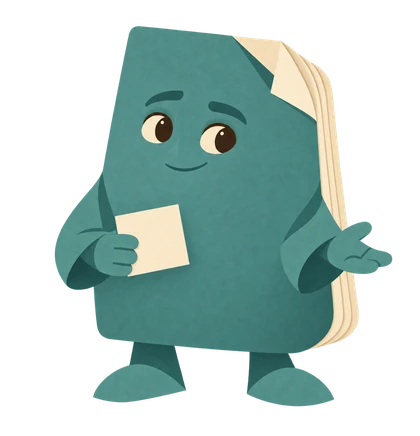 FolioYour narrator
 Prism
Listen with Folio
Folio guides you through the complete recording. Listen straight through, or choose a chapter. Pause whenever you want to try something.
Complete podcast · 1 min 48 sec · AI-generated character voice
Jump to a chapter
Start Using AI at Work audio transcript
Welcome
Folio: Hi, I’m Folio. Welcome to Start Using AI at Work. I’ll guide you through everything in this recording. Pause whenever you want to try something. Chapter links and the full transcript are available alongside the player, so you can return to the part you need. This recording covers everything in this guide. You can jump between chapters, and the exact links and prompt text are available alongside the player for you to use.
What is a useful first task?
Folio: What is a useful first task? Choose something you already understand: a routine draft, a short agenda, or an outline from safe notes. Use a sample from Day 1 if you prefer. Step 1. Name the reader and the result you want. Step 2. Supply only safe, approved information. Step 3. Ask for a small draft or checklist. Step 4. Check the facts, tone, and missing details. Step 5. Save the useful version and your review note.
Which tool should I start with?
Folio: Which tool should I start with? Use one your workplace approves. Ordinary chat is enough for the early lessons. You can explore selected sources in Gemini Notebook, Workspace drafts with Gemini, and bounded tasks with ChatGPT Work later.
What if a feature is missing?
Folio: What if a feature is missing? Use the sample in an approved assistant or do the exercise manually. You can practise the same reasoning without an upload, integration, or paid plan.
Where should I go next?
Folio: Where should I go next? Open Day 1, or Day 3 for a first ChatGPT conversation. Keep the official references nearby when a screen or capability differs.
Your next small step
Folio: Keep this resource handy as you practise. Follow the official links provided when you need current instructions, and check the account and workplace rules that apply to you. One useful step at a time. Cue asks, Folio makes, Prism checks. We’re cheering you on.
What is a useful first task?
Choose something you already understand: a routine draft, a short agenda, or an outline from safe notes. Use a sample from Day 1 if you prefer.
- Name the reader and the result you want.
- Supply only safe, approved information.
- Ask for a small draft or checklist.
- Check the facts, tone, and missing details.
- Save the useful version and your review note.
Which tool should I start with?
Use one your workplace approves. Ordinary chat is enough for the early lessons. You can explore selected sources in Gemini Notebook, Workspace drafts with Gemini, and bounded tasks with ChatGPT Work later.
What if a feature is missing?
Use the sample in an approved assistant or do the exercise manually. You can practise the same reasoning without an upload, integration, or paid plan.
Where should I go next?
Open Day 1, or Day 3 for a first ChatGPT conversation. Keep the official references nearby when a screen or capability differs.