Day 22: Produce a Workspace Ready Draft
What you will learn and leave with
This lesson teaches you how to produce a workspace ready draft. It uses Gemini as a practical learning context while keeping privacy, accuracy, context, and human judgment in charge.
Use this when: you want to create a practical, reviewable work output with Gemini. By the end: you will save Workspace-ready draft and change note.
Course position: Day 22 of 30 · Gemini module
Continue: Day 23: Use Gemini for Search Intent, SEO, and AEO
Source check: product features and interfaces can change. Gemini for Google Workspace Help was checked for this course on 2026-08-30; confirm current details before using a changing feature.
Listen to the Day 22 Introduction
This short audio introduces the day and what to focus on.
Day 22: Produce a Workspace Ready Draft audio transcript
A draft can look finished and still be hard for another person to review.
Maybe the purpose is unclear. Maybe assumptions are hidden. Maybe the next step is missing.
Welcome to Day 22 of the 30-Day AI at Work Challenge: Produce a Workspace Ready Draft.
Today, you will prepare a draft that is clean enough for collaboration, not necessarily final. That distinction matters.
A Workspace-ready draft makes the shape of the message visible. It shows the audience, purpose, main point, supporting details, open items, assumptions, and next action. It also makes review easier because another person can see what needs attention.
Gemini can help improve a draft inside a Workspace flow. But you still need to decide what changed, what is still uncertain, and what should not be shared.
The risk today is review confusion. A draft may look ready while facts, names, dates, share settings, or approvals are still unresolved.
So do not just polish the language. Prepare the draft for the next human who needs to read it.
In the lesson, you will choose a practical Workspace asset, improve it, review it for accuracy and tone, and add a change note. That change note is important. It tells reviewers what AI helped with and what you changed yourself.
Before you begin, think of a draft you might share with someone else. What would make it easier for them to review quickly?
By the end, you will save a Workspace-ready draft and change note. The goal is a draft that makes collaboration easier, not one that pretends every question is already settled.
Why It Matters
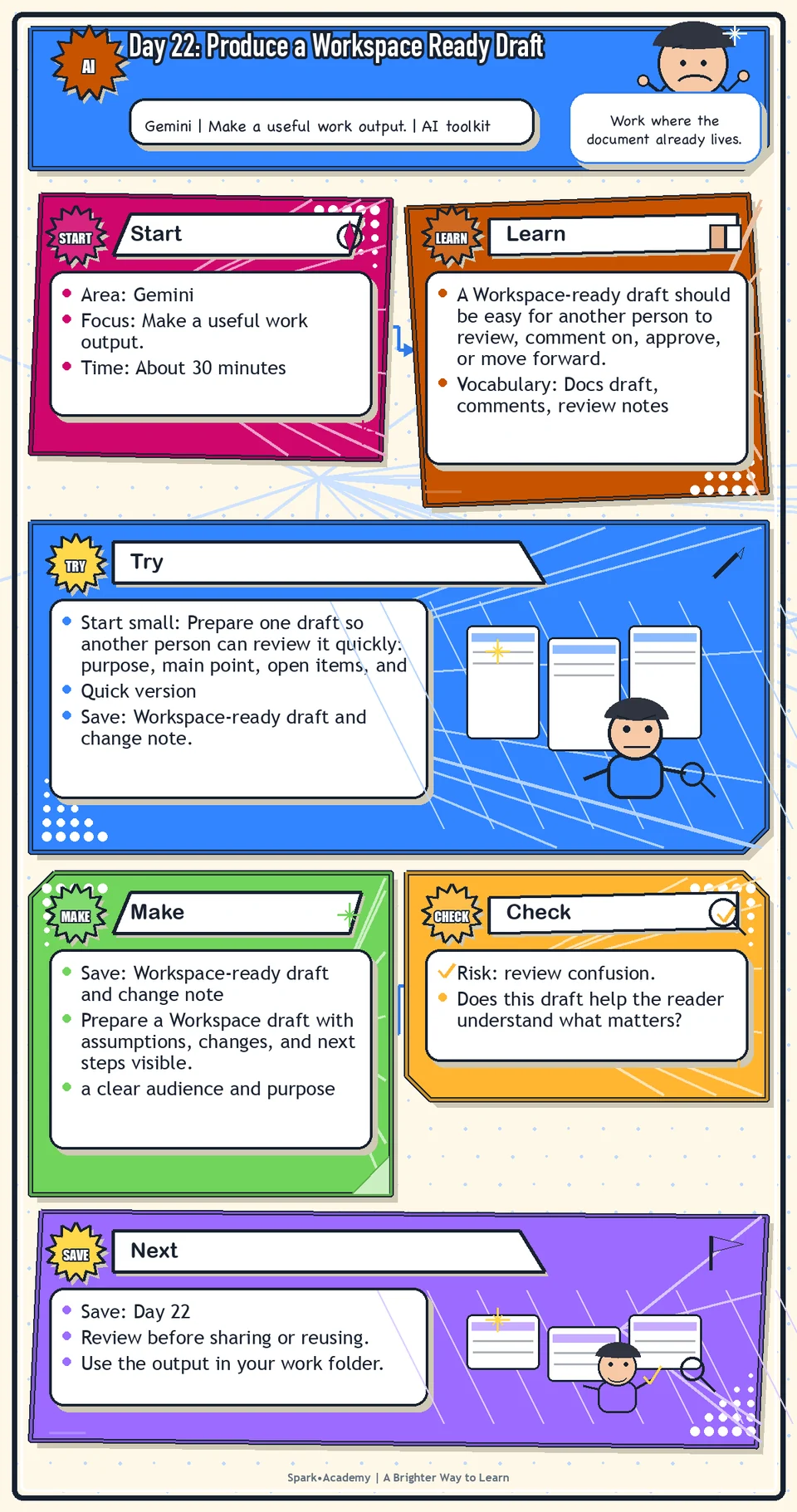
A Workspace-ready draft should be easy for another person to review, comment on, approve, or move forward. That means the audience, purpose, main point, supporting details, unresolved items, and next action are easy to see.
AI-assisted drafts often look complete before they are actually usable. A good working draft reduces the reviewer's effort instead of hiding missing facts, open questions, unsupported claims, or approval needs.
Save a draft with a short change note. It should show what is ready, what needs confirmation, and what the next person should do.
Know Before You Try
A Workspace-ready draft is not necessarily final. It is a clean working version that makes review, collaboration, and next action easier.
A strong draft makes the message shape visible: audience, purpose, main point, supporting details, and next step. It also makes unresolved items visible instead of hiding them inside smooth language.
Use brackets or comments for facts, approvals, names, dates, numbers, links, or claims that still need confirmation. Visible uncertainty is better than hidden uncertainty.
The important part is ownership. The draft may start in Gemini, but the final version needs your accuracy check, tone check, context check, and judgment.
A draft is ready for Workspace when another person can understand it, comment on it, and see what still needs review without needing you to explain the whole backstory. The test is simple: can a reviewer tell what is ready, what is uncertain, and what action is needed next?
Before you try
- A Workspace-ready draft should be easy for someone else to review, comment on, revise, and approve.
- Use document structure deliberately: title, purpose, audience, key message, details, questions, and review notes.
- Google Docs, comments, suggestions, version history, and sharing settings are part of the workflow. The AI draft is only one piece.
Where this helps
Use this when preparing emails, follow-ups, project summaries, meeting notes, document outlines, or slide structures.
- preparing a draft email, project summary, meeting recap, outline, or team note
- you want a structured first draft that a person can review
- the work will continue inside Google Docs, Gmail, or Slides
Try It
Start small: Prepare one draft so another person can review it quickly: purpose, main point, open items, and next action.
Quick version
- Save: Workspace-ready draft and change note.
- Minimum useful version: Produce one clean draft with audience, purpose, main point, next step, and two bracketed review notes.
- If stuck: Use brackets like "[verify date]," "[confirm owner]," or "[needs approval before sending]."
- Done when: Another person could review the draft without guessing what is ready and what still needs confirmation.
- Add only if useful: Add a short before-and-after note showing what AI changed and what you changed.
Aim for
- Audience: Project reviewer.
- Main point: "This draft explains the workflow update and asks for accuracy review."
- Marked item: "[verify launch timing before sharing]."
- Change note: "Gemini improved structure; I added review flags and removed an unsupported benefit."
Practice
Choose a practical asset:
- Email.
- Follow-up note.
- Document summary.
- Slide outline.
Use Gemini to improve it. Then revise it yourself. Create a final version and a short note called "What Gemini improved, and what I changed myself." In that note, separate the useful AI edits from the edits you made because of judgment, audience, accuracy, or tone.
Work in passes:
- Define the draft type and audience.
- Ask Gemini or another tool for a first draft using safe content.
- Revise for clarity, tone, and structure.
- Mark any facts, claims, or approvals that need confirmation.
If the draft is too generic, ask for a version with a clearer audience and purpose. If it is too detailed, ask for an concise-summary version.
Before you save it:
- Add review notes inside the draft for facts, claims, or decisions that are not final.
- Before saving, make sure the document title, first paragraph, and next step all agree with each other.
Prompt
Primary Prompt
Use this to get a first useful draft.
Help me improve this Workspace practice example, then help me write a short note explaining what Gemini improved and what I changed myself because of judgment, audience, accuracy, or tone.Role:
Act as a reflective editing coach.
Task:
Help me improve this Workspace practice example, then help me write a short note explaining what Gemini improved and what I changed myself because of judgment, audience, accuracy, or tone.
Context:
- Keep in mind: A Workspace-ready draft is not just AI-polished; it has been checked and owned by the person responsible for accuracy, tone, and use.
- Work context: Workspace-ready drafting and reflection.
- Save as: before-and-after Workspace draft and reflection.
Use these details if I provide them:
- Practice asset.
- AI-improved version.
- Manual changes.
- Audience and tone goals.
Ask first only if needed:
- Ask up to three clarifying questions only when missing details would materially change the answer. Otherwise, proceed with clearly labeled assumptions or placeholders.
Keep it safe:
- Use only mock, public, sanitized, or workplace-approved information. Do not include sensitive, confidential, personal, customer, legal, financial, unreleased, private-code, credential, or regulated material unless that use is explicitly approved.
- Do not invent names, dates, metrics, source content, evidence, approvals, or promises. If details are missing, use labeled placeholders or a brief mock example.
How to work:
- Improve the asset and explain what changed.
- Identify what AI improved and what human judgment changed.
- Connect edits to audience, accuracy, and tone.
Give me:
1. Improved draft
2. What AI improved
3. What I changed myself
4. Judgment notes
5. Reusable editing checklist
Style:
- Practical, clear, friendly, plain-English, specific, and non-hype.
- Use headings, bullets, or a compact table when that makes the output easier to scan.
Before you finish:
- The reflection should teach me how to edit better next time.
- Make sure the answer is usable, grounded in provided or clearly labeled mock information, and clear about what needs human review before real use.Improve Prompt
Use this to make the reflection stronger.
Review my before-and-after Workspace draft. Help me explain what the AI improved, what I changed myself, what required judgment, and what I would do differently next time.Role:
Act as a Workspace draft reviewer who checks what AI improved, what still needs judgment, and what changed.
Task:
Review my before-and-after Workspace draft. Help me explain what the AI improved, what I changed myself, what required judgment, and what I would do differently next time.
Context:
- Keep in mind: A Workspace-ready draft is not just AI-polished; it has been checked and owned by the person responsible for accuracy, tone, and use.
- Work context: Workspace-ready drafting and reflection.
- Save as: before-and-after Workspace draft and reflection.
Use these details if I provide them:
- Practice asset.
- AI-improved version.
- Manual changes.
- Audience and tone goals.
Ask first only if needed:
- Ask up to three clarifying questions only when missing details would materially change the answer. Otherwise, proceed with clearly labeled assumptions or placeholders.
Keep it safe:
- Use only mock, public, sanitized, or workplace-approved information. Do not include sensitive, confidential, personal, customer, legal, financial, unreleased, private-code, credential, or regulated material unless that use is explicitly approved.
- Do not invent names, dates, metrics, source content, evidence, approvals, or promises. If details are missing, use labeled placeholders or a brief mock example.
How to work:
- Review the before-and-after draft.
- Explain what improved, what still needs judgment, and what to do next time.
- Make the reflection concrete.
Give me:
1. Quick verdict
2. Issue table with priority, evidence, and recommended fix
3. Revised draft or targeted rewrite
4. Questions or approvals still needed
5. Before-use review checklist
6. Reusable review prompt pattern
Style:
- Practical, clear, friendly, plain-English, specific, and non-hype.
- Use headings, bullets, or a compact table when that makes the output easier to scan.
Before you finish:
- The reflection should teach me how to edit better next time.
- Make sure the answer is usable, grounded in provided or clearly labeled mock information, and clear about what needs human review before real use.Apply Prompt
Use this to build a reusable Workspace editing habit.
Create a reusable Workspace editing checklist for safe drafts. Include prompts for summarize, rewrite, shorten, warm up, check tone, preserve meaning, and review before inserting or sending.Role:
Act as a practical Workspace draft coach who helps me build a reusable editing checklist for safe drafts.
Task:
Create a reusable Workspace editing checklist for safe drafts. Include prompts for summarize, rewrite, shorten, warm up, check tone, preserve meaning, and review before inserting or sending.
Context:
- Keep in mind: A Workspace-ready draft is not just AI-polished; it has been checked and owned by the person responsible for accuracy, tone, and use.
- Work context: Workspace-ready drafting and reflection.
- Save as: before-and-after Workspace draft and reflection.
Use these details if I provide them:
- Practice asset.
- AI-improved version.
- Manual changes.
- Audience and tone goals.
Ask first only if needed:
- Ask up to three clarifying questions only when missing details would materially change the answer. Otherwise, proceed with clearly labeled assumptions or placeholders.
Keep it safe:
- Use only mock, public, sanitized, or workplace-approved information. Do not include sensitive, confidential, personal, customer, legal, financial, unreleased, private-code, credential, or regulated material unless that use is explicitly approved.
- Do not invent names, dates, metrics, source content, evidence, approvals, or promises. If details are missing, use labeled placeholders or a brief mock example.
How to work:
- Create a reusable Workspace editing checklist.
- Include summarize, rewrite, shorten, warm up, tone check, meaning check, and review before inserting.
Give me:
1. Safe-draft checklist
2. Prompts for summarize, rewrite, shorten, and warm up
3. Preserve-meaning checks
4. Tone and accuracy review steps
5. Insert-or-send review checklist
6. Reusable Workspace editing prompt pattern
Style:
- Practical, clear, friendly, plain-English, specific, and non-hype.
- Use headings, bullets, or a compact table when that makes the output easier to scan.
Before you finish:
- The reflection should teach me how to edit better next time.
- Make sure the answer is usable, grounded in provided or clearly labeled mock information, and clear about what needs human review before real use.Make Something Useful
Prepare a Workspace draft with assumptions, changes, and next steps visible.
Save Workspace-ready draft and change note.
Make sure it includes:
- a clear audience and purpose
- a readable structure
- a next step or takeaway
- marked assumptions, facts to verify, or review needs
Review and Save
Specific risk to check: The risk today is review confusion. A draft can look ready while assumptions, share settings, unresolved facts, or required approvals are still unclear.
Ask whether the draft is accurate, appropriately toned, and ready for its intended audience. Confirm it does not include anything that should not be shared.
Ask yourself:
- Does this draft help the reader understand what matters?
- Are any facts, names, dates, or claims unverified?
- Is the tone appropriate for the relationship?
- Have I marked what needs human review?
Watch for
The final step should be yours. AI can polish, but you are responsible for the message.
A clean draft can hide weak inputs. If the prompt was vague or the source material was incomplete, the draft may need more review than it appears to need.
Save
Save this in your 30-day work folder as Day 22 - Workspace-ready draft and change note.
Add a quick reuse note: Use this at work for: preparing a reviewable draft that another person can comment on, approve, or move forward.
Save the draft and a short note about what you would check before using it for real.
Check yourself
- I selected a practical Workspace asset.
- I used Gemini to improve it.
- I reviewed the output for accuracy and tone.
- I made my own edits before saving the final version.
- I noted what Gemini improved and what I changed myself.
- I saved a Workspace-ready draft.
- I can identify what is ready in my draft and what still needs verification.
- I can prepare a Workspace-ready draft that shows what is ready, unresolved, and ready for review.