Day 1: Understand Why This Challenge Exists
What you will learn and leave with
This lesson teaches you how to understand why this challenge exists. It uses Getting Oriented as a practical learning context while keeping privacy, accuracy, context, and human judgment in charge.
Use this when: you want a guided introduction before applying AI to real work. By the end: you will save How AI Can Help Me at Work note.
Course position: Day 1 of 30 · Getting Oriented module
Continue: Day 2: Create Your AI Tool Map
Source check: product features and interfaces can change. NIST AI Risk Management Framework was checked for this course on 2026-08-30; confirm current details before using a changing feature.
Listen to the Day 1 Introduction
This short audio introduces the day and what to focus on.
Day 1: Understand Why This Challenge Exists audio transcript
Have you ever opened an AI tool, typed something in, and thought, "Okay, this is interesting, but where does it actually fit in my work?"
That is the right question to start with.
Welcome to Day 1 of the 30-Day AI at Work Challenge: Understand Why This Challenge Exists. Today is not about becoming the AI expert in the room. It is about building a clear, grounded starting point.
Let's start with the main idea. AI is most useful when it helps you move without taking over your judgment. It can help you start a draft, organize messy notes, summarize a safe source, prepare questions, or review a message. But it should not decide what is true, what is approved, what is sensitive, or what is ready to share.
That distinction matters. A tool can make something look polished very quickly. But polished does not always mean accurate, appropriate, or useful. Your role is to keep the work connected to facts, context, privacy, tone, and human review.
Today, you will create a short note called "How AI Can Help Me at Work." Keep it simple. Name a few realistic ways AI could support your work. Then name a few boundaries, like privacy, accuracy, approval, or human review.
Here is a useful reflection before you move into the lesson. Think about one task you have right now. Should AI help you start it, structure it, review it, or stay out of it for now?
That is the habit you are building today.
By the end, you should have a small note that says, in your own words, how AI can help you move faster while your judgment stays in charge.
Start gently by understanding why this challenge exists and how the tools fit together.
These first two days are about getting your bearings. You are not trying to master AI yet. You are learning why the challenge exists, where each tool fits, and how to start using AI in a calm, practical way.
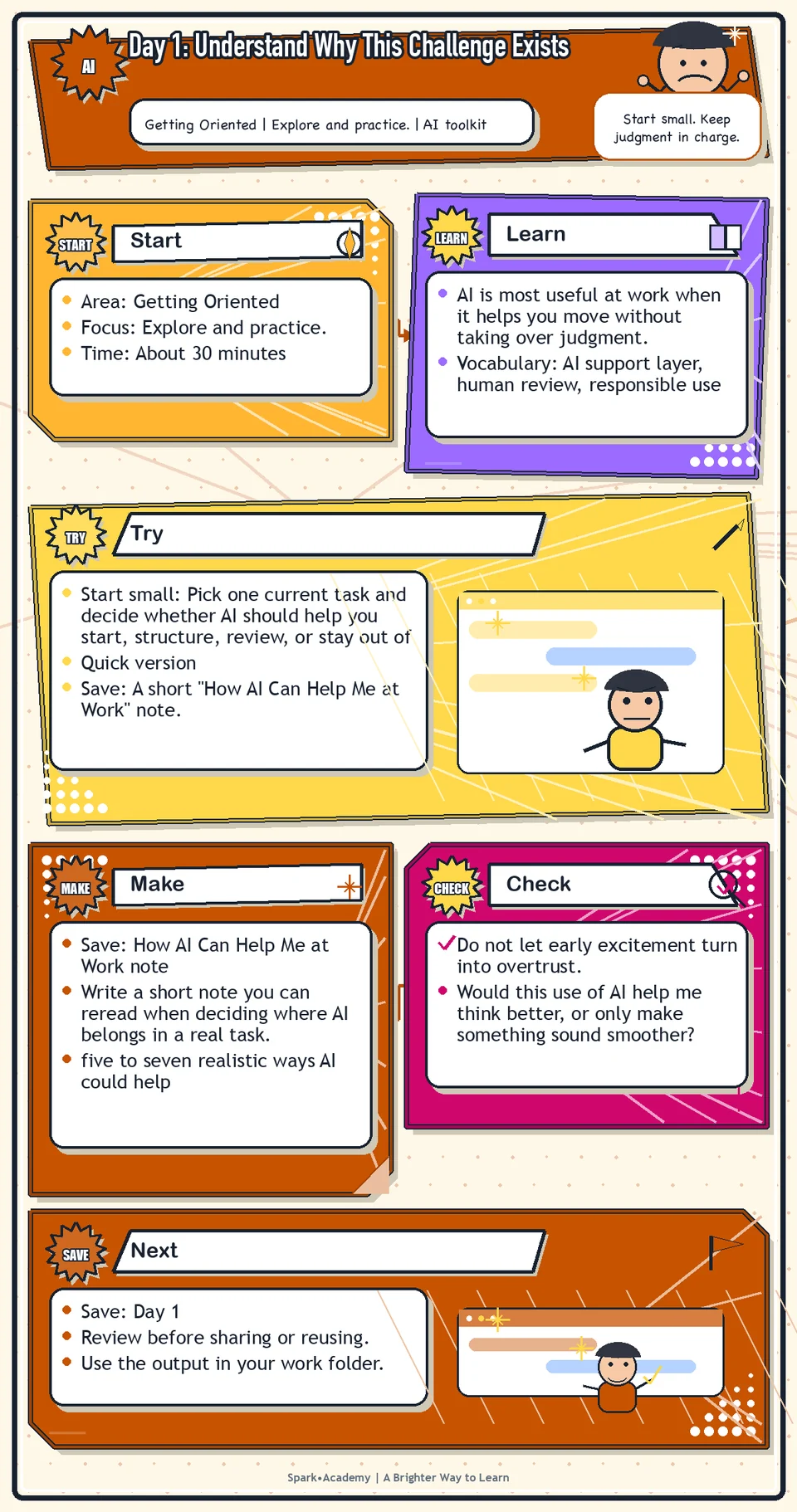
Why It Matters
AI is most useful at work when it helps you move without taking over judgment. Use it to start, structure, question, summarize, and review work while accountability stays with you.
New projects often arrive with unfamiliar documents, meetings, acronyms, priorities, and expectations. AI can reduce the noise, but it should not decide what is true, appropriate, approved, or ready to share.
Save a note that names realistic use cases, meaningful cautions, and one responsibility sentence you can actually use later. The note should make clear when AI can create momentum and when you should slow down, verify, ask for guidance, or keep the work out of an AI tool.
Know Before You Try
AI is best understood as a work support layer, not a separate side project or a replacement for your judgment. It can help you start, structure, explore, summarize, question, and review work that still belongs to you.
The core workflow is simple: define the task, choose safe context, ask for a specific kind of help, review the output, and decide what is ready. Skipping any step makes the tool feel more magical than it is.
AI is especially useful for first-pass work. It can turn a blank page into a draft, scattered notes into categories, or a confusing topic into better questions. But first-pass work is not finished work.
Your judgment covers the parts AI cannot own: confidentiality, accuracy, relationship context, taste, timing, approval, and accountability. Those are not finishing touches; they are part of the work.
The useful habit is to split every task into two parts: what AI can help with, and what must stay with you. That habit lets you use AI for momentum without handing it responsibility for trust.
Before you try
- AI is strongest when you use it as a thinking partner, drafting partner, and organizing partner, not as the final authority on what is true or approved.
- Your job is to keep the human loop active: define the task, protect sensitive information, review the output, and decide what is ready to use.
- Tool access and features can vary by account, region, device, and workspace settings, so the durable skill is judgment, not memorizing one button location.
Where this helps
Use this mindset at the beginning of any new project, new tool, or new workflow. It is especially useful when work feels broad, ambiguous, or fast moving.
- you are staring at a blank page and need a starting point
- you have messy notes and need structure
- you want to identify questions, risks, or next steps before a meeting
Try It
Start small: Pick one current task and decide whether AI should help you start, structure, review, or stay out of it.
Quick version
- Save: A short "How AI Can Help Me at Work" note.
- Minimum useful version: List three realistic AI uses, two cautions, and one personal responsibility sentence.
- If stuck: "AI can help me organize messy notes, but I still need to check facts and decide what is appropriate to use."
- Done when: You can name one useful AI support task and one situation where you should slow down or ask for guidance.
- Add only if useful: Add role-specific examples from your actual work, using only safe or mock details.
Aim for
- Useful AI support: Draft a rough update, summarize a public source, organize meeting notes, and suggest questions before a review.
- Boundary: Do not paste confidential, customer, legal, financial, unreleased, or sensitive workplace details unless that use is approved.
- Responsibility sentence: "AI can help me move faster, but I am responsible for checking facts, protecting information, and deciding what is ready to use."
- Why this works: It is specific, safe, and easy to reread when work gets busy.
Practice
Create a note called "How AI Can Help Me at Work." Write five ways AI could support your work. Use simple language. Examples:
- Help me draft faster.
- Help me prepare for meetings.
- Help me summarize complex information.
- Help me organize what I am learning.
- Help me ask better questions.
- Help me identify risks before sharing a message.
- Help me create first drafts of FAQs, briefings, agendas, and follow-ups.
Then add one sentence: "AI helps me move faster, but my judgment decides what is ready to use."
Work in passes:
- Write your first five ideas quickly without judging them.
- Group the ideas into categories such as writing, meetings, learning, planning, and review.
- Add one risk or caution next to each category so the note stays balanced.
- Finish by writing one sentence in your own voice about how you want to use AI responsibly.
If you get stuck, use ordinary work moments as examples: a meeting you need to prepare for, a long document you need to understand, an email you need to draft, or a confusing product topic you need to explain. Practical examples are better than impressive ones.
Before you save it:
- Name one task where AI could help you start faster, and one task where AI should not be used without human review.
- Write down the review step you would use before sharing an AI-assisted draft with anyone else.
Prompt
Primary Prompt
Use this to get a first useful draft.
Help me think through how AI could support my work. Use simple language. Suggest practical use cases, risks to watch, and one sentence I can save about using AI responsibly.Role:
Act as a practical workplace AI coach.
Task:
Help me think through how AI could support my work. Use simple language. Suggest practical use cases, risks to watch, and one sentence I can save about using AI responsibly.
Context:
- Keep in mind: Use AI as a support layer for thinking, drafting, organizing, questioning, and reviewing while keeping human judgment responsible for accuracy, privacy, and final use.
- Work context: Responsible AI use and personal work habits.
- Save as: How AI Can Help Me at Work note.
Use these details if I provide them:
- My role or recurring work if I provide it.
- Safe or mock work examples.
- Any workplace boundaries I mention.
Ask first only if needed:
- Ask up to three clarifying questions only when missing details would materially change the answer. Otherwise, proceed with clearly labeled assumptions or placeholders.
Keep it safe:
- Use only mock, public, sanitized, or workplace-approved information. Do not include sensitive, confidential, personal, customer, legal, financial, unreleased, private-code, credential, or regulated material unless that use is explicitly approved.
- Do not invent names, dates, metrics, source content, evidence, approvals, or promises. If details are missing, use labeled placeholders or a brief mock example.
How to work:
- Create five to seven realistic AI support ideas.
- For each idea, explain the benefit, the risk, and the human review step.
- Write one responsible-use sentence in plain language.
Give me:
1. Goal of the note
2. AI can help with: realistic uses
3. Risks and review boundaries
4. Responsible-use sentence
5. Reusable prompt pattern
Style:
- Practical, clear, friendly, plain-English, specific, and non-hype.
- Use headings, bullets, or a compact table when that makes the output easier to scan.
Before you finish:
- The result should make AI feel useful and bounded, not magical, risky, or vague.
- Make sure the answer is usable, grounded in provided or clearly labeled mock information, and clear about what needs human review before real use.Improve Prompt
Use this to check and strengthen the draft before you save it.
Review my AI-at-work use cases. Separate low-risk drafting, organizing, and learning uses from uses that need human, privacy, legal, compliance, or subject-matter review. Suggest missing cautions and improve my responsible-use sentence.Role:
Act as a responsible-AI reviewer who checks usefulness, risk, and human judgment boundaries.
Task:
Review my AI-at-work use cases. Separate low-risk drafting, organizing, and learning uses from uses that need human, privacy, legal, compliance, or subject-matter review. Suggest missing cautions and improve my responsible-use sentence.
Context:
- Keep in mind: Use AI as a support layer for thinking, drafting, organizing, questioning, and reviewing while keeping human judgment responsible for accuracy, privacy, and final use.
- Work context: Responsible AI use and personal work habits.
- Save as: How AI Can Help Me at Work note.
Use these details if I provide them:
- My role or recurring work if I provide it.
- Safe or mock work examples.
- Any workplace boundaries I mention.
Ask first only if needed:
- Ask up to three clarifying questions only when missing details would materially change the answer. Otherwise, proceed with clearly labeled assumptions or placeholders.
Keep it safe:
- Use only mock, public, sanitized, or workplace-approved information. Do not include sensitive, confidential, personal, customer, legal, financial, unreleased, private-code, credential, or regulated material unless that use is explicitly approved.
- Do not invent names, dates, metrics, source content, evidence, approvals, or promises. If details are missing, use labeled placeholders or a brief mock example.
How to work:
- Check whether each use case is realistic, safe, and review-ready.
- Separate low-risk uses from uses that need human, legal, privacy, compliance, or subject-matter review.
- Improve the responsible-use sentence so it sounds practical and memorable.
Give me:
1. Quick verdict
2. Issue table with priority, evidence, and recommended fix
3. Revised draft or targeted rewrite
4. Questions or approvals still needed
5. Before-use review checklist
6. Reusable review prompt pattern
Style:
- Practical, clear, friendly, plain-English, specific, and non-hype.
- Use headings, bullets, or a compact table when that makes the output easier to scan.
Before you finish:
- The result should make AI feel useful and bounded, not magical, risky, or vague.
- Make sure the answer is usable, grounded in provided or clearly labeled mock information, and clear about what needs human review before real use.Apply Prompt
Use this to adapt the idea to your own safe work context.
Ask me up to five questions about my role, recurring tasks, and workplace boundaries. Then suggest practical ways AI could help me start faster, think more clearly, and review more carefully, using only safe or approved examples.Role:
Act as a practical responsible-AI coach who adapts this exercise to my role, recurring tasks, and workplace boundaries.
Task:
Ask me up to five questions about my role, recurring tasks, and workplace boundaries. Then suggest practical ways AI could help me start faster, think more clearly, and review more carefully, using only safe or approved examples.
Context:
- Keep in mind: Use AI as a support layer for thinking, drafting, organizing, questioning, and reviewing while keeping human judgment responsible for accuracy, privacy, and final use.
- Work context: Responsible AI use and personal work habits.
- Save as: How AI Can Help Me at Work note.
Use these details if I provide them:
- My role or recurring work if I provide it.
- Safe or mock work examples.
- Any workplace boundaries I mention.
Ask first only if needed:
- Ask up to three clarifying questions only when missing details would materially change the answer. Otherwise, proceed with clearly labeled assumptions or placeholders.
Keep it safe:
- Use only mock, public, sanitized, or workplace-approved information. Do not include sensitive, confidential, personal, customer, legal, financial, unreleased, private-code, credential, or regulated material unless that use is explicitly approved.
- Do not invent names, dates, metrics, source content, evidence, approvals, or promises. If details are missing, use labeled placeholders or a brief mock example.
How to work:
- Ask about my role, common tasks, and boundaries before tailoring the ideas.
- Use my answers to suggest safe, realistic AI use cases.
- Show one clearly labeled mock example if I do not provide enough detail.
Give me:
1. Questions to ask me first
2. Safe assumptions if I do not answer yet
3. Adapted How AI Can Help Me at Work note
4. Review before real use
5. Reusable prompt pattern
Style:
- Practical, clear, friendly, plain-English, specific, and non-hype.
- Use headings, bullets, or a compact table when that makes the output easier to scan.
Before you finish:
- The result should make AI feel useful and bounded, not magical, risky, or vague.
- Make sure the answer is usable, grounded in provided or clearly labeled mock information, and clear about what needs human review before real use.Make Something Useful
Write a short note you can reread when deciding where AI belongs in a real task.
Save How AI Can Help Me at Work note.
Make sure it includes:
- five to seven realistic ways AI could help
- at least three cautions or boundaries
- one sentence that captures your personal rule for using AI responsibly
- language simple enough that you would actually reread it later
Review and Save
Specific risk to check: Do not let early excitement turn into overtrust. The risk today is using AI for work that needs confidentiality, approval, or factual certainty before you have a review habit.
Look at each use case and ask whether it would actually help you think better, move faster, or reduce confusion. If it only makes something look more polished without making it more accurate, useful, or thoughtful, it may not be worth much.
Ask yourself:
- Would this use of AI help me think better, or only make something sound smoother?
- Could this involve confidential, personal, customer, regulated, legal, financial, or unreleased information?
- What would I still need to verify myself?
- Where would I need subject-matter, legal, privacy, compliance, or other appropriate review?
Watch for
AI can make work feel easier, but easier is not always better. Some work needs quiet thinking, relationship judgment, human judgment, or human sensitivity. The point is not to hand everything to AI. The point is to use AI where it helps and stay in charge where judgment matters.
The most common beginner mistake is treating AI as either amazing or useless. Try to avoid both extremes. The better habit is more grounded: use it for a specific piece of the work, inspect what it gives you, and decide what deserves to move forward.
Save
Save this in your 30-day work folder as Day 1 - How AI Can Help Me at Work note.
Add a quick reuse note: Use this at work for: starting a new project, deciding where AI can safely help, or explaining your responsible-use boundary.
Name the note clearly, such as Day 1 - How AI Can Help Me at Work. Leave it in your work folder even if it feels basic. Basic is useful here because it becomes your starting line.
Check yourself
- I understand why this 30-day challenge exists.
- I understand that the point is practical confidence, not AI mastery.
- I wrote down ways AI could support my work.
- I understand that AI should support my judgment, not replace it.
- I saved one sentence that captures how I want to use AI responsibly.
- I can name at least one situation where AI would help and one situation where I should slow down or ask for guidance.
- I can name one real work situation where AI should help me start, structure, question, or review without taking over judgment.
Optional video
Watch: How to Write an AI Prompt (official Google YouTube channel, 3:07).
Why it helps: It gives a quick, beginner-friendly model for giving AI a clear task, context, and desired output.