Day 17: Use Gemini Notebook for Learning Aids
What you will learn and leave with
This lesson teaches you how to use Gemini Notebook for learning aids. It uses Gemini Notebook as a practical learning context while keeping privacy, accuracy, context, and human judgment in charge.
Use this when: you want guided practice with Gemini Notebook before applying it to real work. By the end: you will save learning aid such as study guide, FAQ, glossary, timeline, or quiz.
Course position: Day 17 of 30 · Gemini Notebook module
Continue: Day 18: Produce a Source Based Briefing
Source check: product features and interfaces can change. Gemini Notebook Help Center was checked for this course on 2026-08-30; confirm current details before using a changing feature.
Listen to the Day 17 Introduction
This short audio introduces the day and what to focus on.
Day 17: Use Gemini Notebook for Learning Aids audio transcript
Sometimes reading a source once is not enough. You need a way to remember it, explain it, or test whether you actually understand it.
That is where learning aids help.
Welcome to Day 17 of the 30-Day AI at Work Challenge: Use Gemini Notebook for Learning Aids.
Today, you will turn source material into a format that supports learning. That could be a glossary, FAQ, quiz, study guide, timeline, or flashcard-style review.
Here is the main idea. Different learning aids do different jobs. A glossary helps with terms. An FAQ helps with likely questions. A timeline helps with sequence. A study guide helps you review. A quiz helps you notice what you do not understand yet.
The format should match the job. Do not make a quiz just because it sounds useful. Make a quiz if testing recall helps. Do not make a glossary unless terms and acronyms are getting in the way.
Gemini Notebook can generate these aids quickly, but you still need to check them against the source. A learning aid can look polished and still teach the wrong thing.
That is today's risk. If a definition is a little off, or a quiz answer oversimplifies something important, the aid may make you feel more confident than you should.
In the lesson, you will create one learning aid and write a short note about when you would use it again.
Before you begin, ask yourself: What would help me most with this material right now? Remembering terms, answering questions, seeing sequence, or checking my understanding?
By the end, you will save one learning aid that is plain, source-based, and useful enough to revisit.
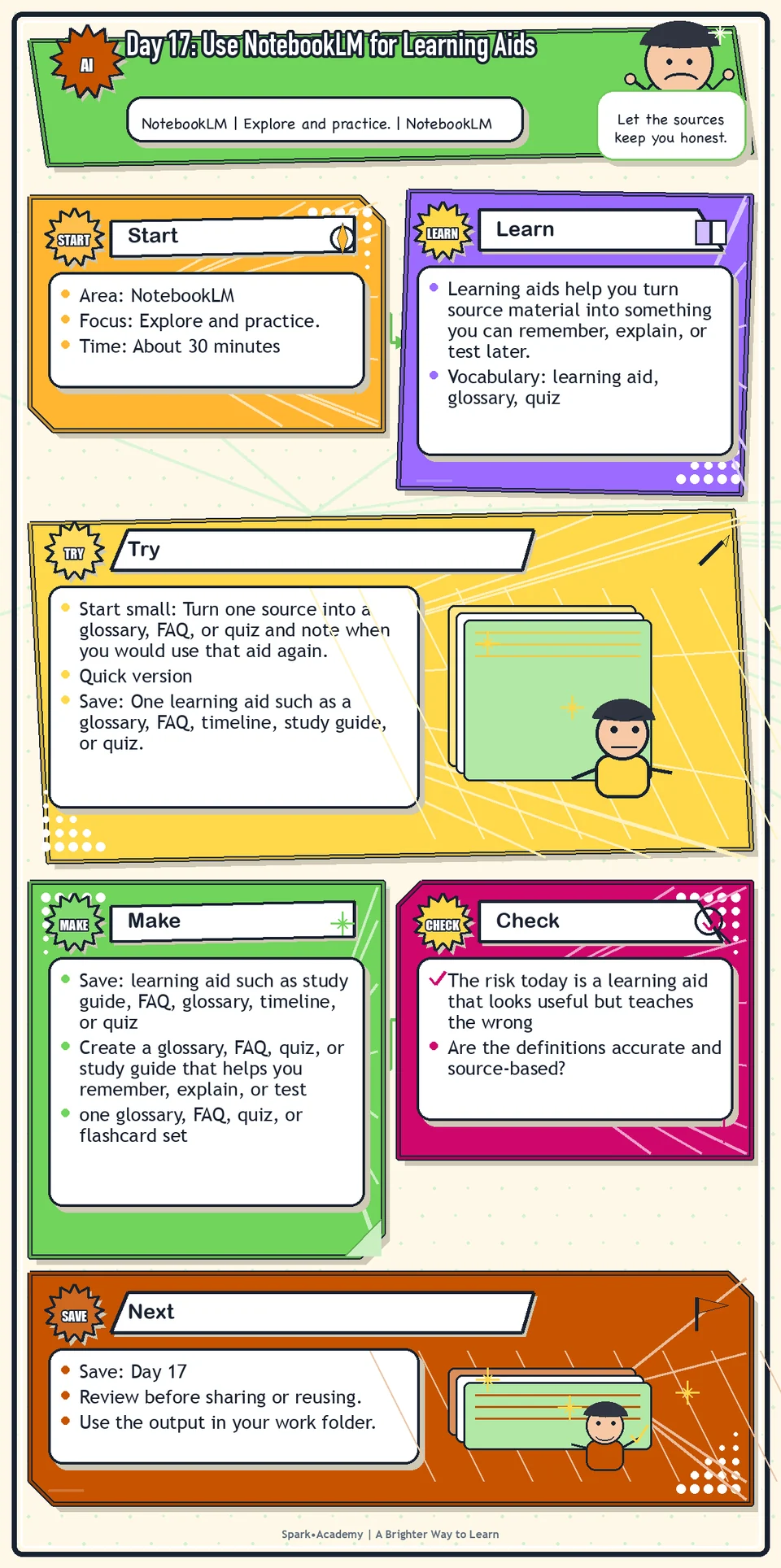
Why It Matters
Learning aids help you turn source material into something you can remember, explain, or test later. Choose the format based on the next real job: glossary, FAQ, quiz, timeline, study guide, briefing outline, comparison table, or question list.
Different formats do different work. A glossary clarifies language, an FAQ prepares for stakeholder questions, a timeline explains sequence, and a quiz reveals what you have not retained.
Save one learning aid that stays tied to the source. It should help you return to the topic quickly without turning the material into generic study content detached from the work.
Know Before You Try
Learning aids are different shapes for the same source knowledge. Each shape helps with a different learning job.
A glossary helps with terminology. An FAQ anticipates confusion. A timeline shows sequence. A study guide supports retention. A quiz reveals what you have not retained. A briefing prepares you to explain or decide.
Choose the learning aid based on the next real thing you need to do: prepare for a meeting, ask better questions, explain the topic, remember key terms, or check your own understanding.
The key quality rule is source fidelity. If a learning aid includes an answer that is not supported by the notebook, mark it as something to verify rather than quietly treating it as fact.
Learning aids are most useful when they are reusable. Save the versions that help you return to the topic quickly, and revise them when the source material changes.
Before you try
- Learning aids are useful because they change the form of the source material. A glossary, FAQ, briefing, quiz, timeline, or study guide each helps the brain do a different kind of work.
- Gemini Notebook learning aids should still be reviewed. A generated FAQ may skip the question a real reader would ask, and a generated quiz may emphasize easy facts over important judgment.
- Choose the learning aid based on the person who will use it: beginner glossary, stakeholder FAQ, decision briefing, team study guide, or review checklist.
Where this helps
Use this when a topic feels complex, technical, new, or important enough to revisit.
- learning a new product area or technical topic
- preparing for stakeholder conversations
- building a reusable knowledge base for future workplace communication
Try It
Start small: Turn one source into a glossary, FAQ, or quiz and note when you would use that aid again.
Quick version
- Save: One learning aid such as a glossary, FAQ, timeline, study guide, or quiz.
- Minimum useful version: Choose one format and create five useful entries from the source material.
- If stuck: Pick a glossary if the source has new terms, an FAQ if readers may ask questions, or a timeline if sequence matters.
- Done when: The learning aid helps you remember or explain the source without drifting away from it.
- Add only if useful: Add one self-check question that reveals a likely misunderstanding.
Aim for
- Learning aid type: Glossary.
- Entry: "Source boundary: the set of documents a notebook uses to answer questions."
- Self-check: "What might Gemini Notebook miss if the source set is incomplete?"
- Why this works: It helps you use the term later instead of only recognizing it once.
Practice
Choose one source in Gemini Notebook. Ask for:
- A short study guide.
- An FAQ.
- A glossary.
- A timeline if sequence matters.
- A five-question quiz to test whether you understand the most important points.
Then ask which learning aid would be most useful for helping you remember and use the material. Save the strongest learning aid and write one sentence explaining when you would use it again.
Work in passes:
- Ask Gemini Notebook for a glossary of important terms.
- Ask for an FAQ a beginner might ask.
- Ask for flashcards or quiz questions if available.
- Review the learning aids and remove anything unsupported or not useful.
If the learning aids feel too advanced, ask for beginner-friendly versions. If they feel too simple, ask for a second layer with more precise terms and examples.
Before you save it:
- Create two different formats from the same sources and compare what each one reveals.
- Edit at least one heading or question so it sounds useful to the real audience.
Prompt
Primary Prompt
Use this to get a first useful draft.
Using only this notebook source, create a short study guide, FAQ, glossary, timeline if sequence matters, and five-question quiz. Then tell me which learning aid is most useful for remembering and using the material.Role:
Act as a source-grounded learning designer.
Task:
Using only this notebook source, create a short study guide, FAQ, glossary, timeline if sequence matters, and five-question quiz. Then tell me which learning aid is most useful for remembering and using the material.
Context:
- Keep in mind: Learning aids should match the job: glossary for terms, FAQ for questions, timeline for sequence, study guide for retention, and briefing for decisions.
- Work context: learning aids from source material.
- Save as: study guide, FAQ, glossary, timeline, or quiz.
Use these details if I provide them:
- Source or notebook boundary.
- What I need to learn.
- Audience.
- Desired learning aid.
Ask first only if needed:
- Ask up to three clarifying questions only when missing details would materially change the answer. Otherwise, proceed with clearly labeled assumptions or placeholders.
Keep it safe:
- Use only mock, public, sanitized, or workplace-approved information. Do not include sensitive, confidential, personal, customer, legal, financial, unreleased, private-code, credential, or regulated material unless that use is explicitly approved.
- Do not invent names, dates, metrics, source content, evidence, approvals, or promises. If details are missing, use labeled placeholders or a brief mock example.
How to work:
- Create learning aids using only the source.
- Choose formats that match what I need to do next.
- Recommend the most useful learning aid.
Give me:
1. Study guide
2. FAQ
3. Glossary
4. Timeline if useful
5. Quiz
6. Best learning aid recommendation
Style:
- Practical, clear, friendly, plain-English, specific, and non-hype.
- Use headings, bullets, or a compact table when that makes the output easier to scan.
Before you finish:
- The learning aid should help me remember and use the material, not just repackage it.
- Make sure the answer is usable, grounded in provided or clearly labeled mock information, and clear about what needs human review before real use.Improve Prompt
Use this to improve the learning aids.
Review these learning aids for accuracy, source support, missing terms, confusing questions, and usefulness for remembering the material. Suggest which learning aid to keep, revise, combine, or remove.Role:
Act as a learning-aid reviewer who checks accuracy, source support, usefulness, and format fit.
Task:
Review these learning aids for accuracy, source support, missing terms, confusing questions, and usefulness for remembering the material. Suggest which learning aid to keep, revise, combine, or remove.
Context:
- Keep in mind: Learning aids should match the job: glossary for terms, FAQ for questions, timeline for sequence, study guide for retention, and briefing for decisions.
- Work context: learning aids from source material.
- Save as: study guide, FAQ, glossary, timeline, or quiz.
Use these details if I provide them:
- Source or notebook boundary.
- What I need to learn.
- Audience.
- Desired learning aid.
Ask first only if needed:
- Ask up to three clarifying questions only when missing details would materially change the answer. Otherwise, proceed with clearly labeled assumptions or placeholders.
Keep it safe:
- Use only mock, public, sanitized, or workplace-approved information. Do not include sensitive, confidential, personal, customer, legal, financial, unreleased, private-code, credential, or regulated material unless that use is explicitly approved.
- Do not invent names, dates, metrics, source content, evidence, approvals, or promises. If details are missing, use labeled placeholders or a brief mock example.
How to work:
- Review learning aids for accuracy, missing terms, confusing questions, and usefulness.
- Suggest what to keep, revise, combine, or remove.
- Keep source support visible.
Give me:
1. Quick verdict
2. Issue table with priority, evidence, and recommended fix
3. Revised draft or targeted rewrite
4. Questions or approvals still needed
5. Before-use review checklist
6. Reusable review prompt pattern
Style:
- Practical, clear, friendly, plain-English, specific, and non-hype.
- Use headings, bullets, or a compact table when that makes the output easier to scan.
Before you finish:
- The learning aid should help me remember and use the material, not just repackage it.
- Make sure the answer is usable, grounded in provided or clearly labeled mock information, and clear about what needs human review before real use.Apply Prompt
Use this to choose the right learning aid for your goal.
Ask me what I need to do with this source: learn it, brief someone, answer questions, prepare for a meeting, or train a teammate. Then create the best-fit learning aid using only the notebook source.Role:
Act as a practical learning-aid coach who helps me choose the best learning aid for what I need to do with a source.
Task:
Ask me what I need to do with this source: learn it, brief someone, answer questions, prepare for a meeting, or train a teammate. Then create the best-fit learning aid using only the notebook source.
Context:
- Keep in mind: Learning aids should match the job: glossary for terms, FAQ for questions, timeline for sequence, study guide for retention, and briefing for decisions.
- Work context: learning aids from source material.
- Save as: study guide, FAQ, glossary, timeline, or quiz.
Use these details if I provide them:
- Source or notebook boundary.
- What I need to learn.
- Audience.
- Desired learning aid.
Ask first only if needed:
- Ask up to three clarifying questions only when missing details would materially change the answer. Otherwise, proceed with clearly labeled assumptions or placeholders.
Keep it safe:
- Use only mock, public, sanitized, or workplace-approved information. Do not include sensitive, confidential, personal, customer, legal, financial, unreleased, private-code, credential, or regulated material unless that use is explicitly approved.
- Do not invent names, dates, metrics, source content, evidence, approvals, or promises. If details are missing, use labeled placeholders or a brief mock example.
How to work:
- Ask what I need to do with the source.
- Choose the best-fit learning aid.
- Use only notebook material.
Give me:
1. Questions to ask me first
2. Safe assumptions if I do not answer yet
3. Adapted study guide, FAQ, glossary, timeline, or quiz
4. Review before real use
5. Reusable prompt pattern
Style:
- Practical, clear, friendly, plain-English, specific, and non-hype.
- Use headings, bullets, or a compact table when that makes the output easier to scan.
Before you finish:
- The learning aid should help me remember and use the material, not just repackage it.
- Make sure the answer is usable, grounded in provided or clearly labeled mock information, and clear about what needs human review before real use.Make Something Useful
Create a glossary, FAQ, quiz, or study guide that helps you remember, explain, or test source material later.
Save learning aid such as study guide, FAQ, glossary, timeline, or quiz.
Make sure it includes:
- one glossary, FAQ, quiz, or flashcard set
- plain-language explanations
- source-grounded answers
- a short list of terms or questions that still need clarification
Review and Save
Specific risk to check: The risk today is a learning aid that looks useful but teaches the wrong thing. Check definitions, quiz answers, timelines, and FAQs against the source before saving them.
Review whether the learning aid is useful or just formatted nicely. A glossary is only useful if the definitions are accurate and understandable.
Ask yourself:
- Are the definitions accurate and source-based?
- Would the intended reader understand them?
- Did the learning aid oversimplify something important?
- What should I verify in the original sources?
Watch for
Learning aids can create a false sense of mastery. They help you study, but they do not replace deeper reading or stakeholder conversations.
Learning aids can accidentally flatten nuance. If a term has a specific meaning in product, legal, or technical work, keep that nuance visible.
Save
Save this in your 30-day work folder as Day 17 - learning aid such as study guide, FAQ, glossary, timeline, or quiz.
Add a quick reuse note: Use this at work for: creating a glossary, FAQ, quiz, or study guide to remember and explain source material.
Save the learning aid under the notebook topic. If it is useful, add the best prompts to your prompt library.
Check yourself
- I generated a study guide, FAQ, or glossary.
- I compared which learning aid was most useful.
- I created or reviewed a short quiz or self check.
- I checked whether the learning aid was accurate and understandable.
- I understand that learning aids help study the material but do not replace deeper reading.
- I saved one learning aid I would actually use again.
- I created at least one learning aid that would help me review the source material later.
- I can choose a learning-aid format that helps me remember, explain, or test source material.
Optional video
Watch: Turn training docs into study guides, flashcards, and quizzes with Gemini Notebook (official Google Workspace YouTube channel, 2:34).
Why it helps: It directly supports the day's focus on turning source material into learning aids.