Day 19: Produce Your Gemini Notebook System
What you will learn and leave with
This lesson teaches you how to produce your Gemini Notebook system. It uses Gemini Notebook as a practical learning context while keeping privacy, accuracy, context, and human judgment in charge.
Use this when: you want to create a practical, reviewable work output with Gemini Notebook. By the end: you will save My Gemini Notebook System note.
Course position: Day 19 of 30 · Gemini Notebook module
Continue: Day 20: Set Up and Walk Through Gemini
Source check: product features and interfaces can change. Gemini Notebook Help Center was checked for this course on 2026-08-30; confirm current details before using a changing feature.
Listen to the Day 19 Introduction
This short audio introduces the day and what to focus on.
Day 19: Produce Your Gemini Notebook System audio transcript
A notebook is useful once. A simple system is useful again.
Today, you will think about how Gemini Notebook can become part of the way you learn and prepare over time.
Welcome to Day 19 of the 30-Day AI at Work Challenge: Produce Your Gemini Notebook System.
You have already explored setup, topic-based learning, summaries, learning aids, and briefings. Now the question is: Which of those pieces are worth keeping?
Let's start with the practical idea. A Gemini Notebook system is a lightweight way to manage trusted source learning. It names what notebooks you keep, what sources belong in them, what questions you ask often, what learning aids are worth saving, and how you keep the material current.
The word lightweight matters. The best system is not the most complete one. It is the one you can maintain when work is busy.
The risk today is system drift. Notebooks can become messy. Sources can become outdated. Saved aids can lose context. If nobody knows what is current, draft, archived, or experimental, the system becomes harder to trust.
In the lesson, you will create a simple Gemini Notebook system note. You might include notebook categories, source rules, recurring questions, outputs to save, and a small maintenance habit.
Before you begin, think about the topics you return to again and again. Which ones deserve a notebook? Which ones change often enough that they need a refresh habit?
By the end, you will save "My Gemini Notebook System." It should help future you learn from trusted sources without starting from scratch every time.
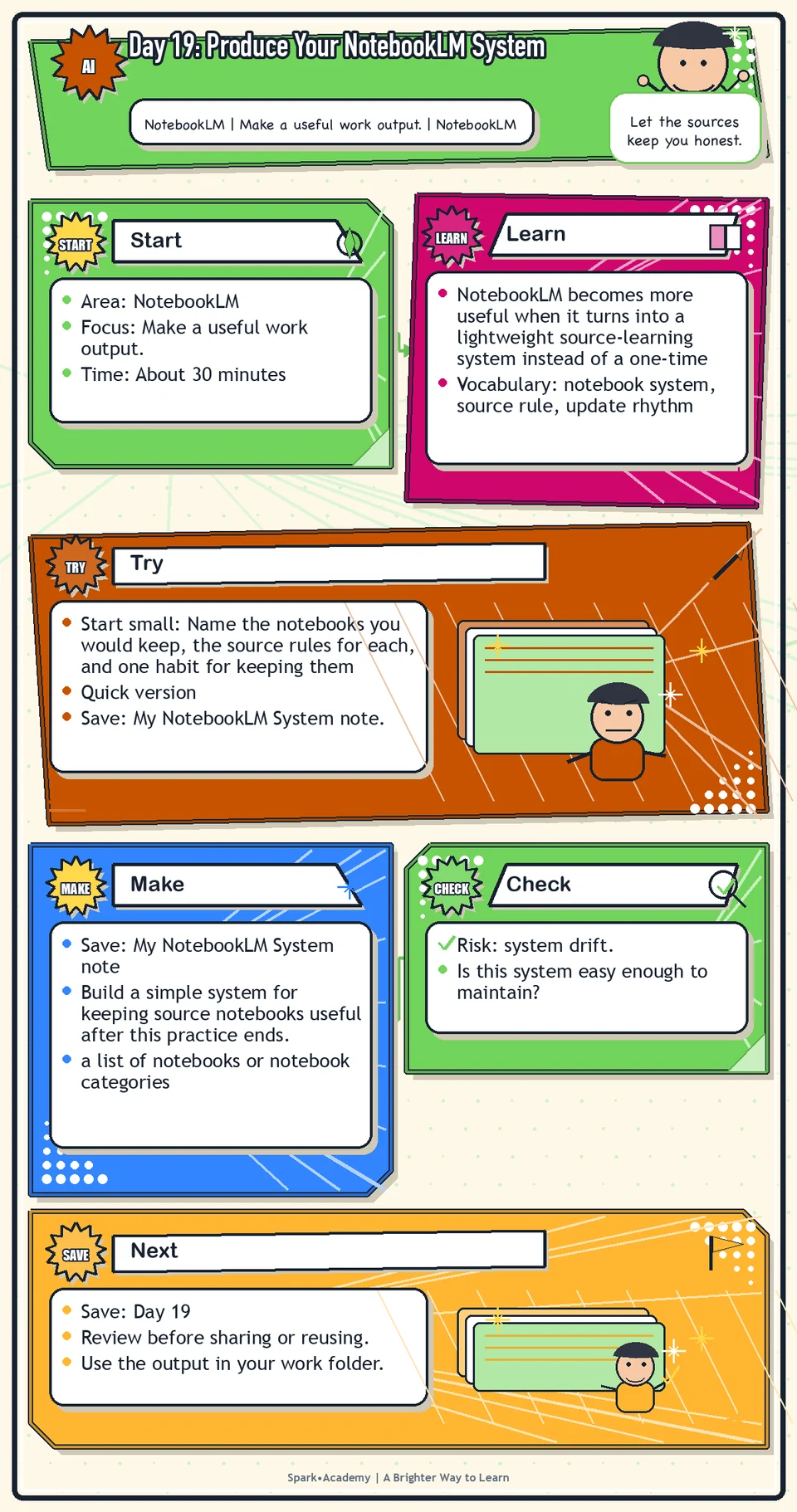
Why It Matters
Gemini Notebook becomes more useful when it turns into a lightweight source-learning system instead of a one-time experiment. Decide which notebooks to keep, what sources belong, what learning aids are worth saving, and how the system will stay current.
Workplace learning scatters easily across chats, documents, links, meeting notes, and memory. A small maintained system keeps source-grounded learning available without creating another repository no one uses.
Save a system note with notebook categories, source criteria, update habits, saved learning aids, review routines, and material that should not be uploaded. Keep it simple enough to survive a busy month.
Know Before You Try
A Gemini Notebook system is a lightweight operating system for learning from trusted sources. It defines what notebooks to keep, what sources to add, what questions to ask, what learning aids to generate, and how often to update the material.
The system should be light enough to maintain. A few useful notebooks are better than a complicated library that becomes stale.
A good system answers five questions: What notebooks do I need? What sources belong in each? What should never be uploaded? How will I know when a source is outdated? What outputs are worth saving or revisiting?
Maintenance is part of the concept. Sources expire, project language changes, and old summaries can become misleading. A useful system includes a way to refresh, archive, or flag stale material.
The point is not to build a perfect library. The point is to make future learning easier when work gets busy and to keep source-grounded knowledge from scattering across notes, chats, and documents.
Before you try
- A Gemini Notebook system needs simple governance: what notebooks exist, who they are for, what sources belong there, and how often they should be refreshed.
- Use naming conventions and source notes so future you can tell whether a notebook is current, draft, archived, or experimental.
- A small maintained system is better than a large messy one. The point is reusable learning, not a library you never open.
Where this helps
Use this during getting oriented and whenever a new domain becomes important.
- getting oriented into a new project or product area
- tracking trusted sources over time
- building reusable summaries, FAQs, glossaries, and briefings
Try It
Start small: Name the notebooks you would keep, the source rules for each, and one habit for keeping them current.
Quick version
- Save: My Gemini Notebook System note.
- Minimum useful version: Define two notebooks, three source rules, two saved learning-aid types, and one maintenance habit.
- If stuck: "If a source does not help me understand or act, I do not add it."
- Done when: The system feels light enough to maintain after the challenge.
- Add only if useful: Add an update rhythm for each notebook category.
Aim for
- Notebook 1: Product and Technology, for approved product references and terms.
- Notebook 2: Messaging and Positioning, for approved language and review notes.
- Source rule: "Add only sources that help me understand, explain, or decide."
- Maintenance habit: "Review notebooks every two weeks and remove stale sources."
Practice
Create a note called "My Gemini Notebook System." Include:
- Notebooks to keep.
- Sources to add.
- Questions to ask often.
- Learning aids that help.
- When to update each notebook.
- Which notebooks may need workplace-approved sources only.
- Which notebooks should use only public or sanitized practice material until your workplace's guidance is clear.
End the note with one simple maintenance rule, such as: "If a source does not help me understand or act, I will not add it."
Work in passes:
- List the notebooks you might need.
- Define the purpose of each notebook.
- Create a source hygiene rule, such as only adding approved, current, topic-relevant sources.
- Create a maintenance rhythm, such as reviewing key notebooks monthly.
If the system feels too big, start with three notebooks: Work Reference, Project Context, and Reusable Examples. You can add more only when needed.
Before you save it:
- Give each proposed notebook a purpose statement and an update rule.
- Add an archive rule for old or superseded sources so outdated material does not quietly shape future answers.
Prompt
Primary Prompt
Use this to get a first useful draft.
Help me design My Gemini Notebook System. Include notebooks to keep, sources to add, recurring questions, useful learning aids, update rhythm, workplace-approved source rules, and a simple maintenance rule.Role:
Act as a knowledge-management coach.
Task:
Help me design My Gemini Notebook System. Include notebooks to keep, sources to add, recurring questions, useful learning aids, update rhythm, workplace-approved source rules, and a simple maintenance rule.
Context:
- Keep in mind: A useful Gemini Notebook system defines notebooks, sources, recurring questions, learning aids, and update habits simply enough to maintain.
- Work context: Gemini Notebook system maintenance.
- Save as: Gemini Notebook system.
Use these details if I provide them:
- Topics to track.
- Source rules.
- Update rhythm.
- Outputs worth saving.
Ask first only if needed:
- Ask up to three clarifying questions only when missing details would materially change the answer. Otherwise, proceed with clearly labeled assumptions or placeholders.
Keep it safe:
- Use only mock, public, sanitized, or workplace-approved information. Do not include sensitive, confidential, personal, customer, legal, financial, unreleased, private-code, credential, or regulated material unless that use is explicitly approved.
- Do not invent names, dates, metrics, source content, evidence, approvals, or promises. If details are missing, use labeled placeholders or a brief mock example.
How to work:
- Design a maintainable system.
- Include notebooks, sources, questions, learning aids, update rhythm, and maintenance rule.
- Keep the system light enough to use.
Give me:
1. Notebook system map
2. Source rules
3. Recurring questions
4. Learning aids to save
5. Update rhythm
6. Maintenance checklist
Style:
- Practical, clear, friendly, plain-English, specific, and non-hype.
- Use headings, bullets, or a compact table when that makes the output easier to scan.
Before you finish:
- The system should survive a busy month.
- Make sure the answer is usable, grounded in provided or clearly labeled mock information, and clear about what needs human review before real use.Improve Prompt
Use this to keep the system maintainable.
Review My Gemini Notebook System for too many notebooks, vague source rules, weak update rhythm, missing citation checks, and unclear maintenance habits. Suggest a simpler version I could actually keep using.Role:
Act as a Gemini Notebook system reviewer who checks maintainability, source rules, citation checks, and update rhythm.
Task:
Review My Gemini Notebook System for too many notebooks, vague source rules, weak update rhythm, missing citation checks, and unclear maintenance habits. Suggest a simpler version I could actually keep using.
Context:
- Keep in mind: A useful Gemini Notebook system defines notebooks, sources, recurring questions, learning aids, and update habits simply enough to maintain.
- Work context: Gemini Notebook system maintenance.
- Save as: Gemini Notebook system.
Use these details if I provide them:
- Topics to track.
- Source rules.
- Update rhythm.
- Outputs worth saving.
Ask first only if needed:
- Ask up to three clarifying questions only when missing details would materially change the answer. Otherwise, proceed with clearly labeled assumptions or placeholders.
Keep it safe:
- Use only mock, public, sanitized, or workplace-approved information. Do not include sensitive, confidential, personal, customer, legal, financial, unreleased, private-code, credential, or regulated material unless that use is explicitly approved.
- Do not invent names, dates, metrics, source content, evidence, approvals, or promises. If details are missing, use labeled placeholders or a brief mock example.
How to work:
- Simplify a messy system.
- Find too many notebooks, vague source rules, weak update rhythm, and missing citation checks.
- Recommend a version I could maintain.
Give me:
1. Quick verdict
2. Issue table with priority, evidence, and recommended fix
3. Revised draft or targeted rewrite
4. Questions or approvals still needed
5. Before-use review checklist
6. Reusable review prompt pattern
Style:
- Practical, clear, friendly, plain-English, specific, and non-hype.
- Use headings, bullets, or a compact table when that makes the output easier to scan.
Before you finish:
- The system should survive a busy month.
- Make sure the answer is usable, grounded in provided or clearly labeled mock information, and clear about what needs human review before real use.Apply Prompt
Use this to turn the system into a recurring workflow.
Ask me what topics I revisit most often and how often they change. Then create a monthly Gemini Notebook maintenance checklist with notebooks to update, sources to review, questions to rerun, and learning aids to refresh.Role:
Act as a practical Gemini Notebook maintenance coach who helps me keep notebooks useful over time.
Task:
Ask me what topics I revisit most often and how often they change. Then create a monthly Gemini Notebook maintenance checklist with notebooks to update, sources to review, questions to rerun, and learning aids to refresh.
Context:
- Keep in mind: A useful Gemini Notebook system defines notebooks, sources, recurring questions, learning aids, and update habits simply enough to maintain.
- Work context: Gemini Notebook system maintenance.
- Save as: Gemini Notebook system.
Use these details if I provide them:
- Topics to track.
- Source rules.
- Update rhythm.
- Outputs worth saving.
Ask first only if needed:
- Ask up to three clarifying questions only when missing details would materially change the answer. Otherwise, proceed with clearly labeled assumptions or placeholders.
Keep it safe:
- Use only mock, public, sanitized, or workplace-approved information. Do not include sensitive, confidential, personal, customer, legal, financial, unreleased, private-code, credential, or regulated material unless that use is explicitly approved.
- Do not invent names, dates, metrics, source content, evidence, approvals, or promises. If details are missing, use labeled placeholders or a brief mock example.
How to work:
- Ask what topics I revisit and how often they change.
- Create a monthly maintenance checklist.
- Include notebooks, sources, questions, and learning aids to refresh.
Give me:
1. Questions to ask me first
2. Safe assumptions if I do not answer yet
3. Adapted Gemini Notebook system
4. Review before real use
5. Reusable prompt pattern
Style:
- Practical, clear, friendly, plain-English, specific, and non-hype.
- Use headings, bullets, or a compact table when that makes the output easier to scan.
Before you finish:
- The system should survive a busy month.
- Make sure the answer is usable, grounded in provided or clearly labeled mock information, and clear about what needs human review before real use.Make Something Useful
Build a simple system for keeping source notebooks useful after this practice ends.
Save My Gemini Notebook System note.
Make sure it includes:
- a list of notebooks or notebook categories
- purpose statements for each
- source rules
- saved learning-aid types such as summaries, FAQs, glossaries, and briefings
- a simple maintenance habit
Review and Save
Specific risk to check: The risk today is system drift. Notebooks, source lists, and saved aids become less useful if nobody knows what is current, draft, archived, or experimental.
Make sure the system is simple enough to actually use. The best system is not the most complete system. It is the one you maintain.
Ask yourself:
- Is this system easy enough to maintain?
- Are source boundaries clear?
- How will I avoid outdated or duplicate material?
- What outputs are worth saving versus regenerating later?
Watch for
Do not turn Gemini Notebook into a dumping ground. If a source does not help you understand or act, do not add it.
A system can become procrastination if you spend more time organizing than learning. Build enough structure to help yourself, then move on.
Save
Save this in your 30-day work folder as Day 19 - My Gemini Notebook System note.
Add a quick reuse note: Use this at work for: maintaining a lightweight source-learning system for ongoing projects, domains, or recurring research needs.
Save the system note in your work folder. It is one of the durable pieces from the Gemini Notebook stretch.
Check yourself
- I created my Gemini Notebook system note.
- I listed the notebooks I want to keep.
- I listed the sources I should add.
- I listed the questions I should ask often.
- I identified which learning aids help me most.
- I created a simple update rhythm for keeping notebooks useful.
- I can describe how I would keep my Gemini Notebook system useful after the challenge.
- I can maintain a Gemini Notebook system that is useful enough to keep and simple enough to update.