Global Reference List
 Cue
 Folio
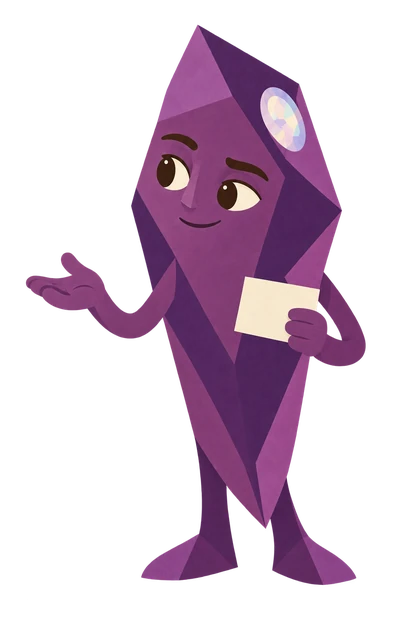 PrismYour narrator
Listen with Prism
Prism guides you through the complete recording. Listen straight through, or choose a chapter. Pause whenever you want to try something.
Complete podcast · 2 min 42 sec · AI-generated character voice
Jump to a chapter
Global Reference List audio transcript
Welcome
Prism: Hi, I’m Prism. Welcome to Global Reference List. I’ll guide you through everything in this recording. Pause whenever you want to try something. Chapter links and the full transcript are available alongside the player, so you can return to the part you need. This recording covers everything in this guide. You can jump between chapters, and the exact links and prompt text are available alongside the player for you to use.
Start here
Prism: Start here. Open the original source when a feature, setting, or claim matters. Cue says: Ask a focused question, and check that the instructions apply to your account today. Use these official references when you need current access, feature, or data guidance. Product guidance was reviewed on October 2, 2026. Your workplace policy remains the starting point for real work.
OpenAI and ChatGPT
Prism: OpenAI and ChatGPT. ChatGPT Learn: current product learning resources. Get started with ChatGPT: Chat, Work, and Codex, with current desktop and cloud guidance. ChatGPT Work overview: task boundaries, computer access, and cloud coordination. OpenAI model guide: current GPT-6.1 Sol and Luna guidance, Power controls, and account availability. Work cloud security: permissions and data handling. Computer use: boundaries when an assistant interacts with apps.
Gemini Notebook
Prism: Gemini Notebook. Gemini Notebook Help: setup and available learning aids. Add or discover sources: supported sources and refresh behaviour. Create a notebook: Studio outputs, exports, and sharing checks. Quizzes and flashcards: current Studio controls for learning aids. Privacy and terms: account-specific protections.
Gemini and Workspace
Prism: Gemini and Workspace. Google Workspace AI training and help: current Workspace workflows. Gemini Apps Help: standalone app guidance. Current Workspace update: background file creation and features rolling out now. Gems to skills timeline: announced rollout dates and account differences.
Search and Web Content
Prism: Search and Web Content. Google's guide to generative AI search: foundational SEO, helpful content, and claims to question. Google SEO Starter Guide: discovery and resource structure. Helpful, reliable, people-first content: quality and reader needs.
Optional Videos
Prism: Optional Videos. Every day includes an optional embedded YouTube video from an official OpenAI, Google Workspace, or Google Search Central channel. Cue, Folio, or Prism gives you one thing to notice. Publication dates appear beside each selection. All selected videos were published within the six months preceding this review, and most are from September 2026. Some short clips return in related lessons with a new viewing question. Videos are examples, and the lesson’s current official documentation takes precedence when screens or features differ.
Your next small step
Prism: Keep this resource handy as you practise. Follow the official links provided when you need current instructions, and check the account and workplace rules that apply to you. One useful step at a time. Cue asks, Folio makes, Prism checks. We’re cheering you on.
Use these official references when you need current access, feature, or data guidance. Product guidance was reviewed on October 2, 2026. Your workplace policy remains the starting point for real work.
OpenAI and ChatGPT
- ChatGPT Learn: current product learning resources.
- Get started with ChatGPT: Chat, Work, and Codex, with current desktop and cloud guidance.
- ChatGPT Work overview: task boundaries, computer access, and cloud coordination.
- OpenAI model guide: current GPT-6.1 Sol and Luna guidance, Power controls, and account availability.
- Work cloud security: permissions and data handling.
- Computer use: boundaries when an assistant interacts with apps.
Gemini Notebook
- Gemini Notebook Help: setup and available learning aids.
- Add or discover sources: supported sources and refresh behaviour.
- Create a notebook: Studio outputs, exports, and sharing checks.
- Quizzes and flashcards: current Studio controls for learning aids.
- Privacy and terms: account-specific protections.
Gemini and Workspace
- Google Workspace AI training and help: current Workspace workflows.
- Gemini Apps Help: standalone app guidance.
- Current Workspace update: background file creation and features rolling out now.
- Gems to skills timeline: announced rollout dates and account differences.
Search and Web Content
- Google's guide to generative AI search: foundational SEO, helpful content, and claims to question.
- Google SEO Starter Guide: discovery and page structure.
- Helpful, reliable, people-first content: quality and reader needs.
Optional Videos
Every day includes an optional embedded YouTube video from an official OpenAI, Google Workspace, or Google Search Central channel. Cue, Folio, or Prism gives you one thing to notice. Publication dates appear beside each selection. All selected videos were published within the six months preceding this review, and most are from September 2026. Some short clips return in related lessons with a new viewing question. Videos are examples, and the lesson’s current official documentation takes precedence when screens or features differ.