Day 29: Capstone Part 2, Create the Productivity Package
What you will learn and leave with
This lesson teaches you how to create the productivity package. It uses Capstone Project as a practical learning context while keeping privacy, accuracy, context, and human judgment in charge.
Use this when: you want to combine course skills into a finished, reviewable learning artifact. By the end: you will save capstone productivity package.
Course position: Day 29 of 30 · Capstone Project module
Continue: Day 30: Capstone Part 3, Polish, Review, and Build Your Personal AI Playbook
Source check: product features and interfaces can change. NIST AI Risk Management Framework was checked for this course on 2026-08-30; confirm current details before using a changing feature.
Listen to the Day 29 Introduction
This short audio introduces the day and what to focus on.
Day 29: Capstone Part 2, Create the Productivity Package audio transcript
A real work package is rarely one document.
There may be a team update, an FAQ, a briefing, a reviewer note, a web outline, or questions for stakeholders. The hard part is keeping all of those pieces aligned.
Welcome to Day 29 of the 30-Day AI at Work Challenge: Capstone Part 2, Create the Productivity Package.
Today, you will use the source and strategy foundation from Day 28 to create a small set of connected assets.
Let's start with the main idea. A productivity package is not a pile of drafts. It is a set of pieces that serve different readers while staying connected to the same factual spine.
That means the pieces do not need to sound identical. A team update can be concise. An FAQ can answer likely questions. A briefing can support a decision. A web outline can organize reader intent. But they should not contradict each other.
The risk today is inconsistency. One asset might promise more than another supports. One might hide a caveat. One might use different timing, ownership, or benefit language.
In the lesson, you will draft a core message and supporting assets. If the full package feels too large, keep it to three pieces: a core message, an FAQ, and a review checklist.
There is a worked example in the lesson. Notice how each asset stays tied to the same facts, limits, and review needs.
Before you begin, look back at your Day 28 foundation. Which claims are safe? Which claims need review? Which claims should stay out?
By the end, you will save your capstone productivity package. The goal is a coherent set of assets, not separate drafts that drift apart.
Why It Matters
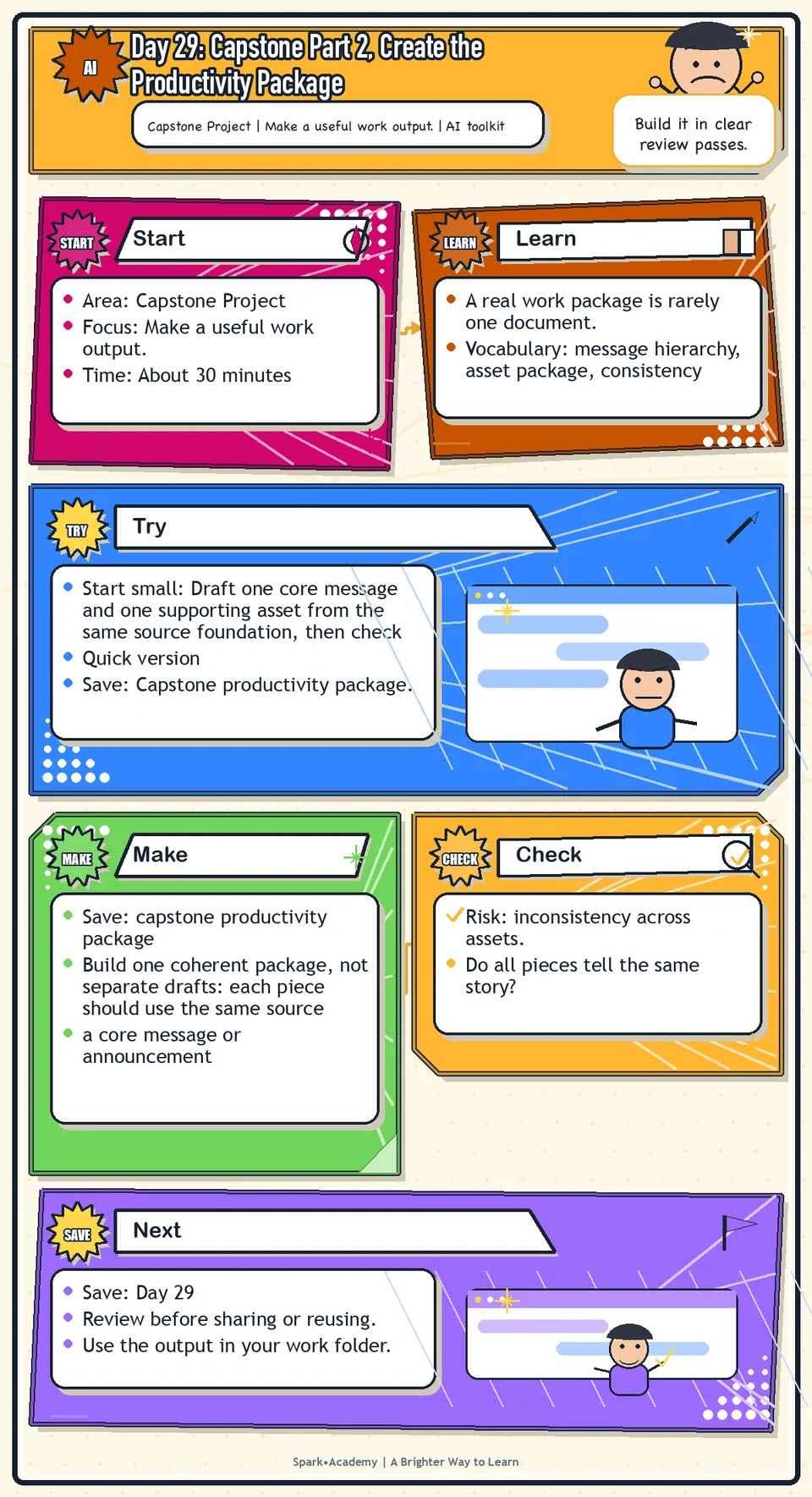
A real work package is rarely one document. It often includes messages, FAQs, briefings, outlines, or question sets for different audiences or moments.
Those pieces can drift unless claims, caveats, names, dates, evidence, and review notes stay aligned. The source foundation from Day 28 should anchor every piece.
Save a connected package that serves different reader needs while telling the same truth. It should show source grounding, clear drafting, reader questions, technical clarity, risk review, and human judgment.
Continue with the same capstone scenario track you chose on Day 28 so each asset uses the same audience, source foundation, and review path.
Know Before You Try
A productivity package is a set of aligned assets, not a pile of drafts. Each asset can serve a different audience while staying connected to the same factual spine.
The pieces do not need to sound identical, but they should not contradict each other. A summary note, team update, FAQ, briefing, and web outline may vary in format and tone while relying on the same claims, caveats, names, dates, and next steps.
Each asset has a job. A summary or briefing may help stakeholders understand the situation. A team update may coordinate action. An FAQ may anticipate questions. A web outline may prepare public content.
Use AI to create options and variations, but use your judgment to make the pieces consistent, accurate, and ready for review.
The final quality check is cross-asset alignment. Look for conflicting claims, missing caveats, different names or dates, unsupported benefits, and places where one asset promises more than another can support.
Before you try
- A productivity package usually needs more than one asset because different audiences need different levels of detail.
- Build a message hierarchy first: core message, audience-specific version, proof points, risks or limitations, FAQ, and suggested next step.
- Keep review annotations visible. A polished package with hidden uncertainty is less useful than a slightly rough package that clearly marks what needs approval.
Where this helps
Use this when preparing project materials, team updates, decision briefings, FAQs, reader questions, or project narratives.
- preparing a mock rollout, team update, FAQ, briefing, or web outline
- several communication pieces need to tell the same story consistently
- comparing tool outputs can improve the final package
Try It
Start small: Draft one core message and one supporting asset from the same source foundation, then check that the claims match.
Quick version
- Save: Capstone productivity package.
- Minimum useful version: Create three aligned pieces: core message, FAQ, and review checklist.
- If stuck: Keep every piece tied to the Day 28 source foundation. If a claim is not supported there, mark it or remove it.
- Done when: The pieces tell the same truth for different reader needs.
- Add only if useful: Add a decision brief, web outline, or stakeholder question set.
Aim for
- Core message: "We are reviewing an AI-supported workflow to help organize support information more clearly."
- FAQ question: "Does this replace human support?" Answer: "No claim should be made unless approved; mark for review."
- Review checklist: Supported facts, risky claims, audience fit, caveats, and approvals.
- Why this works: Each piece uses the same factual spine without sounding identical.
Practice
Use ChatGPT to create a productivity package with:
- Plain-English explainer.
- Decision brief.
- Team update.
- FAQ.
- Stakeholder questions.
- Review checklist.
Use Gemini to review the package for:
- Search intent.
- SEO.
- AEO.
- Web-friendly headings.
- FAQ opportunities.
- Questions people may ask online.
Ask ChatGPT to compare the productivity package and Gemini suggestions. Keep, cut, revise, or combine the strongest ideas. Write down why you kept or cut each major suggestion.
Work in passes:
- Use the Day 28 foundation as input.
- Draft the core message with ChatGPT or Gemini.
- Create supporting assets such as FAQ, briefing, outline, or stakeholder questions.
- Compare the package against the source foundation and revise for consistency.
If the package feels too big, choose three pieces: a core message, an FAQ, and a review checklist. That is enough to practice the full workflow.
Before you save it:
- Draft the team-facing version before any possible public-facing version. Team clarity comes first.
- Compare the package against the source foundation from Day 28 and remove anything that is not supported.
Prompt
Primary Prompt
Use this to get a first useful draft.
Help me create a capstone productivity package with a plain-English explainer, decision brief, team update, FAQ, stakeholder questions, and review checklist. Then help me evaluate search intent, SEO, AEO, web headings, FAQ opportunities, and which suggestions to keep, cut, revise, or combine.Role:
Act as a cross-tool productivity package editor.
Task:
Help me create a capstone productivity package with a plain-English explainer, decision brief, team update, FAQ, stakeholder questions, and review checklist. Then help me evaluate search intent, SEO, AEO, web headings, FAQ opportunities, and which suggestions to keep, cut, revise, or combine.
Context:
- Keep in mind: A productivity package should serve different audiences while keeping every asset aligned to the same source-backed message.
- Work context: capstone productivity package creation.
- Save as: capstone productivity package.
Use these details if I provide them:
- Source and strategy foundation.
- Audiences.
- Assets needed.
- Review constraints.
Ask first only if needed:
- Ask up to three clarifying questions only when missing details would materially change the answer. Otherwise, proceed with clearly labeled assumptions or placeholders.
Keep it safe:
- Use only mock, public, sanitized, or workplace-approved information. Do not include sensitive, confidential, personal, customer, legal, financial, unreleased, private-code, credential, or regulated material unless that use is explicitly approved.
- Do not invent names, dates, metrics, source content, evidence, approvals, or promises. If details are missing, use labeled placeholders or a brief mock example.
How to work:
- Create connected assets that tell the same story.
- Include explainer, decision brief, team update, FAQ, stakeholder questions, and review checklist.
- Evaluate web/search suggestions and decide what to keep.
Give me:
1. Source assumptions
2. Plain-English explainer
3. Decision brief and team update
4. FAQ and stakeholder questions
5. Search, SEO, AEO, and heading review
6. Keep, cut, revise, or combine decisions
7. Review checklist and reusable package prompt pattern
Style:
- Practical, clear, friendly, plain-English, specific, and non-hype.
- Use headings, bullets, or a compact table when that makes the output easier to scan.
Before you finish:
- The package should feel like a set, not unrelated drafts.
- Make sure the answer is usable, grounded in provided or clearly labeled mock information, and clear about what needs human review before real use.Improve Prompt
Use this to check consistency across the package.
Review my capstone productivity package against my source and strategy foundation. Identify unsupported claims, inconsistent language, audience mismatch, missing review notes, weak FAQs, and pieces that should be kept, cut, revised, or combined.Role:
Act as a productivity-package reviewer who checks consistency, source support, audience fit, and asset alignment.
Task:
Review my capstone productivity package against the source and strategy foundation. Identify unsupported claims, inconsistent language, audience mismatch, missing review notes, weak FAQs, and pieces that should be kept, cut, revised, or combined.
Context:
- Keep in mind: A productivity package should serve different audiences while keeping every asset aligned to the same source-backed message.
- Work context: capstone productivity package creation.
- Save as: capstone productivity package.
Use these details if I provide them:
- Source and strategy foundation.
- Audiences.
- Assets needed.
- Review constraints.
Ask first only if needed:
- Ask up to three clarifying questions only when missing details would materially change the answer. Otherwise, proceed with clearly labeled assumptions or placeholders.
Keep it safe:
- Use only mock, public, sanitized, or workplace-approved information. Do not include sensitive, confidential, personal, customer, legal, financial, unreleased, private-code, credential, or regulated material unless that use is explicitly approved.
- Do not invent names, dates, metrics, source content, evidence, approvals, or promises. If details are missing, use labeled placeholders or a brief mock example.
How to work:
- Compare package against the foundation.
- Find unsupported claims, inconsistent language, audience mismatch, weak FAQs, and missing review notes.
- Recommend keep, cut, revise, or combine choices.
Give me:
1. Quick verdict
2. Issue table with priority, evidence, and recommended fix
3. Revised draft or targeted rewrite
4. Questions or approvals still needed
5. Before-use review checklist
6. Reusable review prompt pattern
Style:
- Practical, clear, friendly, plain-English, specific, and non-hype.
- Use headings, bullets, or a compact table when that makes the output easier to scan.
Before you finish:
- The package should feel like a set, not unrelated drafts.
- Make sure the answer is usable, grounded in provided or clearly labeled mock information, and clear about what needs human review before real use.Apply Prompt
Use this to create a smaller package if the full version is too much.
Help me create a focused capstone package with only three pieces: core message, FAQ, and review checklist. Use my source foundation, keep claims grounded, and mark questions or approvals needed before real use.Role:
Act as a practical productivity-package coach who helps me create a smaller aligned package from a source foundation.
Task:
Help me create a focused capstone package with only three pieces: core message, FAQ, and review checklist. Use my source foundation, keep claims grounded, and mark questions or approvals needed before real use.
Context:
- Keep in mind: A productivity package should serve different audiences while keeping every asset aligned to the same source-backed message.
- Work context: capstone productivity package creation.
- Save as: capstone productivity package.
Use these details if I provide them:
- Source and strategy foundation.
- Audiences.
- Assets needed.
- Review constraints.
Ask first only if needed:
- Ask up to three clarifying questions only when missing details would materially change the answer. Otherwise, proceed with clearly labeled assumptions or placeholders.
Keep it safe:
- Use only mock, public, sanitized, or workplace-approved information. Do not include sensitive, confidential, personal, customer, legal, financial, unreleased, private-code, credential, or regulated material unless that use is explicitly approved.
- Do not invent names, dates, metrics, source content, evidence, approvals, or promises. If details are missing, use labeled placeholders or a brief mock example.
How to work:
- Create a smaller package if needed.
- Focus on core message, FAQ, and review checklist.
- Keep claims grounded and questions visible.
Give me:
1. Questions to ask me first
2. Safe assumptions if I do not answer yet
3. Core message
4. FAQ
5. Review checklist
6. Claims, questions, and approvals to mark
7. Reusable small-package prompt pattern
Style:
- Practical, clear, friendly, plain-English, specific, and non-hype.
- Use headings, bullets, or a compact table when that makes the output easier to scan.
Before you finish:
- The package should feel like a set, not unrelated drafts.
- Make sure the answer is usable, grounded in provided or clearly labeled mock information, and clear about what needs human review before real use.Make Something Useful
Build one coherent package, not separate drafts: each piece should use the same source foundation and review notes.
Save capstone productivity package.
Make sure it includes:
- a core message or announcement
- at least one supporting asset such as FAQ, briefing, outline, or question set
- source and review notes
- consistent language across the package
Worked example: capstone package
Scenario track: Internal rollout.
Factual spine: The source says an AI-assisted intake workflow is being piloted internally. It does not prove business impact yet. Privacy, escalation, and approved benefit language still need review.
Core message:
We are piloting an internal AI-assisted intake workflow to help the support team sort requests more consistently. The pilot is still under review, so the current goal is to collect feedback, confirm escalation rules, and identify what language is safe to use before broader sharing.
Supporting assets:
- Team update: concise announcement with timeline, owner, feedback path, and review limits.
- FAQ: what is changing, who is included, what the workflow does not decide, what data rules apply, and where to ask questions.
- Reviewer note: claims to verify, privacy questions, technical accuracy questions, and unresolved decisions.
Why this works: The assets serve different readers while staying aligned to the same facts, limits, and review needs.
Review and Save
Specific risk to check: The risk today is inconsistency across assets. A team update, FAQ, briefing, and web outline can drift unless they share the same factual spine and review notes.
Review whether the package is consistent across assets. The FAQ, summary note, and team update should not tell different stories.
Ask yourself:
- Do all pieces tell the same story?
- Are claims supported by the Day 28 foundation?
- Are risks and open questions marked?
- Does each asset have a clear audience and purpose?
Watch for
Different outputs may optimize for different goals. A summary note should not read like a blog post. A web outline should not dictate team messaging.
Do not let the tools create five polished assets that disagree with one another. Consistency is part of quality.
Save
Save this in your 30-day work folder as Day 29 - capstone productivity package.
Add a quick reuse note: Use this at work for: creating aligned messages, FAQs, briefs, and review notes for one project or communication package.
Save the full package in one folder or note so you can review it as a set on Day 30.
Check yourself
- I created a plain English product explainer.
- I created a decision brief.
- I created a team update draft.
- I created an FAQ and stakeholder questions.
- I used Gemini to think about web visibility, SEO, AEO, and FAQs.
- I compared, challenged, and combined outputs across tools.
- I can explain how each asset in my package connects to the source foundation.
- I can keep multiple communication assets aligned to the same source foundation and review needs.