Day 2: Create Your AI Tool Map
What you will learn and leave with
This lesson teaches you how to create your AI tool map. It uses Getting Oriented as a practical learning context while keeping privacy, accuracy, context, and human judgment in charge.
Use this when: you want a guided introduction before applying AI to real work. By the end: you will save My AI Tool Map.
Course position: Day 2 of 30 · Getting Oriented module
Continue: Day 3: Set Up and Walk Through ChatGPT
Source check: product features and interfaces can change. NIST AI Risk Management Framework was checked for this course on 2026-08-30; confirm current details before using a changing feature.
Listen to the Day 2 Introduction
This short audio introduces the day and what to focus on.
Day 2: Create Your AI Tool Map audio transcript
One common AI mistake is using the same tool for everything just because it is the one you know best.
That can work for small tasks. But as soon as the work involves sources, workplace documents, web content, technical questions, or review needs, the tool choice starts to matter.
Welcome to Day 2 of the 30-Day AI at Work Challenge: Create Your AI Tool Map. Today, you will build a simple decision aid for choosing where to start.
Here is why this matters. A good AI workflow starts with the task, not the product name. Ask yourself: What am I trying to do? Where does the information live? How grounded does the answer need to be? What kind of review will this need before anyone uses it?
That is the purpose of your tool map.
ChatGPT may be useful for drafting, brainstorming, planning, and pressure testing. Gemini Notebook is useful when you want to stay close to selected sources. Gemini may help when the work lives in Google Workspace or when you are thinking about reader intent and web structure. ChatGPT Work can help you understand technical material well enough to ask better questions.
The point is not to memorize a perfect taxonomy. The point is to avoid autopilot.
As you enter the lesson, think about one real task on your plate. Maybe it is a message, a meeting, a source document, a web page, or a technical explanation. Which tool would you try first? And what boundary would you check before using it?
Today, you will save "My AI Tool Map." Make it practical enough that future you can use it quickly when work gets busy.
Why It Matters
Choosing the right AI tool should start with the task, not the product name. Ask where the information lives, how grounded the answer needs to be, and what review is required before anyone uses it.
A tool map helps you avoid two common mistakes: using one assistant for everything or avoiding AI because the options feel confusing. ChatGPT, Gemini Notebook, Gemini, and ChatGPT Work can overlap, but they do not support work in the same way.
Save a map that connects each tool to realistic work tasks, cautions, data boundaries, and first prompts. It should help you make a better starting choice in under a minute.
Know Before You Try
Different AI tools can overlap, but they are not interchangeable. A useful tool map starts with the work, not the product name.
A strong tool map has four columns: task, context, output, and boundary. The task is what you are trying to do. The context is what the tool needs to know. The output is what you need back. The boundary is what information, review, or approval limits the workflow.
ChatGPT is useful for drafting, planning, brainstorming, pressure testing, and synthesis. Gemini Notebook is useful when answers should stay close to trusted source material. Gemini is useful when the work lives inside Google Workspace or when you are thinking about web visibility. ChatGPT Work is useful for technical explanation, code-aware context, and technical questions.
A source-grounded summary, a quick email rewrite, a public content outline, and a technical explanation may all involve writing, but they need different context and different review. The tool choice follows the job.
Privacy and permission are part of the map. The question is not only "Can this tool do it?" It is also "May I put this material here, and what review is required before I use the result?"
A good tool map is not a perfect taxonomy. It is a practical decision aid that gets better as you learn what actually works for you.
Before you try
- A good tool map is not a ranking of which AI tool is best. It is a decision aid for matching the tool to the job.
- Use ChatGPT when you need flexible drafting, reasoning, rewriting, or planning; use Gemini Notebook when the answer should stay grounded in selected sources; use Gemini when the work lives inside Google tools or search visibility matters; use ChatGPT Work when technical context needs translation or code-aware help.
- Add a privacy column to your map. The most important question is often not 'Can this tool do it?' but 'May I put this material here?'
Where this helps
Use the AI Tool Map whenever you are unsure where to start. It helps you choose the tool based on the task, not based on habit.
- you are unsure whether to use ChatGPT, Gemini Notebook, Gemini, or ChatGPT Work
- a task has multiple parts and may need more than one tool
- you want to explain to someone else why you chose a particular AI workflow
Try It
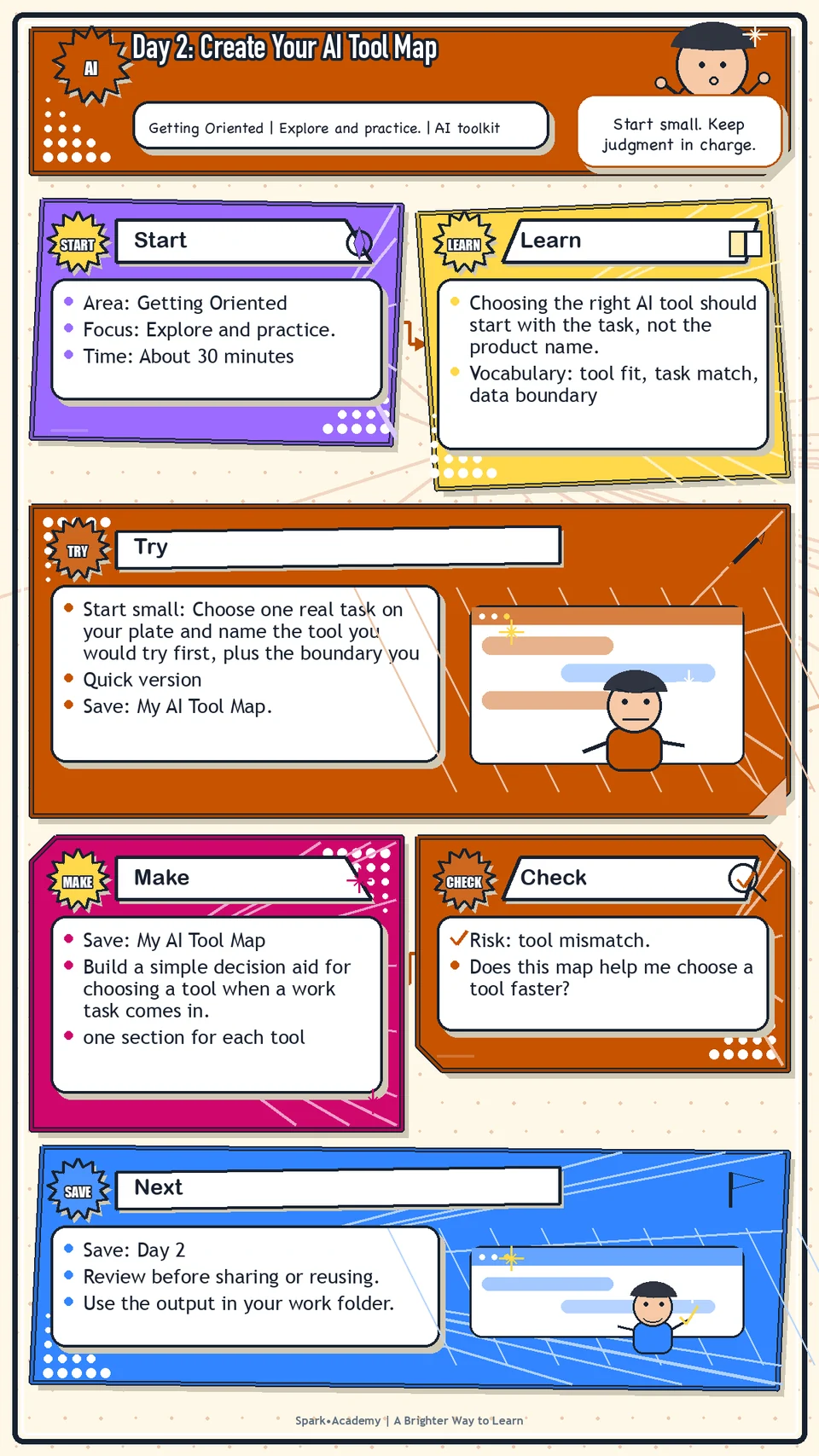
Start small: Choose one real task on your plate and name the tool you would try first, plus the boundary you would check before using it.
Quick version
- Save: My AI Tool Map.
- Minimum useful version: Create four rows: ChatGPT, Gemini Notebook, Gemini, and ChatGPT Work. For each, write best use, caution, and one work task.
- If stuck: "ChatGPT: useful for drafting and pressure testing; caution: may add unsupported claims."
- Done when: The map helps you choose a tool by task instead of habit or hype.
- Add only if useful: Add a privacy or review column so the map also shows what must be checked before real use.
Aim for
- ChatGPT: Best for drafting, brainstorming, planning, and pressure testing. Watch for unsupported claims.
- Gemini Notebook: Best for learning from selected sources. Watch for source gaps or outdated material.
- Gemini: Best when work lives in Google Workspace or when thinking about search-friendly structure. Watch for convenience replacing review.
- ChatGPT Work: Best for technical sensemaking and translation. Watch for anything that still needs engineering confirmation.
Practice
Create a note called "My AI Tool Map." Add four sections:
- ChatGPT
- Gemini Notebook
- Gemini
- ChatGPT Work
Under each section, write:
- What this tool is best for.
- What I should be careful about.
- One practical workplace use case.
- One prompt I might try.
Example: ChatGPT Best for drafting, planning, brainstorming, and pressure testing. Careful about unsupported claims and confidential information. Use case: prepare a decision brief. Prompt: "Help me turn these notes into a concise decision brief."
Work in passes:
- Create one section for each tool.
- Under each tool, write three tasks it seems best suited for.
- Add one caution for each tool, such as source limits, privacy concerns, or need for human review.
- Add a final section called "When I am unsure" and write a simple rule for deciding where to start.
If you are not sure what to write, use examples from this guide. ChatGPT is used for drafting and pressure testing, Gemini Notebook for learning from sources, Gemini for Workspace and search-friendly thinking, and ChatGPT Work for technical explanation.
Before you save it:
- For each tool, add one strong use case, one weak use case, and one data boundary.
- If the tool choice is unclear, write the question you would ask before choosing where to start.
Prompt
Primary Prompt
Use this to get a first useful draft.
Help me create my AI Tool Map. Compare ChatGPT, Gemini Notebook, Gemini, and ChatGPT Work by best use case, what to be careful about, one practical workplace use case, and one prompt I might try.Role:
Act as a practical tool-selection coach.
Task:
Help me create my AI Tool Map. Compare ChatGPT, Gemini Notebook, Gemini, and ChatGPT Work by best use case, what to be careful about, one practical workplace use case, and one prompt I might try.
Context:
- Keep in mind: Different AI tools fit different jobs; choose based on task, source needs, technical depth, workflow location, and review risk.
- Work context: AI tool selection across ChatGPT, Gemini Notebook, Gemini, and ChatGPT Work.
- Save as: AI Tool Map.
Use these details if I provide them:
- The tools I can access if known.
- The kind of work I do.
- Any workplace guidance or data boundaries that affect tool choice.
Ask first only if needed:
- Ask up to three clarifying questions only when missing details would materially change the answer. Otherwise, proceed with clearly labeled assumptions or placeholders.
Keep it safe:
- Use only mock, public, sanitized, or workplace-approved information. Do not include sensitive, confidential, personal, customer, legal, financial, unreleased, private-code, credential, or regulated material unless that use is explicitly approved.
- Do not invent names, dates, metrics, source content, evidence, approvals, or promises. If details are missing, use labeled placeholders or a brief mock example.
How to work:
- Compare each tool by best use, weak use, caution, and safe practice prompt.
- Make the differences concrete instead of saying every tool can do everything.
- Include a simple decision rule for choosing where to start when more than one tool could fit.
Give me:
1. Task and safe assumptions
2. AI Tool Map comparison table
3. Best-fit workplace use cases
4. Cautions and review boundaries
5. First prompts to try
6. Personal tool-choice rule
Style:
- Practical, clear, friendly, plain-English, specific, and non-hype.
- Use headings, bullets, or a compact table when that makes the output easier to scan.
Before you finish:
- The map should be scannable in under a minute and help me choose a next step.
- Make sure the answer is usable, grounded in provided or clearly labeled mock information, and clear about what needs human review before real use.Improve Prompt
Use this to make the map more useful.
Review my AI Tool Map for overlap, vague tool choices, missing cautions, and unclear data boundaries. Help me add one strong use case, one weak use case, and one decision question for each tool.Role:
Act as a tool-selection reviewer who checks whether each AI tool fits the task, source needs, and review risk.
Task:
Review my AI Tool Map for overlap, vague tool choices, missing cautions, and unclear data boundaries. Help me add one strong use case, one weak use case, and one decision question for each tool.
Context:
- Keep in mind: Different AI tools fit different jobs; choose based on task, source needs, technical depth, workflow location, and review risk.
- Work context: AI tool selection across ChatGPT, Gemini Notebook, Gemini, and ChatGPT Work.
- Save as: AI Tool Map.
Use these details if I provide them:
- The tools I can access if known.
- The kind of work I do.
- Any workplace guidance or data boundaries that affect tool choice.
Ask first only if needed:
- Ask up to three clarifying questions only when missing details would materially change the answer. Otherwise, proceed with clearly labeled assumptions or placeholders.
Keep it safe:
- Use only mock, public, sanitized, or workplace-approved information. Do not include sensitive, confidential, personal, customer, legal, financial, unreleased, private-code, credential, or regulated material unless that use is explicitly approved.
- Do not invent names, dates, metrics, source content, evidence, approvals, or promises. If details are missing, use labeled placeholders or a brief mock example.
How to work:
- Find overlap, vague choices, missing data boundaries, and weak decision rules.
- Sharpen the map so it helps me decide quickly.
- Add one strong use case and one weak use case for each tool.
Give me:
1. Quick verdict
2. Issue table with priority, evidence, and recommended fix
3. Revised draft or targeted rewrite
4. Questions or approvals still needed
5. Before-use review checklist
6. Reusable review prompt pattern
Style:
- Practical, clear, friendly, plain-English, specific, and non-hype.
- Use headings, bullets, or a compact table when that makes the output easier to scan.
Before you finish:
- The map should be scannable in under a minute and help me choose a next step.
- Make sure the answer is usable, grounded in provided or clearly labeled mock information, and clear about what needs human review before real use.Apply Prompt
Use this to turn the map into a decision aid.
Create a simple tool-choice rule for my work. Ask what kind of task I am doing, whether I have approved source material, whether the output is technical or nontechnical, and what review is needed before sharing.Role:
Act as a practical tool-choice coach who helps me choose the right AI tool for approved or sanitized work.
Task:
Create a simple tool-choice rule for my work. Ask what kind of task I am doing, whether I have approved source material, whether the output is technical or nontechnical, and what review is needed before sharing.
Context:
- Keep in mind: Different AI tools fit different jobs; choose based on task, source needs, technical depth, workflow location, and review risk.
- Work context: AI tool selection across ChatGPT, Gemini Notebook, Gemini, and ChatGPT Work.
- Save as: AI Tool Map.
Use these details if I provide them:
- The tools I can access if known.
- The kind of work I do.
- Any workplace guidance or data boundaries that affect tool choice.
Ask first only if needed:
- Ask up to three clarifying questions only when missing details would materially change the answer. Otherwise, proceed with clearly labeled assumptions or placeholders.
Keep it safe:
- Use only mock, public, sanitized, or workplace-approved information. Do not include sensitive, confidential, personal, customer, legal, financial, unreleased, private-code, credential, or regulated material unless that use is explicitly approved.
- Do not invent names, dates, metrics, source content, evidence, approvals, or promises. If details are missing, use labeled placeholders or a brief mock example.
How to work:
- Ask what task I am trying to do and what material I have.
- Recommend a starting tool and explain why.
- Include when to switch tools or ask for guidance.
Give me:
1. Questions to ask me first
2. Safe assumptions if I do not answer yet
3. Tool-choice decision tree
4. Recommended tool by task type
5. Safety, source, and review rules
6. Fallback workflow
7. Reusable tool-choice prompt pattern
Style:
- Practical, clear, friendly, plain-English, specific, and non-hype.
- Use headings, bullets, or a compact table when that makes the output easier to scan.
Before you finish:
- The map should be scannable in under a minute and help me choose a next step.
- Make sure the answer is usable, grounded in provided or clearly labeled mock information, and clear about what needs human review before real use.Make Something Useful
Build a simple decision aid for choosing a tool when a work task comes in.
Save My AI Tool Map.
Make sure it includes:
- one section for each tool
- clear examples of what each tool is good for
- one caution or boundary for each tool
- a simple rule for what to do when the right tool is not obvious
Review and Save
Specific risk to check: The risk today is tool mismatch: using the most familiar assistant instead of the one that fits the task, source boundary, and review need.
The map should make choices easier. If every tool sounds like it does everything, sharpen the differences. The point is not to create a perfect taxonomy. The point is to make your next step easier.
Ask yourself:
- Does this map help me choose a tool faster?
- Am I treating one tool as if it can do everything?
- Have I noted when source material, Workspace context, or technical context matters?
- Have I kept privacy and workplace approval in the decision?
Watch for
There will be overlap between tools. That is fine. Sometimes you will try one tool first and another tool second. The best choice may depend on the material, the audience, and what you are trying to create.
Do not overcomplicate the map. If it becomes too detailed, you will not use it. The map should feel like something you can scan in under a minute.
Save
Save this in your 30-day work folder as Day 2 - My AI Tool Map.
Add a quick reuse note: Use this at work for: choosing the right AI tool for a draft, source-learning task, Workspace task, or technical question.
Save the map somewhere easy to update. You will learn more about each tool over the next 28 days, so leave room for additions.
Check yourself
- I created my AI Tool Map.
- I can explain the main role of ChatGPT.
- I can explain the main role of Gemini Notebook.
- I can explain the main role of Gemini.
- I can explain the main role of ChatGPT Work.
- I know which tool I would try first for different kinds of work.
- I can explain which tool I would try first for drafting, source learning, Workspace work, and technical translation.
- I can use my tool map to choose a starting tool for drafting, source learning, Workspace work, or technical translation.
Optional video
Watch: What Work Looks Like with ChatGPT | Write, Research, Code, Create (official OpenAI YouTube channel, 1:49).
Why it helps: It shows several practical AI work modes, which helps you think in workflows instead of isolated tools.