Day 25: Set Up and Walk Through Codex
Listen to the Day 25 Introduction
This short audio introduces the day and what to focus on.
Use Codex lightly for technical translation and better technical questions.
This stretch is not about turning you into an engineer. It is about using Codex to understand technical material more clearly, translate it into plain English, and prepare better questions for technical partners.
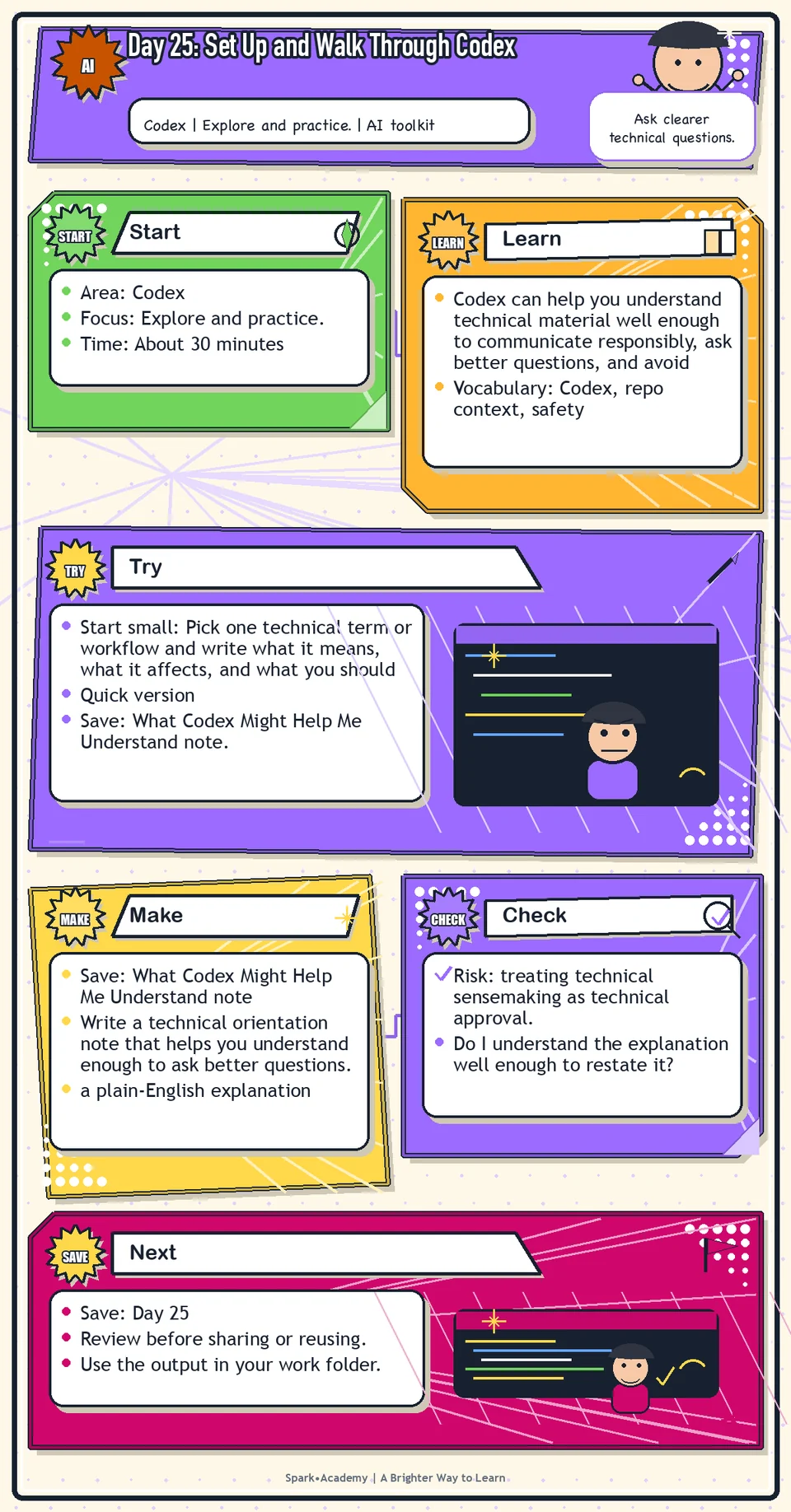
Why It Matters
Codex can help you understand technical material well enough to communicate responsibly, ask better questions, and avoid inaccurate explanations. Use it for sensemaking, not as engineering approval.
AI-related work often includes architecture, data, model, integration, security, deployment, or product language that is easy to repeat and hard to explain. You need enough grounding to preserve meaning and know when expert confirmation is required.
Save a technical orientation note with key terms, relationships, assumptions, and questions for technical partners. It should improve your ability to communicate without pretending to have expertise you have not earned.
Know Before You Try
Tool: Codex. Start by reviewing the Codex entry in The Tools, then open Codex through ChatGPT if it is available for your account. Use the Tools section as the main reference for access notes, plan differences, desktop app notes, and current links. Today, focus on how Codex can explain safe technical context and help you prepare better questions.
Features may vary by account, plan, workspace settings, device, and workplace permissions. Do not connect repositories, run unfamiliar code, expose secrets, upload proprietary technical material, change real systems, or bypass engineering review unless that use is explicitly approved.
Codex is useful for technical sensemaking: turning code, technical notes, workflow diagrams, or engineering concepts into questions and explanations a nontechnical partner can use.
For beginners, the value is not writing production code. The value is understanding what something means, why it matters, how pieces connect, what assumptions are present, and what could be misunderstood.
The point is not to replace engineering judgment. The point is to understand enough to prepare better questions before you talk with technical partners.
A good Codex prompt gives context, names the audience, identifies the source material, and asks for the level of explanation you need. You can ask it to explain like you are a nontechnical partner, product partner, or new team member.
Technical explanations should preserve uncertainty. If the explanation affects public messaging, product claims, security, privacy, or customer commitments, mark what needs expert confirmation before using it. Use safe, mock, public, or approved technical material unless your workplace has explicitly approved a different workflow.
Before you try
- Codex is a coding agent from OpenAI. For a non-engineer, its value may be technical translation, workflow understanding, and better questions, not writing production code alone.
- Codex works best with clear context: repository, goal, constraints, files to inspect, tests to run, and what kind of output you want.
- Safety matters. Do not ask Codex to run unfamiliar code, change real systems, expose secrets, or bypass review. Treat its output as something a human still reviews.
Where this helps
Use Codex when technical context feels difficult to interpret, or when you are preparing questions for technical stakeholders.
- reading technical notes, product specs, engineering docs, or code comments
- preparing questions for engineers
- translating technical language into clearer stakeholder language
Try It
Start small: Pick one technical term or workflow and write what it means, what it affects, and what you should not claim yet.
Quick version
- Save: What Codex Might Help Me Understand note.
- Minimum useful version: Choose one safe technical topic, define three terms, and write three questions for a technical partner.
- If stuck: "I am not trying to code. I am trying to understand what this does, why it matters, and what I should not claim."
- Done when: You can restate the idea in plain English and name what still needs expert confirmation.
- Add only if useful: Add a simple relationship map showing how the pieces connect.
Aim for
- Term: API.
- Plain-English meaning: A way for one system to request information or action from another system.
- Question for technical partner: "What data moves through this connection, and what should we avoid claiming about it?"
- Why this works: It builds enough understanding to ask better questions without pretending to be the engineer.
Practice
Open Codex if available. Write a short note called "What Codex Might Help Me Understand." Include topics such as:
- Product architecture.
- Feature behavior.
- Technical limitations.
- Engineering terminology.
- Data flow.
- Integration questions.
- Reliability.
- Performance concepts.
For each topic, write one reason it could matter for workplace use.
Work in passes:
- Open Codex or the available Codex surface.
- Provide safe technical material or use a public example.
- Ask for a plain-English explanation.
- Ask what questions a nontechnical partner should ask before writing about it.
If the explanation is too technical, say: "Explain this for a smart non-engineer at work." If it is too simple, ask for one level deeper with examples.
Before you save it:
- Ask Codex to explain safe technical material in plain English before asking it to suggest changes.
- Write down what Codex could inspect, what it should not touch, and who would need to review the output.
Prompt
Primary Prompt
Use this to get a first useful draft.
Help me list technical topics Codex might help me understand, such as technical architecture, feature behavior, technical limitations, engineering terminology, data flow, integrations, reliability, and performance. For each, explain why it could matter for workplace use.Role:
Act as a technical learning guide for nontechnical workers.
Task:
Help me list technical topics Codex might help me understand, such as technical architecture, feature behavior, technical limitations, engineering terminology, data flow, integrations, reliability, and performance. For each, explain why it could matter for workplace use.
Context:
- Keep in mind: Codex can help translate technical material into plain-English understanding and better engineering questions without replacing engineering judgment.
- Work context: Codex for technical understanding.
- Save as: technical topic map.
Use these details if I provide them:
- Technical topics.
- Why they matter.
- What I already know.
- Workplace context.
Ask first only if needed:
- Ask up to three clarifying questions only when missing details would materially change the answer. Otherwise, proceed with clearly labeled assumptions or placeholders.
Keep it safe:
- Use only mock, public, sanitized, or workplace-approved information. Do not include sensitive, confidential, personal, customer, legal, financial, unreleased, private-code, credential, or regulated material unless that use is explicitly approved.
- Do not invent names, dates, metrics, source content, evidence, approvals, or promises. If details are missing, use labeled placeholders or a brief mock example.
How to work:
- List technical topics and why each matters.
- Group topics by communication relevance.
- Identify what to ask engineering.
Give me:
1. Technical topic list
2. Why each topic matters
3. Cautions
4. Questions for engineering
5. Learning priority
Style:
- Practical, clear, friendly, plain-English, specific, and non-hype.
- Use headings, bullets, or a compact table when that makes the output easier to scan.
Before you finish:
- The map should help me ask better technical questions.
- Make sure the answer is usable, grounded in provided or clearly labeled mock information, and clear about what needs human review before real use.Improve Prompt
Use this to make the technical map more practical.
Review my list of technical topics. Group them by what I need to understand, what I need to ask engineering, what could affect claims, and what is only background context. Add cautions about not treating explanations as approval.Role:
Act as a technical-understanding reviewer who checks what matters, what needs engineering input, and what affects claims.
Task:
Review my list of technical topics. Group them by what I need to understand, what I need to ask engineering, what could affect claims, and what is only background context. Add cautions about not treating explanations as approval.
Context:
- Keep in mind: Codex can help translate technical material into plain-English understanding and better engineering questions without replacing engineering judgment.
- Work context: Codex for technical understanding.
- Save as: technical topic map.
Use these details if I provide them:
- Technical topics.
- Why they matter.
- What I already know.
- Workplace context.
Ask first only if needed:
- Ask up to three clarifying questions only when missing details would materially change the answer. Otherwise, proceed with clearly labeled assumptions or placeholders.
Keep it safe:
- Use only mock, public, sanitized, or workplace-approved information. Do not include sensitive, confidential, personal, customer, legal, financial, unreleased, private-code, credential, or regulated material unless that use is explicitly approved.
- Do not invent names, dates, metrics, source content, evidence, approvals, or promises. If details are missing, use labeled placeholders or a brief mock example.
How to work:
- Review the topic list for background vs claim-sensitive details.
- Group topics by learning need and review need.
- Add cautions about not treating explanations as approval.
Give me:
1. Quick verdict
2. Issue table with priority, evidence, and recommended fix
3. Revised draft or targeted rewrite
4. Questions or approvals still needed
5. Before-use review checklist
6. Reusable review prompt pattern
Style:
- Practical, clear, friendly, plain-English, specific, and non-hype.
- Use headings, bullets, or a compact table when that makes the output easier to scan.
Before you finish:
- The map should help me ask better technical questions.
- Make sure the answer is usable, grounded in provided or clearly labeled mock information, and clear about what needs human review before real use.Apply Prompt
Use this to plan a technical learning session.
Ask me for a safe technical topic I need to understand and my audience. Then create a learning plan with plain-English questions, terms to define, likely misunderstandings, and what to confirm with engineering.Role:
Act as a practical technical-learning coach who helps me understand a safe technical topic and prepare engineering questions.
Task:
Ask me for a safe technical topic I need to understand and my audience. Then create a learning plan with plain-English questions, terms to define, likely misunderstandings, and what to confirm with engineering.
Context:
- Keep in mind: Codex can help translate technical material into plain-English understanding and better engineering questions without replacing engineering judgment.
- Work context: Codex for technical understanding.
- Save as: technical topic map.
Use these details if I provide them:
- Technical topics.
- Why they matter.
- What I already know.
- Workplace context.
Ask first only if needed:
- Ask up to three clarifying questions only when missing details would materially change the answer. Otherwise, proceed with clearly labeled assumptions or placeholders.
Keep it safe:
- Use only mock, public, sanitized, or workplace-approved information. Do not include sensitive, confidential, personal, customer, legal, financial, unreleased, private-code, credential, or regulated material unless that use is explicitly approved.
- Do not invent names, dates, metrics, source content, evidence, approvals, or promises. If details are missing, use labeled placeholders or a brief mock example.
How to work:
- Ask for a safe technical topic and audience.
- Create a learning plan with terms, misunderstandings, and engineering questions.
- Keep claims cautious.
Give me:
1. Questions to ask me first
2. Safe assumptions if I do not answer yet
3. Adapted technical topic map
4. Review before real use
5. Reusable prompt pattern
Style:
- Practical, clear, friendly, plain-English, specific, and non-hype.
- Use headings, bullets, or a compact table when that makes the output easier to scan.
Before you finish:
- The map should help me ask better technical questions.
- Make sure the answer is usable, grounded in provided or clearly labeled mock information, and clear about what needs human review before real use.Make Something Useful
Write a technical orientation note that helps you understand enough to ask better questions.
Save What Codex Might Help Me Understand note.
Make sure it includes:
- a plain-English explanation
- a list of key terms
- questions to ask engineering or product partners
- notes about what should not be claimed without confirmation
Use tomorrow: Bring one technical term, workflow, release note, API mention, or engineering comment to Codex and turn it into a plain-English explanation plus three questions for a technical partner.
Review and Save
Specific risk to check: The risk today is treating technical sensemaking as technical approval. Codex can help you understand and ask better questions, but engineers still need to confirm accuracy.
Do not treat Codex output as engineering approval. Use it to prepare better questions.
Ask yourself:
- Do I understand the explanation well enough to restate it?
- Did Codex infer anything from limited context?
- What would an engineer need to confirm?
- Could this explanation be misleading if simplified too much?
Watch for
Technical translation can oversimplify. If accuracy matters, confirm with technical partners.
Do not use Codex to bypass technical partners. Use it to prepare for better conversations with them.
Save
Save this in your 30-day work folder as Day 25 - What Codex Might Help Me Understand note.
Add a quick reuse note: Use this at work for: understanding technical material well enough to ask better product, engineering, or implementation questions.
Save your orientation note with the prompt that produced the clearest explanation. This can become a reusable technical translation prompt.
Check yourself
- I opened or reviewed Codex.
- I understand that Codex is mainly useful for technical understanding.
- I listed technical topics Codex might help me understand.
- I understand that Codex output is not engineering approval.
- I know when to ask technical partners for confirmation.
- I understand that the point is technical translation, not becoming a coder.
- I can ask Codex for a plain-English explanation and identify what still needs expert confirmation.
- I can use Codex or ChatGPT to understand technical context without treating the output as expert approval.
Optional video
Watch: A first look at the Codex app (official OpenAI YouTube channel, 2:13).
Why it helps: It provides an official quick orientation to the Codex app before participants use it for technical understanding.